
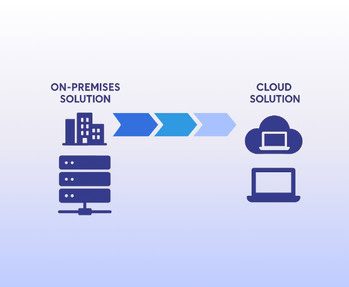
How to Migrate from On-Premise ERP to Cloud
How to Migrate from On-Premise ERP to the Cloud — A Step-by-Step Guide
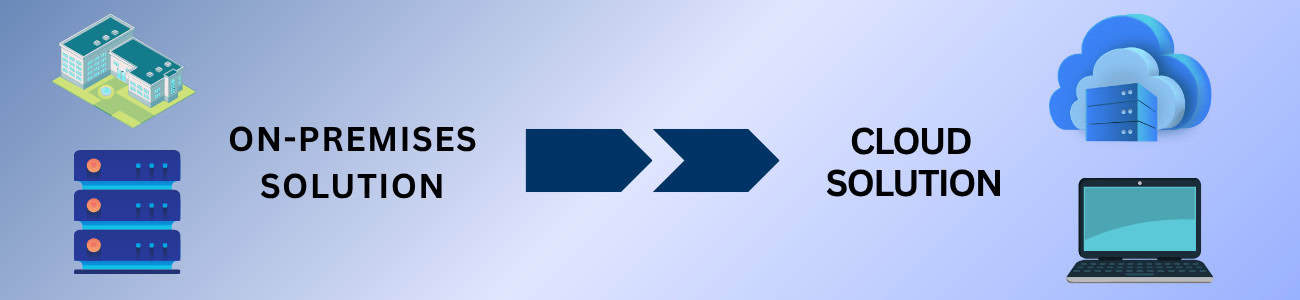
You Know It’s Time for a Change — Here’s How to Make It Smooth
In our last article, we explored the advantages of cloud ERP systems and how they help growing manufacturers and distributors stay competitive.
Now, let’s tackle the question that comes next for many business owners:
“How do we actually move from our old, on-premise ERP to the cloud?”
For most companies, the move to cloud ERP feels both exciting and intimidating. The promise of better visibility and automation is huge — but so are the concerns about data migration, downtime, and team adoption.
The good news? With the right plan, partner, and preparation, the transition can be smooth, efficient, and even energizing for your entire organization.
Here’s a practical step-by-step guide to help you migrate confidently — and how solutions like Kechie make it easier.
Step 1: Evaluate Your Current ERP System
Before making any move, take an honest look at where you stand.
What’s working in your current ERP — and what’s not?
Ask questions like:
- Are there data silos between departments?
- Is it difficult to access reports or analytics?
- Does the system require manual updates or IT support?
- Are maintenance costs rising each year?
This evaluation will help you pinpoint the gaps that cloud ERP can fill. Many manufacturers and distributors realize that their old systems simply can’t keep up with their growth. Kechie’s team often begins engagements with a thorough discovery process to uncover these inefficiencies before migration even begins.
Step 2: Define Clear Goals and Success Metrics
Migration isn’t just about moving data — it’s about improving how you work.
Start by setting measurable goals:
- Faster order processing times
- Reduced inventory discrepancies
- Better access to real-time financial data
- Lower operational costs
With Kechie, goal setting is built into the implementation plan. Their experts help align your ERP configuration with your unique business processes — ensuring you’re not just transferring information but transforming how your teams operate.
Step 3: Choose the Right Cloud ERP Partner
The partner you choose determines how easy (or painful) your migration will be.
Look for a solution that offers:
- Industry expertise in manufacturing and distribution
- Proven migration tools and data mapping capabilities
- Secure, cloud-native architecture
- Responsive support and onboarding assistance
Kechie was built specifically for these industries, so it understands the complexity of multi-warehouse operations, FIFO tracking, and inventory management. More importantly, Kechie’s migration process is guided — meaning you have a clear roadmap, from setup to go-live.
Step 4: Prepare and Cleanse Your Data
This is the step where many migrations succeed or fail.
Your new ERP system is only as good as the data you bring into it.
Take the time to:
- Eliminate duplicate or outdated records
- Standardize naming conventions and units of measure
- Validate key fields (SKUs, supplier IDs, customer codes)
- Back up all existing data
Kechie’s implementation team uses automated tools to help clean and structure data before import — ensuring that once your cloud system is live, everything is consistent, accurate, and ready to go.
Step 5: Plan Your Implementation Timeline
Every company’s migration timeline looks different. Some opt for a phased rollout, starting with finance and inventory before expanding into CRM or production. Others prefer a big-bang approach — migrating everything at once for a faster transition.
Cloud ERP makes both possible. Because it’s hosted online, there’s no need for complex server setup or software installation.
Kechie supports both phased and full implementations, helping you pick the best fit for your resources, data complexity, and comfort level.
Step 6: Test Thoroughly Before You Go Live
Testing is where you build confidence.
Create a sandbox or test environment that mirrors your live setup. Have users from each department walk through their day-to-day tasks — entering orders, running reports, adjusting inventory.
This “dress rehearsal” will surface small issues early, allowing you to fine-tune workflows and permissions.
With Kechie, testing and validation are built into the onboarding process, ensuring your system is stable before flipping the switch.
Step 7: Train Your Team Early and Often
Even the best software fails if users aren’t comfortable with it.
That’s why training is one of the most critical (and often underestimated) steps in any ERP migration.
Kechie’s interface is designed for simplicity, but effective adoption still requires guidance.
Offer hands-on sessions by role — finance, operations, warehouse, etc. — and create “super users” within each team who can act as internal champions.
When people see how much time the system saves them, they embrace it quickly.
Step 8: Go Live With Confidence
Once testing and training are complete, it’s time to go live.
On launch day:
- Ensure all integrations are working (accounting, CRM, eCommerce).
- Monitor transactions closely for accuracy.
- Keep your old system available temporarily, just in case.
With cloud ERP, there’s no lengthy downtime or hardware transition. You simply log in to your new system — and start working smarter. Kechie’s implementation specialists typically stay closely involved during the first few weeks after go-live to handle questions, adjustments, or unexpected issues.
Step 9: Monitor, Measure, and Optimize
Migration doesn’t end at go-live. It’s an ongoing process of improvement.
Once your system is running, track key performance indicators (KPIs) such as:
- Order-to-cash cycle time
- Inventory turnover rate
- Forecast accuracy
- Customer satisfaction
These metrics show the tangible ROI of your ERP investment.
Kechie’s built-in analytics dashboards make it easy to visualize these metrics and identify opportunities for further automation or efficiency gains.
Step 10: Avoid Common Migration Pitfalls
Here are some common mistakes companies make — and how to avoid them:
- Rushing data migration without cleaning your records
- Skipping user testing, which can lead to confusion post-launch
- Ignoring change management, causing low adoption rates
- Not allocating enough resources for ongoing optimization
Remember: a well-planned migration is not just an IT project — it’s an operational transformation. Take your time to get it right.
Why Moving to Kechie Makes Migration Easier
Migrating to the cloud doesn’t have to be painful — especially with a system designed to make it simple.
Kechie is 100% cloud-native, so there’s no hardware setup or version management. Its modular design means you can migrate in phases, starting with the areas that bring the fastest ROI.
And with hands-on support from experienced ERP specialists, you’ll have guidance at every step.
Many manufacturers and distributors report that after migrating to Kechie, they not only streamlined their operations but also uncovered insights they’d never had before — turning what used to be chaos into clarity.
Conclusion: A Smarter Way to Modernize
Migrating from an on-premise ERP to the cloud may sound daunting, but in reality, it’s one of the smartest moves a growing business can make.
It’s not just about upgrading your software — it’s about unlocking speed, scalability, and data-driven decision-making.
With the right strategy, partner, and preparation, your ERP migration can be smooth, predictable, and transformative.
Kechie ERP helps make that possible — guiding you from planning to go-live and beyond with a platform built to support real growth.
If you’re ready to leave legacy systems behind and embrace the future, now’s the time to start your cloud ERP journey — one smart step at a time.
Contact us today to learn more about how Kechie ERP can transform your inventory management practices!


10 Advantages of Cloud ERP for Growing Manufacturers and Distributors
10 Advantages of Cloud ERP for Growing Manufacturers and Distributors

In our last article, we explored what a cloud-based ERP is and how it works.
Now, let’s talk about why it matters — especially for manufacturers and distributors who are growing fast and trying to stay ahead of complexity.
For many businesses, success brings new challenges: too many spreadsheets, disconnected systems, and limited visibility. Operations start to feel like a game of catch-up. That’s when modern, cloud-based ERP solutions like Kechie become a game-changer.
Below are ten real-world advantages that explain why cloud ERP isn’t just a technology upgrade — it’s a growth strategy.
1. Real-Time Visibility Across Your Entire Business
When your systems talk to each other, everything changes.
A cloud ERP like Kechie gives you one source of truth for your data — from production to finance to inventory.
Instead of waiting for weekly reports, you can see what’s happening right now. Inventory levels, order status, production bottlenecks, and customer trends update in real time.
For high-growth companies, this visibility helps leaders spot inefficiencies, pivot quickly, and make smarter, faster decisions.
2. Flexibility That Grows With You
Growth is exciting — until your systems can’t keep up.
Cloud ERP scales effortlessly. Need to add a new warehouse, product line, or user group? It takes minutes, not months.
With Kechie, manufacturers and distributors can expand without worrying about installing new servers or disrupting operations. You start with the modules you need and add more as you grow — finance, inventory, CRM, purchasing, or production.
That flexibility keeps your business nimble, even as complexity increases.
3. Lower Total Cost of Ownership
Traditional ERP systems often require big upfront costs: servers, hardware, dedicated IT staff, and long implementation cycles.
Cloud ERP flips that model. With Kechie, there’s no heavy infrastructure to maintain. The system is web-based and subscription-driven, so you only pay for what you use.
Updates, backups, and security are handled automatically — freeing your team to focus on running the business, not running the software.
4. Faster Implementation and Easier Upgrades
On-premise ERP implementations can take months — sometimes even a year. Cloud ERP solutions are far quicker to deploy because there’s no hardware setup or manual configuration.
Kechie’s cloud deployment model means you can be up and running in a fraction of the time.
And when it’s time for upgrades, they happen behind the scenes. No downtime. No disruptions. Just the newest features, automatically applied.
5. Enhanced Collaboration Across Teams
For many companies, data lives in silos — accounting has one version, operations another, sales a third. That disconnect leads to delays, errors, and frustration.
Cloud ERP solves this by connecting everyone on the same platform.
Your sales team can check inventory before quoting a customer. Your production team can see new orders instantly. Finance can reconcile transactions in real time.
Kechie takes this a step further with role-based dashboards, so each department sees what matters most to them — without being overwhelmed by irrelevant data.
6. Improved Inventory Control and Supply Chain Management
Inventory is often where profits leak unnoticed — too much stock, slow turnover, or misplaced items.
Cloud ERP systems like Kechie give you complete visibility and control. You can track inventory across multiple warehouses, automate reordering, and even use FIFO (First-In, First-Out) tracking for perishable or high-turnover items.
For distributors, that means fewer stockouts and happier customers. For manufacturers, it means smarter production planning and lower carrying costs.
7. Seamless Integration With Other Business Tools
Modern businesses rely on multiple platforms — accounting software, eCommerce, CRMs, logistics systems. The problem is, those tools rarely talk to each other.
Kechie is built to integrate seamlessly with platforms like QuickBooks Online, Shopify, and other cloud applications.
That means no double data entry, fewer errors, and a single connected workflow from order to fulfillment.
8. Security and Data Protection You Can Trust
Some businesses hesitate to move to the cloud because they worry about security. The reality?
Top-tier cloud ERP systems are often more secure than on-premise ones.
Kechie uses enterprise-grade encryption, regular security audits, and redundant data backups in secure data centers.
Unlike a local server, which can fail or be breached, cloud environments are monitored continuously and updated automatically.
In today’s world of cyber threats and data regulations, that peace of mind is invaluable.
9. Continuous Innovation and Future-Ready Features
The beauty of cloud software is that it never stops evolving.
Kechie continuously updates its platform, rolling out new features that leverage AI, automation, and analytics — without requiring any manual installations or upgrades from your side.
That means your ERP grows smarter over time.
As manufacturing and distribution trends shift — from IoT connectivity to predictive analytics — your business stays ahead, not behind.
10. Better Decision-Making Through Real-Time Insights
At the end of the day, cloud ERP is about making better decisions faster.
Instead of relying on static reports, you get live dashboards that show what’s really happening across your business.
Kechie’s analytics tools let you track KPIs like inventory turnover, order fulfillment rates, and gross margin — all in real time.
That level of insight empowers leaders to act proactively, not reactively. You can identify inefficiencies, fine-tune operations, and seize opportunities before competitors do.
The Ripple Effect: How These Advantages Multiply
Each of these ten advantages is powerful on its own — but together, they transform how your business operates.
- Real-time data fuels faster, more confident decisions.
- Automation reduces manual work and human error.
- Integration breaks down silos between teams.
- Scalability ensures you’re never stuck with yesterday’s system.
In other words, cloud ERP gives growing companies the kind of agility that used to be reserved for enterprise giants.
When your systems are connected, your team aligned, and your data reliable, growth stops feeling chaotic — and starts feeling controlled.
Why Kechie Stands Out
Plenty of ERP solutions promise cloud flexibility. Few are built from the ground up with distributors and manufacturers in mind.
Kechie ERP is designed specifically for the challenges you face every day:
- Managing inventory across multiple warehouses
- Handling high order volumes
- Coordinating production and purchasing efficiently
- Keeping costs down while scaling up
Its modular design means you can start small — and grow without ever outgrowing your system.
And because it’s truly cloud-native, Kechie delivers updates, integrations, and innovations continuously — ensuring your business is always equipped with the best tools available.
The Bottom Line
For fast-growing manufacturers and distributors, cloud ERP isn’t just a nice-to-have — it’s the foundation of sustainable growth.
It connects every corner of your operation, cuts down on wasted time and resources, and gives you the data clarity you need to make confident moves.
Kechie brings all these advantages together in one flexible, scalable, and secure platform built for the realities of modern business.
If you’re ready to move beyond spreadsheets and fragmented systems, now’s the time to explore how cloud ERP can help you operate smarter, faster, and stronger.
Contact us today to learn more about how Kechie ERP can transform your inventory management practices!