

Apparel ERP Software: A Buyer's Guide for Fashion Brands (2026)

Apparel is one of the hardest categories to run on general-purpose business software, and most founders don’t discover that until they’ve already outgrown their spreadsheets. The reason is simple: a single style isn’t one product. A single tee in five colors and six sizes is thirty things to buy, make, count, sell, and reconcile — and that’s before you’ve added a second style or a second sales channel. Multiply that across a seasonal line and a few places you sell, and the math that broke your last system becomes obvious.
This guide is for apparel and fashion brands evaluating whether they’ve outgrown their current tools, and what to look for in an ERP solution that can actually carry the way apparel businesses work.
Why Apparel Breaks Ordinary Systems
Four things about apparel operations quietly overwhelm software that wasn’t built with them in mind.
SKU proliferation. Every style-color-size variation is its own stock position with its own count, cost, and reorder point. A modest catalog turns into thousands of individually tracked units. When your system treats each of those as an unrelated line item — instead of a variation rolling up to one style — ordering, counting, and reporting all get slower and more error-prone exactly as you grow.
Short, seasonal lifecycles. Apparel doesn’t sell forever. You plan a collection, produce ahead of a season, sell through a window, and mark down what’s left. Your system has to help you plan production and purchasing against demand you’re forecasting months out — and then help you move end-of-season inventory before it becomes dead stock. Reorder logic built for evergreen products doesn’t fit.
Selling everywhere at once. Most growing apparel brands sell wholesale to retailers, direct to consumers online, and sometimes through their own retail or pop-ups — all pulling from the same inventory. Without one real-time source of truth, you oversell, disappoint a wholesale account, and spend your week reconciling channel spreadsheets instead of growing the line.
Made, not just bought. If you produce your own garments, you’re managing bills of materials (fabric, trim, labor), cut tickets and work orders, contractor relationships, and landed costs from overseas production. That’s manufacturing, and it needs to live in the same system as your inventory and orders — not in a separate tool you rekey between.
What to Look For in an Apparel ERP
When you evaluate systems, hold each one against the realities above rather than a generic feature list.
Style-and-variation inventory tracking. The system should let you manage a style as a single item — a t-shirt — while tracking its variations (gender, color, size) underneath it, each variation with its own stock and cost.
That way you manage the whole style in one place instead of drowning in loose line items, but you still know exactly what you have of every color and size. This is the single most important capability for apparel, and the one most general systems handle poorly.
Multi-warehouse and multi-location control. Real-time stock across your warehouse, your 3PL, and any retail locations, with cycle counting so the numbers you’re selling against are the numbers you actually have.
Demand and production planning. The ability to forecast against a season and drive purchasing and production from that plan, so you’re producing to demand rather than guessing.
One inventory pool across every channel. Wholesale, e-commerce, and retail orders should all draw from and update the same live inventory, so a sale in one channel is instantly reflected in the others.
Integrated manufacturing, including work sent out. If you produce, you want bills of materials, work orders, and job costing in the same system as inventory and orders — so a finished-goods count and its true landed cost come from the same source. And because apparel brands rarely do everything in-house, the system should also handle outside manufacturing: sending goods to an outside vendor for embroidery, screen printing, label printing, or finishing, and tracking that subcontracted work rather than losing sight of it the moment it leaves your building.
Order management and returns built in. Apparel has high return rates and complex wholesale terms. RMA handling, order management, and customer history should be native, not bolted on.
Reporting you can actually use. Sell-through by style, margin by season, inventory aging, channel performance — the reports that drive apparel decisions should be available without a consultant or a custom build every time.
How Kechie ERP Fits Apparel and Fashion Brands
Kechie ERP is a cloud ERP solution built for small and mid-sized manufacturers and distributors, which is the profile of most growing apparel brands. It’s pre-configured out of the box, implemented in weeks, and priced on predictable per-user terms with no per-SKU surcharges — which matters in a category where SKU counts climb fast and consumption-based pricing can punish you for growing.
In Kechie, a style is a single item — a t-shirt — and its variations (gender, color, size) are tracked underneath it, so you manage the whole style in one place while still knowing exactly what you have of each color and size.
Its core inventory and warehouse modules carry that across multiple warehouses and locations, with cycle counting, lot and serial tracking, and a full audit trail on every transaction. Order management, procurement, logistics, RMA, and CRM are all part of that same core system, so wholesale and direct orders, returns, and customer history draw from one live inventory pool rather than disconnected channel tools.
For brands that produce their own garments, Kechie’s manufacturing module adds bills of materials, work orders, MRP, and job costing, keeping production and true landed cost in the same place as everything else. It also handles outside manufacturing — sending goods to an outside vendor for embroidery, screen printing, label printing, or finishing — so subcontracted steps are tracked in the same system rather than in a side spreadsheet. A B2B portal module is available for brands that take wholesale orders online, and demand forecasting is available for planning production against a season.
Because Kechie is highly configurable without developers, and because it ships with hundreds of reports built in, the sell-through, margin, and inventory-aging views apparel brands live by are available without a custom build. And because it’s one integrated system rather than a set of tools stitched together, the count you see, the cost you report, and the stock you sell against all come from the same source of truth — which is exactly what apparel operations need and rarely have.
Kechie was named to the Forbes’ Advisors Top 10 ERP list for 2025. For a growing fashion brand, the practical value is simpler than any ranking: one system that understands that a style is many SKUs, that a season has a beginning and an end, and that you sell in more than one place at once.
________________________________________
Frequently Asked Questions
What is apparel ERP software?
Apparel ERP software is an enterprise resource planning system built to handle the specific realities of fashion businesses: tracking inventory at the style-color-size level, planning seasonal production, managing wholesale and direct sales from one inventory pool, and — for brands that produce their own goods — running manufacturing with bills of materials and work orders.
Why do apparel brands need ERP instead of standard inventory software?
Because apparel multiplies complexity. Every style becomes dozens of individually tracked SKUs, sold across multiple channels, on a seasonal clock, often with in-house production. General inventory tools handle one or two of those realities; an apparel-capable ERP handles all of them in one system so your counts, costs, and orders stay in sync.
Can an ERP track inventory by size and color?
A capable ERP lets you manage a style as one item while tracking its variations — gender, color, size — underneath it, each with its own stock and cost. In Kechie, for example, the item is the t-shirt and male / red / large is a variation of it, so you manage the whole style in one place while still knowing exactly what you have of each variation. This is the core inventory requirement for apparel.
Does Kechie ERP support manufacturing for clothing brands?
Yes. Kechie’s manufacturing module provides bills of materials, work orders, MRP, and job costing, which cover cut-and-sew and assembled-garment production, and it runs in the same system as inventory, procurement, and order management. It also handles outside manufacturing, so work sent to a vendor for embroidery, printing, or finishing is tracked alongside your in-house production.
Can an ERP track work sent out to embroidery or printing vendors?
Yes. Kechie’s manufacturing module handles outside (subcontract) manufacturing, so when you send goods to an outside vendor for embroidery, screen printing, label printing, or finishing, that step is tracked in the same system as the rest of your production and inventory — rather than falling off into a spreadsheet while the goods are out.
How long does it take to implement an apparel ERP like Kechie?
Kechie is pre-configured and goes live in weeks, rather than the multi-month timelines common with larger enterprise ERP systems. Once the system is live, bringing an additional user up to speed on it typically takes only a day or two.
Schedule a Free Demo Today!
See how Kechie ERP can transform your business, save you time, money, and aggravation. Click the button below to schedule your free demo.
Schedule Your Kechie Demo Now!







MoCRA Compliance Checklist for Cosmetics and Personal Care Brands

If you make or sell cosmetics in the United States, here is the short version: under the Modernization of Cosmetics Regulation Act (MoCRA), you must register your facilities with the FDA, list every product you market, report serious adverse events within 15 business days, keep supporting records for years, and carry a U.S. contact on your labels. The checklist below walks through each obligation so you can see what applies to you and what’s due in 2026.
The MoCRA Compliance Checklist
Facility registration
- Register each manufacturing or processing facility with the FDA through the Cosmetics Direct portal.
- Obtain a facility identifier before submitting.
- Renew registration every two years. Facilities registered in 2024 face their first biennial renewal in 2026.
Product listing
- List every marketed cosmetic product with the FDA under the responsible person named on the label.
- Include a complete ingredient list for each product.
- List new products within 120 days of bringing them to market.
- Update a listing whenever the formulation, an ingredient, or the product category changes.
Serious adverse-event reporting
- Report serious adverse events to the FDA within 15 business days of receiving them.
- Retain adverse-event records for six years.
- Carry a U.S. domestic address or phone number on every product label so consumers can report events.
Safety substantiation
- Maintain records demonstrating the safety of each product, including supporting testing and data.
Recordkeeping
- Keep adverse-event, safety, and complaint records for the required retention periods.
- Be able to reconstruct, on demand, what was in a product, where it was made, and where it shipped.
Are You Exempt? Read This Before You Assume So
A limited small-business exemption applies to companies whose average annual U.S. cosmetics sales over the prior three years are under $1 million. It is narrower than it sounds:
- Confirm your three-year average U.S. cosmetics sales are actually under $1 million.
- Check your product types. The exemption does not cover products that contact the mucous membrane of the eye, are injected, are intended for internal use, or alter appearance for more than 24 hours.
- Remember that even exempt businesses must still meet adverse-event reporting, safety substantiation, and labeling requirements.
In practice, “exempt” rarely means exempt from the operational work.
Can Your Systems Actually Carry This?
Most of the checklist above is not paperwork you file once — it’s data that has to stay accurate as your business moves. Run this quick self-check:
- Can you trace any finished product back to the raw material lots and suppliers that went into it?
- Can you trace forward to the customers who received a specific lot?
- Is there one current source of truth for what’s in each product, so your FDA listings match reality?
- Are complaints and adverse events captured in the same place as your order and lot history?
- Will your records still be retrievable in six years, or are they scattered across tools you’ll have replaced by then?
If you answered “no” or “sort of” to several of these, the gap isn’t your compliance knowledge — it’s your systems. A single ERP solution that ties inventory, lot tracking, procurement, and customer records together produces this data as a byproduct of running the business, which is what turns MoCRA from a fire drill into a report you can already run. Kechie ERP is built for exactly the small and mid-sized manufacturers and distributors now facing these requirements for the first time.
What is on the MoCRA compliance checklist? The core obligations are facility registration with the FDA (renewed every two years), product listing with full ingredient lists, serious adverse-event reporting within 15 business days, safety substantiation records, a U.S. contact on labels, and multi-year recordkeeping.
When are the main MoCRA deadlines in 2026? Facilities that registered in 2024 must complete their first biennial renewal in 2026. New products launched in 2026 must be listed with the FDA within 120 days of market entry, and existing listings must be updated whenever product information changes.
How do I register a cosmetics facility with the FDA? Facility registration is filed through the FDA’s Cosmetics Direct portal, and you need a facility identifier before you can submit. Registration must then be renewed every two years.
What counts as a serious adverse event under MoCRA? A serious adverse event generally involves outcomes such as death, hospitalization, disability, disfigurement, or a serious health consequence tied to the use of a cosmetic product. These must be reported to the FDA within 15 business days, with records kept for six years.
Is my small cosmetics brand exempt from MoCRA? Possibly, if your average annual U.S. cosmetics sales over the prior three years are under $1 million — but the exemption excludes several product types (including eye-area, injected, internal-use, and long-wear appearance-altering products), and exempt businesses must still meet adverse-event reporting, safety substantiation, and labeling requirements.
Do I need special software for MoCRA compliance? Not compliance software specifically — you need operations that generate compliance-ready data. An ERP solution with lot and batch traceability, ingredient records, procurement history, and complaint capture produces the records MoCRA requires as part of normal daily operations.
Schedule a Free Demo Today!
See how Kechie ERP can transform your business, save you time, money, and aggravation. Click the button below to schedule your free demo.
Schedule Your Kechie Demo Now!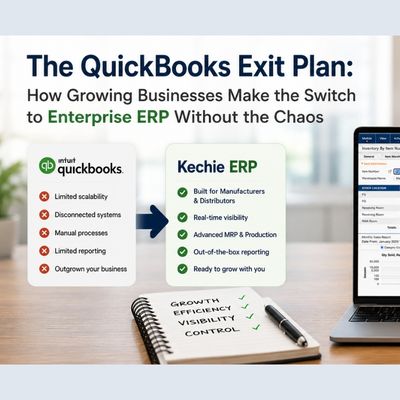
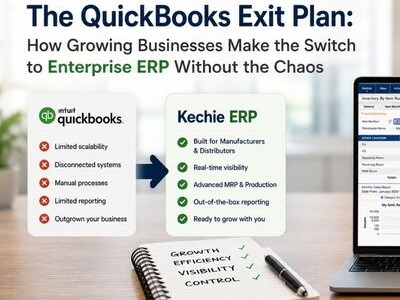
How to Switch From QuickBooks to ERP Without the Chaos
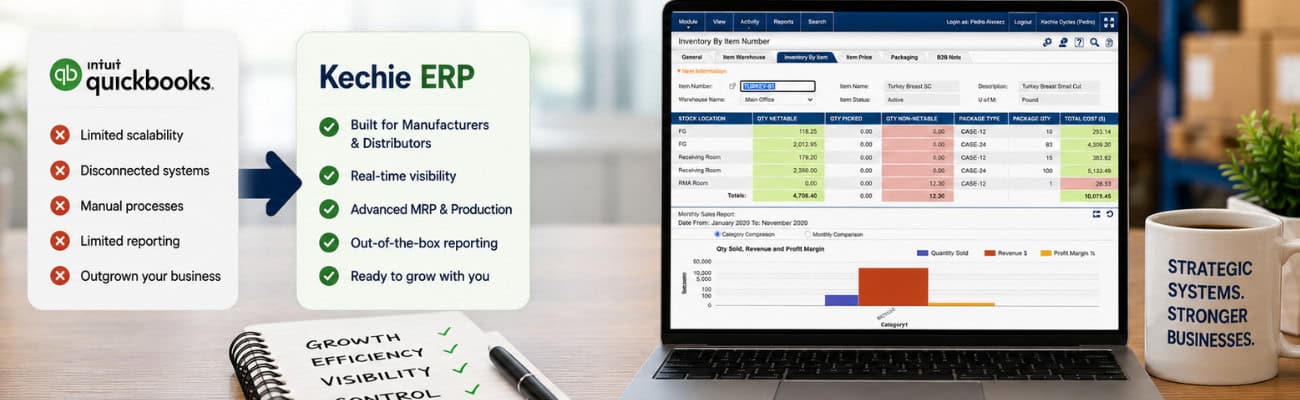
You know you need to move on from QuickBooks. The signs have been there for a while — the spreadsheets, the manual workarounds, the month-end close that takes forever. But every time you get close to pulling the trigger, the fear kicks in. What happens to all your data? Will your team actually use the new system? What if the transition disrupts your operations at the worst possible time?
These are legitimate concerns. And this article answers all of them.
The Fear Is Real — But So Is the Solution
Leaving QuickBooks feels like a big deal. For most growing businesses, QuickBooks has been there from the beginning. Your accounting team knows it inside and out. Your data — years of transactions, customers, vendors, inventory history — lives in it. The idea of ripping all of that out and starting over is genuinely intimidating.
But here’s what most businesses don’t realize: moving to a modern enterprise ERP doesn’t have to mean starting over. It doesn’t have to mean months of disruption, lost data, or a team that spends weeks figuring out a new system before they can get any real work done.
The right ERP solution doesn’t ask you to abandon QuickBooks overnight. It meets you where you are, brings your data with you, and gets your team productive in days — not months.
That’s not a sales pitch. That’s what the transition actually looks like when it’s done right.
Why Businesses Stay on QuickBooks Too Long
The fear of switching is real — but it’s worth examining what’s actually behind it, because most of the fear is based on horror stories about the wrong kind of ERP implementation.
Fear #1: We’ll lose our data.
Years of transaction history, customer records, vendor information, inventory levels — the idea of losing any of it is terrifying. And with some enterprise ERP systems, data migration is genuinely complex, expensive, and risky. But it doesn’t have to be. The right ERP partner handles data migration directly, bringing your existing QuickBooks data into the new system cleanly and accurately.
Fear #2: Our team won’t adopt it.
You’ve probably seen this happen — a company rolls out new software, the team resists it, and six months later everyone’s back to their old workarounds. This is almost always a symptom of software that’s too complex, too different from how the team already works, or implemented without proper support. The right ERP is intuitive enough that new users are productive within a day or two — and the implementation team stays with you through the transition, not just the go-live.
Fear #3: The timing is never right.
There’s always a busy season coming up, a big order to fulfill, a key hire that needs to settle in first. The timing will never be perfect. But every month you wait is another month of manual workarounds, fragmented data, and decisions made on incomplete information. The cost of waiting is real — it just doesn’t show up on an invoice.
Fear #4: What if it doesn’t work for our industry?
This is a legitimate concern with some ERP systems — generic solutions that don’t understand the specific needs of manufacturers, distributors, food and beverage companies, or nonprofits. But not every ERP is generic. The right one comes pre-configured for your industry, with the workflows, reports, and functionality your business actually needs — out of the box.
The QuickBooks Ceiling: When Enough Is Enough
Before we talk about the switch, it’s worth being clear about when you’ve actually hit QuickBooks’ limits — because some businesses stay longer than they need to, and others try to leave before they’re ready.
You’ve genuinely hit the ceiling when:
Your operations have outgrown your accounting tool. QuickBooks is fundamentally an accounting system. It was never designed to manage inventory across multiple locations, track lot numbers and expiration dates, run manufacturing work orders, or handle complex procurement workflows. When your operations demand more than accounting, QuickBooks stops being a solution and starts being a constraint.
You’re running your business on integrations and workarounds. Third-party inventory apps bolted onto QuickBooks. Spreadsheets for things the system can’t handle. Manual data entry between systems that don’t talk to each other. Every workaround is a sign that you’ve hit a ceiling — and every workaround adds risk, time, and cost.
Your team is spending time on data instead of decisions. If your operations manager spends Monday morning reconciling data between systems instead of managing operations, that’s QuickBooks holding your business back. Real-time visibility across every aspect of your business shouldn’t require manual effort — it should just be there.
You can’t get the reports you need. QuickBooks reporting is built for accountants, not operators. If you’re exporting data to Excel to build the reports you actually need to run your business, you’ve outgrown the tool.
You’re planning to grow — and QuickBooks doesn’t scale. If your plans include new product lines, new locations, more SKUs, higher order volumes, or more complex manufacturing, the time to upgrade your systems is before growth puts pressure on them — not after.
What a Smooth ERP Transition Actually Looks Like
The horror stories about ERP implementations are almost always about the wrong kind of implementation — enterprise systems that require months of build-out, third-party implementers, and complete operational disruption before anything works.
A well-designed, out-of-the-box enterprise ERP transition looks completely different. Here’s what it actually involves:
Step 1: Discovery and configuration — not construction.
The first phase isn’t about building anything. It’s about understanding how your business works and configuring a system that already works to match. Your products, your workflows, your team structure, your reporting needs — all of this gets mapped into a system that’s already built and already running. This takes weeks, not months.
Step 2: Data migration — handled for you.
Your QuickBooks data — customers, vendors, items, transaction history, opening balances — gets migrated directly into the new system. A good implementation team handles this for you, validates the data, and makes sure nothing is lost in translation. You don’t need a data expert on your team. You need a partner who’s done this before.
Step 3: Parallel running — your safety net.
For a period before full go-live, you can run both systems in parallel — entering key transactions in both QuickBooks and the new ERP — so your team builds confidence in the new system before it’s the only one. This removes the “big bang” fear and gives everyone time to get comfortable.
Step 4: Go-live with support.
The moment you go live isn’t the moment your implementation team disappears. The right partner stays with you through the first weeks of live operation — answering questions, troubleshooting edge cases, and making sure your team is confident and productive. New users should be up and running in a day or two.
Step 5: QuickBooks integration — if you need it.
Here’s something most businesses don’t know: you don’t have to choose between your ERP and QuickBooks on day one. A two-way integration with QuickBooks Online means your financial data stays in sync while your operations run through the new system. You can transition your accounting team at their own pace — without forcing a sudden change that disrupts your financial close process.
What Kechie Does Differently
Most ERP vendors will tell you the transition is easy. Kechie can show you why it actually is — and the difference comes down to a few specific things.
Data migration is handled directly by the Kechie team.
No third-party migration vendor. No complex data mapping project that stretches for months. The Kechie implementation team handles your QuickBooks data migration directly — bringing your customers, vendors, inventory, and history into Kechie cleanly and accurately.
Your team is productive in days.
Kechie consistently earns “Best Ease of Use” recognition from Capterra — not because it’s missing features, but because it’s designed so that real people, in real businesses, can pick it up quickly. Most new users are productive within a day or two of training. That’s not typical for enterprise ERP — and it makes an enormous difference to a business that can’t afford weeks of downtime while teams learn a new system.
Two-way QuickBooks Online integration.
Kechie’s native two-way integration with QuickBooks Online means you don’t have to rip and replace overnight. Your operations run through Kechie. Your financials stay in sync with QuickBooks. Transition your accounting team when you’re ready — not because the implementation forced your hand.
Out of the box for your industry.
Whether you’re a manufacturer managing work orders and bills of materials, a distributor tracking lot numbers and expiration dates, a food and beverage company managing catch weights and best-by dates, or a nonprofit tracking donated inventory — Kechie comes pre-configured for how your industry actually works. No build-out required. No developer needed. Just configuration and go.
Full audit traceability from day one.
Every transaction logged with user, timestamp, and before-and-after values. Full access control with user role management so every team member sees exactly what they need. Real-time data across every module so everyone is always working from the same current picture. These aren’t add-ons — they’re built in from the moment you go live.
The implementation team stays with you.
From discovery through go-live and beyond, the Kechie team works alongside yours. When questions come up — and they always do in the first weeks of a new system — you have a US-based team that responds quickly, knows your business, and helps you solve problems fast. Unlike many ERP vendors, Kechie doesn’t pass you off to a third-party implementer. You work directly with the Kechie team from day one.
Here’s what customers say about the experience:
“The implementation team is great to work with and very quick in response. Kechie has made our business run much easier.”
“It has been very user friendly and the team was great in training and answering our questions during implementation.”
“Not only did Kechie help set us up for success, but the team has been amazing! They have been with us from the beginning of the process, until we went live. We are the first Donation Center in the City to have an Inventory Management system that maintains the data and integrity — and we owe it to Kechie.”
“When looking at new ERP software, we reviewed six or seven different software packages. Kechie was the one who gave us everything we were looking for. And our decision turned out to be a great one. I would highly recommend Kechie to anyone looking for a new ERP system.”
The QuickBooks to Kechie Timeline — What to Expect
Every business is different, but here’s a realistic picture of what the transition timeline looks like for most Kechie customers:
Weeks 1–2: Discovery and setup.
The Kechie team learns your business — your products, your workflows, your team, your reporting needs. Your data migration begins. Your system configuration starts.
Weeks 3–4: Configuration and data validation.
Your specific workflows are configured. Your migrated data is validated. Your team begins initial training on the system.
Weeks 5–6: Parallel running and final testing.
Your team runs both systems in parallel, building confidence. Final edge cases are resolved. Go-live readiness is confirmed.
Week 6–8: Go-live.
You’re live on Kechie. Your team is operational. The Kechie support team is on hand for the first weeks to make sure everything runs smoothly.
Ongoing: QuickBooks transition at your pace.
If you’re maintaining the QuickBooks integration, your accounting team transitions on their own schedule — not one dictated by the implementation timeline.
This is what weeks, not months, actually looks like in practice.
Real Businesses. Real Transitions.
The businesses that have made this transition consistently report the same thing: the fear was worse than the reality.
A Sales Manager at a retail company described what the transition felt like for their less technical team members: “The system is user-friendly, accommodating even our less tech-savvy team members. The ease of use and a noticeable increase in sales revenue confirm that investing in this system is entirely worthwhile.” That’s the adoption fear answered directly — in the words of someone who lived it.
An Operations Manager at an electrical manufacturing company put it simply: “We are very happy with this software. It is user-friendly, direct and easy to use for anyone even if they are not tech savvy. This program allows us to pack and ship and to keep inventory.” A team that can’t afford weeks of downtime learning a new system needs exactly that.
A nonprofit that became the first Donation Center in their city to implement an inventory management system said: “Not only did Kechie help set us up for success, but the team has been amazing! They have been with us from the beginning of the process, until we went live. We owe it to Kechie.” For organizations worried about being left alone after go-live, that says everything.
And for those who went through the evaluation process carefully before committing: “When looking at new ERP software, we reviewed six or seven different software packages. Kechie was the one who gave us everything we were looking for. And our decision turned out to be a great one.”
The pattern is consistent: businesses that make the move find that the transition was easier than they feared — and the results were better than they expected.
Is Now the Right Time to Make the Switch?
There’s never a perfect time. But there are signs that the time is right:
• You’re spending more time working around QuickBooks than working in it
• Your team is manually reconciling data between systems every week
• You’re planning growth that your current systems can’t support
• You’ve been “going to look at this next quarter” for more than two quarters
• You got a NetSuite or SAP quote and need a better option
If any of these sound familiar, the answer isn’t to wait for a better moment. The answer is to find out what the transition actually looks like for your specific business — with your data, your team, and your workflows.
That’s exactly what a Kechie demo shows you.
What to Expect From a Kechie Demo
A Kechie demo isn’t a product tour. It’s a working conversation about your business.
The Kechie team will ask about your current setup — what you’re running on, where the pain is, what your team needs. Then they’ll show you, in the actual software, what your business would look like running on Kechie. Real workflows. Real reports. Real data.
You’ll come away with a clear picture of what migration would look like, how long it would take, what it would cost, and what your team’s first week on the system would actually feel like.
No pressure. No hard sell. Just the information you need to make a confident decision.
Ready to See What’s on the Other Side?
The businesses that are thriving on Kechie today all had the same fear you might have right now. They made the move anyway — and they’ll tell you the same thing: they wish they’d done it sooner.
Book a free demo → www.myofficeapps.com/free-demo/
See what the transition looks like for a business like yours. Ask the hard questions. Find out how fast you could be live.
The chaos you’re worried about? It’s not what the transition actually looks like.
Schedule a Free Demo Today!
See how Kechie ERP can transform your business, save you time, money, and aggravation. Click the button below to schedule your free demo.
Schedule Your Kechie Demo Now!In This Article
-The Fear Is Real — But So Is the Solution
-Why Businesses Stay on QuickBooks Too Long
-The QuickBooks Ceiling: When Enough Is Enough
-What a Smooth ERP Transition Actually Looks Like
-What Kechie Does Differently
-The QuickBooks to Kechie Timeline — What to Expect
-Real Businesses. Real Transitions.
-Is Now the Right Time to Make the Switch?
-What to Expect From a Kechie Demo
-Ready to See What’s on the Other Side?

NetSuite Too Expensive? Growing Businesses Choose Kechie ERP

You did everything right. You researched your options, booked the demos, and sat through the presentations. Then the enterprise ERP quotes came in — and the numbers stopped you cold. Six figures just to get started. A year or more to go live. A build-out project before you see a single working report.
If that sounds familiar, you’re not alone. And you’re not out of options.
The Wall Every Growing Business Hits
There’s a moment almost every scaling business reaches — usually somewhere between $5M and $50M in revenue — where the tools that got you here stop being enough.
QuickBooks is straining under the weight of your inventory. Your team is reconciling data between three different systems every Monday morning. You can’t get a real-time picture of your business without pulling spreadsheets from four different places. Orders are slipping through the cracks. Month-end close takes three weeks.
So you do what everyone tells you to do. You start looking at “real” ERP systems. You book demos with the big names — NetSuite, SAP Business One, Microsoft Dynamics, Sage Intacct. The demos are impressive. The sales teams are polished. And then the quotes arrive.
For many growing businesses, those quotes are a full stop.
Enterprise ERP implementations routinely run $75,000 to $250,000 or more — before you factor in the customization costs, the training, and the ongoing support contracts. And that’s before you go live, which can take anywhere from six months to two years.
For a growing manufacturer or fast-moving distributor, that’s not a software purchase. That’s a bet-the-company decision.
So what do you do when you’ve clearly outgrown QuickBooks, but enterprise ERP feels like too much — too expensive, too complex, too long?
That’s exactly the question this article answers.
Why Enterprise ERP Costs So Much
Before we talk about the alternative, it’s worth understanding why enterprise ERP is so expensive — because the answer reveals something important about what you’re actually paying for.
Enterprise ERP systems like NetSuite, SAP, and Dynamics were built for large, complex organizations with dedicated IT departments, implementation teams, and multi-year technology budgets. They are extraordinarily powerful — and extraordinarily flexible. You can configure them to do almost anything.
But that flexibility comes at a cost. Because these systems can do almost anything, they don’t come pre-configured to do any one thing particularly well out of the box. Every workflow, every report, every approval process, every integration has to be designed and built from scratch — on your dime, on your timeline.
You’re not buying software that runs your business. You’re buying a foundation on which your entire operation has to be constructed before anyone can use it. The license fee is just the beginning.
This is why enterprise ERP implementations so frequently go over budget and over schedule. It’s not because the software is bad. It’s because the model requires a construction project before you can move in.
For enterprise companies with IT departments, long planning horizons, and deep pockets, that model works. For a growing business that needs to be operational in weeks and can’t afford a year-long implementation project, it often doesn’t.
The Gap Nobody Was Filling
For years, growing businesses faced a binary choice: stay on QuickBooks and manage the pain, or take the leap into enterprise ERP and manage the risk.
Neither option was great. And for a long time, there wasn’t much in between.
The enterprise ERP space has historically been built for large organizations — too complex and too expensive for growing businesses that need something complete and ready to go. The solutions that did exist were often outdated, clunky, or required nearly as much customization as the enterprise systems they were supposed to replace.
What growing businesses actually needed was something different: a fully integrated enterprise ERP solution with all the functionality — inventory, orders, procurement, manufacturing, finance, CRM, warehouse management — that came ready to use from day one, without a construction project in between.
That gap is exactly what Kechie ERP was built to fill.
What “Out of the Box” Actually Means
The phrase “out of the box” gets thrown around a lot in software marketing. It’s worth being specific about what it actually means — and why it matters so much for growing businesses.
When Kechie says out of the box, it means this: every core business process your company needs is already built, already configured, and already working when you go live. You’re not starting with a blank canvas. You’re starting with a fully functioning enterprise ERP system that’s been purpose-built for businesses like yours.
That includes hundreds of pre-built reports — covering inventory, purchasing, sales, financials, manufacturing, and more — available from day one without any custom development. It includes standard workflows for order management, procurement approvals, warehouse operations, and financial close. It includes integrations with the tools you already use, pre-configured and ready to connect.
What implementation looks like with Kechie isn’t a construction project. It’s a configuration process. The team works with you to set up your specific products, your specific workflows, your specific team structure — within a system that already knows how to run a business like yours. Most customers are fully live in weeks, not months.
The difference in cost, time, and risk between that model and a traditional enterprise ERP implementation is significant. You’re not paying to have a system built from scratch. You’re paying to get up and running on a system that’s already built.
What Kechie Actually Costs — And What It Includes
We won’t publish specific pricing here because every business is different and Kechie’s team prices based on your actual needs — but we can tell you this: the difference between Kechie’s total cost of ownership and a typical enterprise ERP implementation is dramatic.
Where an enterprise ERP implementation might run $150,000 to $300,000 all-in before you go live, Kechie customers are typically live and operational for a fraction of that — with no surprise fees, no runaway customization costs, and no multi-year implementation timeline eating into your budget.
More importantly, Kechie grows with you. As your business scales — more users, more locations, more complexity — the system scales alongside you without requiring a new implementation or a new round of customization fees.
This is what transparent, predictable enterprise ERP pricing actually looks like in practice.
What You Get With Kechie
Kechie is a fully integrated cloud enterprise ERP solution built for manufacturers, distributors, food and beverage companies, nonprofits, and other product-based businesses ready to scale. Every module below comes ready to use out of the box — no development required. Choose the functionality your business needs today, and add more as you grow. You never pay for what you don’t need.
The Core Kechie Package
Every Kechie customer starts with a powerful, fully integrated foundation that covers the essential operations of your business:
Inventory Management — Real-time inventory tracking, multi-location management, lot and serial number tracking, cycle counting, and automated reorder points. Know exactly what you have, where it is, and when to reorder — without a single spreadsheet.
Warehouse Management (WMS) — Receiving, put-away, picking, packing, and shipping — all managed with barcode scanning support and real-time inventory updates.
Procurement — Vendor management, purchase requisitions, approval workflows, and three-way matching between POs, receipts, and invoices. Eliminate manual processes and catch discrepancies before they become problems.
CRM — Customer and prospect management, sales pipeline tracking, activity logging, and opportunity management — fully integrated with your order management and financials, so your sales team always has the full picture.
Order Management — From quote to cash, fully automated. Sales orders, purchase orders, drop shipments, and returns — all managed in one place, all connected to your inventory in real time.
Logistics — End-to-end visibility across your supply chain, from inbound shipments to outbound fulfillment. Coordinate carriers, track shipments, and manage delivery workflows without leaving the system.
Reporting and Analytics — Hundreds of pre-built reports covering every aspect of your business, available from day one. Inventory, purchasing, sales, financials, logistics, and more — all ready to run without any custom development. If you can imagine the report, you can run it.
RMA (Returns Management) — Handle customer returns, exchanges, and credits cleanly and efficiently — fully connected to your inventory and order management so nothing falls through the cracks.
Built for Enterprise-Grade Operations
Every Kechie transaction is backed by full audit traceability — every change logged with the user, timestamp, and before-and-after values, so nothing is ever a mystery. Real-time data flows across every module so your team is always working from the same current picture. And full access control with user role management means every person on your team sees exactly what they need to — nothing more, nothing less.
The Right Functionality for Your Industry — When You Need It
Beyond the core package, Kechie goes deep where your industry demands it. Lot traceability, expiration date tracking, best-by date management, serialization, catch weight, and apparel variations are all available out of the box. Native integrations with Shopify (two-way sync), EDI, tax, and eCommerce platforms keep your systems connected without manual work. Add-on modules including Financial Management, Manufacturing, B2B Portal, Vendor Portal, Task Management, and Equipment Maintenance can be activated at any time — no new implementation, no build-out, just configuration.
A full list of modules and integrations is available at www.myofficeapps.com — or ask the team during your demo which ones are right for your business.
All of this — ready to go out of the box, configured to your needs, and connected from day one. Start with what you need. Add what you don’t — when you need it.
Who Kechie Is Built For
Kechie is the right fit for businesses that check most of these boxes:
• Manufacturing, distribution, food and beverage, nonprofit, or related industries
• Ready to scale beyond QuickBooks, spreadsheets, or disconnected systems
• Need full enterprise ERP functionality — not just accounting or just inventory
• Want to be live and operational in weeks, not months or years
• Looking for a true enterprise ERP solution with transparent, predictable pricing and no hidden implementation costs
• Value fast, US-based support from a team that knows your business
• Want a native QuickBooks Online integration to transition at your own pace
We believe in straight talk. Kechie is a serious enterprise ERP solution — and we want to make sure it’s the right fit for your business before you commit. That’s exactly why we offer a working demo, not a sales pitch. If Kechie is right for you, you’ll know it. And if it isn’t, we’ll tell you that too.
Real Businesses. Real ROI.
The proof isn’t in the pricing conversation — it’s in what businesses say after they’ve made the switch.
A VP of Operations at a manufacturer and distributor that evaluated four ERP solutions before choosing Kechie put it simply: “Double the business with the same amount of people. We have implemented Kechie and it has provided us a tool to develop business processes that, in the past, were highly manual and time consuming.” Their results backed it up — business volume doubled while overhead dropped by 30%.
An electronics component supplier that moved to Kechie from spreadsheets saw their shipment accuracy climb to 99.9%. Their Senior Director of Business Development said it best: “Kechie adapted to our operations system and it did not change the way we run our business — allowing us to have a strong system in place that allows us to properly track our business growth, financial gains and expenditures.” That’s exactly what out-of-the-box ERP should feel like.
A co-founder and COO of an eCommerce company said: “Integrating Kechie with our online store through Shopify for inventory management has turned out to be instrumental to growing our business efficiently and profitably.” For businesses worried about connecting their existing tools, that’s the answer.
And for those who’ve been burned by slow, unresponsive enterprise ERP support: “Extremely attentive implementation team that will go beyond expectations to help you meet your goals. Flexible software, ease of use, great value for cost, continued feature and functionality additions.”
These aren’t outliers. They’re the pattern.
The Real Cost of Waiting
Here’s the calculation most businesses avoid making: what is your current situation actually costing you?
Every week your team spends reconciling data between disconnected systems is a week of labor cost that better software would eliminate. Every stockout caused by poor inventory visibility is lost revenue, expedited shipping costs, and potential customer churn. Every decision made on yesterday’s data is a decision made with incomplete information.
The businesses that wait — hoping they’ll find time to evaluate, planning to revisit “next quarter” — often find that next quarter looks a lot like this quarter.
The pain is familiar enough to tolerate, so it gets tolerated.
The businesses that move forward discover something different: that the gap between where they are and where they want to be is smaller than they thought — and that the cost of the right solution is far lower than the cost of the status quo.
What Happens When You Book a Kechie Demo
A Kechie demo is not a sales pitch dressed up as a product tour. It’s a working conversation.
The Kechie team will ask about your business — what you make or distribute, how your current systems work, where the pain is, what you’ve looked at. Then they’ll show you, in the actual software, how Kechie handles those specific challenges.
You’ll see real workflows. Real reports. Real data. Not slides.
You’ll come away with a clear picture of what implementation would look like for your business, what it would cost, and how long it would take to be live. No pressure. No hard sell. Just the information you need to make a good decision.
Ready to See It for Yourself?
If enterprise ERP pricing stopped you in your tracks — and you’re still looking for a real solution — Kechie is worth thirty minutes of your time.
Book a free demo → www.myofficeapps.com/free-demo/
See what fully integrated, out-of-the-box enterprise ERP actually looks like. Ask the hard questions. Find out what it would cost and how fast you could be live.
The solution you’ve been looking for exists. It just doesn’t cost what you thought it would.
Schedule a Free Demo Today!
See how Kechie ERP can transform your business, save you time, money, and aggravation. Click the button below to schedule your free demo.
Schedule Your Kechie Demo Now!In This Article
-Why Enterprise ERP Costs So Much
-The Gap Nobody Was Filling
-What “Out of the Box” Actually Means
-What Kechie Actually Costs — And What It Includes
-What You Get With Kechie
-Who Kechie Is Built For
-Real Businesses. Real ROI.
-The Real Cost of Waiting
-What Happens When You Book a Kechie Demo
-Ready to See It for Yourself?
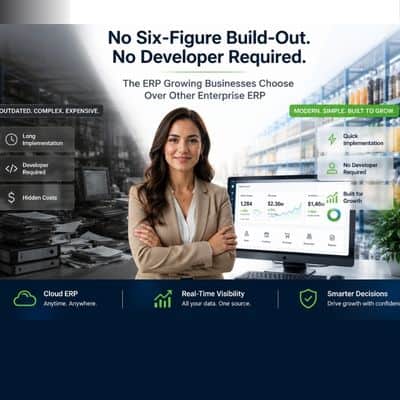
The ERP Growing Businesses Choose Over NetSuite
No Six-Figure Build-Out. No Developer Required. The ERP Growing Businesses Choose Over NetSuite.
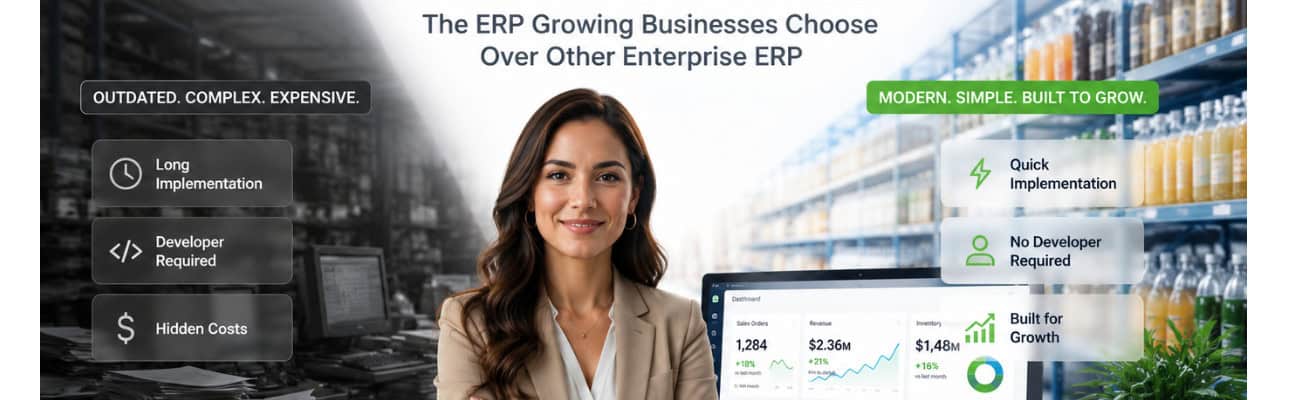
The Assumption Nobody Questions
When a business outgrows QuickBooks, there’s a script everyone follows. Your accountant mentions NetSuite. Your software vendor mentions SAP or Microsoft Dynamics. The consultants you call mention Sage or Acumatica. It’s become the default answer so often that most businesses never stop to ask whether any of them are actually the right one.
It isn’t — for most growing businesses.
On one side, you have tools like QuickBooks. Simple, affordable, familiar. Great for getting started. But as your business grows, you start to feel the seams. You’re running reports in spreadsheets because QuickBooks can’t give you what you need. Your inventory is tracked in one system, your orders in another, your CRM somewhere else entirely. Nothing talks to anything. Your team spends hours every week reconciling data that should just… sync.
On the other side, you have NetSuite, SAP, Microsoft Dynamics. Powerful? Absolutely. But there’s a catch most vendors don’t mention upfront: these systems aren’t really software you buy — they’re systems you build. Out of the box, NetSuite is largely a foundation. Your actual business processes, workflows, and reports have to be designed, configured, and built from scratch — often over 12 to 18 months, often at a cost that rivals a full-time hire. You’re not buying a running car. You’re buying a kit.
For a growing manufacturer or fast-moving distributor, that’s not a solution. That’s a project.
The good news: there’s a better option — one that gives you everything you need to run and grow your business, fully integrated and ready to go from day one. Not a stepping stone. Not a compromise. The right answer for where your business is and where it’s going.
Signs You’ve Outgrown QuickBooks
QuickBooks is an excellent accounting tool. But it was designed to manage your books — not run your entire business. Here are the telltale signs that you’ve hit its ceiling:
Your data lives in too many places. You’ve got QuickBooks for accounting, a separate system for inventory, spreadsheets for orders, maybe a standalone CRM. Every report requires pulling data from multiple sources and praying nothing is out of sync.
You can’t see your business in real time. When your CEO asks “how are we tracking against last quarter?”, the honest answer is “I’ll have that for you by tomorrow.” Real-time visibility into inventory levels, order status, production, and cash flow just isn’t possible when your data is fragmented.
Your team is doing work that software should be doing. Manual data entry between systems. Copy-pasting orders from your e-commerce platform into your inventory system. Emailing purchase orders as PDFs. If this sounds familiar, you’re paying people to do what automation should handle.
You’re making decisions based on yesterday’s data. In fast-moving industries like manufacturing, distribution, and food services, lag time in your data can mean stockouts, missed shipments, or margin problems you don’t catch until it’s too late.
Closing the month takes forever. If your accounting team needs two to three weeks to close the books because data reconciliation is a manual nightmare, that’s a QuickBooks problem — not a people problem.
You can’t track a single order end to end. From purchase order to receipt to production to shipment to invoice — if you can’t see that entire journey in one place, your operations are flying partially blind.
If two or more of these sound familiar, you’ve outgrown QuickBooks. The question is: what comes next?
Why Most Growing Businesses Hesitate on ERP
Here’s the honest truth about why so many companies stay on QuickBooks too long: the horror stories.
Everyone has heard about the company that spent hundreds of thousands of dollars implementing an ERP and didn’t go live for 18 months. Or the business that bought NetSuite, only to discover that “buying” was really just the beginning — because every workflow, every report, every process had to be designed and built from scratch before anyone could use it. Or the manufacturer who went live on a new system and watched their operations grind to a halt during the transition.
These stories are real. And they share a common thread: the vendor sold a promise, not a ready-to-use solution.
The reality of enterprise ERP is that the software itself is often just the starting point. NetSuite, for example, is a powerful development foundation — but your actual business processes don’t come pre-built. Every workflow, every report, every approval process has to be designed and built on top of a foundation you already paid for. More complexity means more implementation time, more customization fees, more ongoing support costs. For many growing businesses, that equation simply doesn’t add up.
This is why “we’ll just wait until we’re bigger” becomes the default strategy. But waiting has its own cost — in inefficiency, in manual labor, in decisions made on incomplete information, in growth that’s slower than it should be.
What a Complete Enterprise ERP Should Actually Look Like
The right ERP for a growing business looks very different from what some vendors are selling. Here’s what actually matters:
Ready to use from day one — not months down the road. There’s a massive difference between a foundation and a complete solution. A foundation gives you the tools to build what you need. A complete ERP gives you what you need, already built. The right enterprise ERP should come with your core business processes pre-configured and hundreds of reports ready to run from day one — not a blank canvas that requires months of build-out to become useful.
Full integration, not a patchwork. The whole point of an ERP is that it’s one system. Finance, inventory, orders, procurement, manufacturing, CRM — all connected, all sharing data in real time. If you’re evaluating a system and it requires integrations or middleware to connect its own modules, that’s a red flag.
Implementation in weeks, not years. A system that takes 12–18 months to implement isn’t a business tool — it’s a project. Growing businesses need to be up and running in weeks, with a team that holds your hand through the process.
Usability your whole team will actually embrace. The best ERP in the world is worthless if your team won’t use it. Adoption is everything. The system needs to be intuitive enough that your warehouse manager, your sales team, and your controller can all use it without weeks of training.
Transparent, predictable pricing. The right enterprise ERP should have no surprise fees, no runaway implementation costs, and no paying for modules you don’t need. What you’re quoted is what you pay — and as your business grows, the system grows with you.
Fast, US-based support that actually responds. When something goes wrong — or when you’re trying to configure a workflow — you need a support team that responds quickly and knows your business. Not slow overseas queues or generic troubleshooting scripts.
Cloud-native architecture. Your ERP should work from anywhere, on any device, without requiring on-site servers or an IT team to maintain it. The pandemic proved that businesses need the flexibility to operate remotely — your software should make that easy, not hard.
How Kechie Delivers Where Others Fall Short
Kechie ERP was built specifically for growing businesses in manufacturing, distribution, healthcare, food services, and beyond — companies that need a true enterprise ERP solution that’s complete, integrated, and ready to go from day one.
Here’s what makes Kechie different:
Ready to go on day one. This is the most important difference between Kechie and solutions like NetSuite: Kechie isn’t something you build — it’s something you use. Every core business process comes pre-configured out of the box. Inventory management, order workflows, procurement approvals, financial reporting — it’s all there, working, from the moment you go live. There are hundreds of pre-built reports ready to run immediately, covering every corner of your business. No build-out. No waiting. Just a complete enterprise ERP solution ready to go from day one.
One fully integrated system. Kechie connects inventory management, order management, procurement, manufacturing, financial management, CRM, supply chain, and warehouse management in a single cloud-based system. There’s no middleware required. No data silos. When an order comes in, it flows automatically through inventory, fulfillment, and accounting — without anyone touching a keyboard to make it happen.
Live in weeks, not months. Because Kechie’s processes and reports come pre-built, implementation is about configuring your specifics — your products, your workflows, your team — not constructing the system from scratch. Most Kechie customers are fully live and running in weeks, supported by an implementation team that works alongside them the whole way.
Designed for real people. Kechie consistently earns “Best Ease of Use” recognition from Capterra — not because it’s missing features, but because it’s designed so that your whole team can actually use it. Complex doesn’t have to mean complicated.
AI-powered intelligence. Kechie’s AI-driven inventory optimization adjusts stock levels intelligently based on demand patterns, seasonality, and lead times — so you never run out of your best-selling SKUs and never over-invest in slow-moving inventory.
Native QuickBooks integration. Already running QuickBooks? You don’t have to choose. Kechie offers a two-way integration with QuickBooks Online, so your financial data stays in sync while Kechie handles the operational complexity QuickBooks was never designed for. It’s the best of both worlds — and it means you can transition at your own pace without disrupting your accounting workflow.
Configurable to your business. Unlike rigid enterprise systems that require expensive build-outs, Kechie is built to flex around your workflows. Whether you’re running a 3PL operation, a nonprofit with unique procurement needs, or a medical device manufacturer managing FDA compliance and traceability requirements, Kechie can be configured to fit how you actually work.
Award-winning customer support. Kechie has won multiple awards for customer support — including recognition from Software Advice and SoftwareSuggest — because the team genuinely treats customers as partners. Fast responses, US-based expertise, and hands-on help every step of the way.
Real Results from Real Companies
The proof isn’t in the features list — it’s in what happens when growing businesses actually implement Kechie.
Meals on Wheels San Francisco uses Kechie to manage the procurement, inventory, production and preparation of up to 30,000 meals daily for homebound seniors. Having full visibility across every stage — from purchasing ingredients to tracking inventory to managing meal production — transformed how they run their operations and serve their mission.
Distribution companies using Kechie report completing two to three times more work with the same headcount, simply because manual processes have been replaced with automated workflows. That’s not a small improvement — that’s a business transformation.
Organizations across industries consistently report 30% reductions in overhead costs after implementing Kechie, driven by the elimination of redundant systems, manual data entry, and inefficient processes.
The True Cost of Waiting
Here’s the math that most businesses don’t run: what does staying on QuickBooks actually cost?
If your team spends 10 hours a week on manual data reconciliation between disconnected systems, that’s 520 hours a year. At your average fully loaded labor cost, that’s a significant line item — every year — just to compensate for software that doesn’t talk to itself.
Add in the cost of stockouts (lost sales, expedited shipping, customer churn), the cost of decisions made on stale data, and the cost of a finance team that spends three weeks closing the month instead of one — and the picture gets expensive fast.
The question isn’t whether you can afford to upgrade your systems. It’s whether you can afford to wait.
Is Kechie Right for Your Business?
Kechie is a great fit if:
• You’re a manufacturer, distributor, or product-based business ready to scale
• You’re currently running on QuickBooks (or multiple disconnected systems) and feeling the limits
• You need full enterprise ERP functionality — inventory, orders, finance, manufacturing, CRM — in one integrated system
• You want a system your whole team will actually use, without months of training
• You value fast, US-based support from a team that knows your business
• You’re looking for a true enterprise ERP solution with transparent, predictable pricing and no hidden implementation costs
We believe in straight talk. Kechie is a serious enterprise ERP solution — and we want to make sure it’s the right fit for your business before you commit. That’s exactly why we offer a working demo, not a sales pitch. If Kechie is right for you, you’ll know it. And if it isn’t, we’ll tell you that too.
What to Expect From a Kechie Demo
A Kechie demo isn’t a canned slide deck. It’s a working session where the team walks through your specific business challenges and shows you, concretely, how Kechie handles them.
You’ll see the actual interface your team would use. You’ll understand the implementation timeline and what support looks like from day one. And you’ll get a clear sense of whether Kechie is genuinely the right fit — or whether something else might serve you better.
No pressure. No hard sell. Just an honest conversation about whether this is the right path for your business.
Ready to Find Out?
If you’re nodding along to any of this — if the QuickBooks limitations sound familiar, if the enterprise ERP horror stories give you pause, if you’re ready to run your business from one place instead of five — the next step is simple.
Book a free demo with the Kechie team → www.myofficeapps.com/free-demo/
See Kechie in action. Ask the hard questions. Find out what implementation actually looks like for a business like yours.
The gap between where you are and where you want to be is smaller than you think.
________________________________________
Kechie ERP by My Office Apps — Forbes Top 10 ERP System of 2025. Trusted by growing businesses in manufacturing, distribution, healthcare, food services, nonprofits, and more.
Schedule a Free Demo Today!
See how Kechie ERP can transform your business, save you time, money, and aggravation. Click the button below to schedule your free demo.
Schedule Your Kechie Demo Now!In This Article
-The Assumption Nobody Questions
-Signs You”ve Outgrown QuickBooks
-Why Most Growing Businesses Hesitate on ERP
-What a Complete Enterprise ERP Should Actually Look Like
-How Kechie Delivers Where Others Fall Short
-Real Results from Real Companies
-The True Cost of Waiting
-Is Kechie Right for Your Business?
-What to Expect From a Kechie Demo
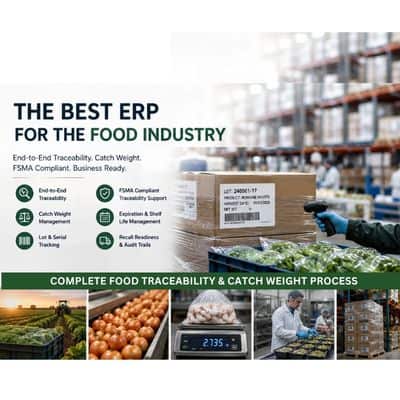
ERP for Food Services: Lot Tracking & Catch Weight (2026)
ERP for Food Services: A Buyer’s Guide to Lot Tracking, Catch Weight, and Traceability (2026)
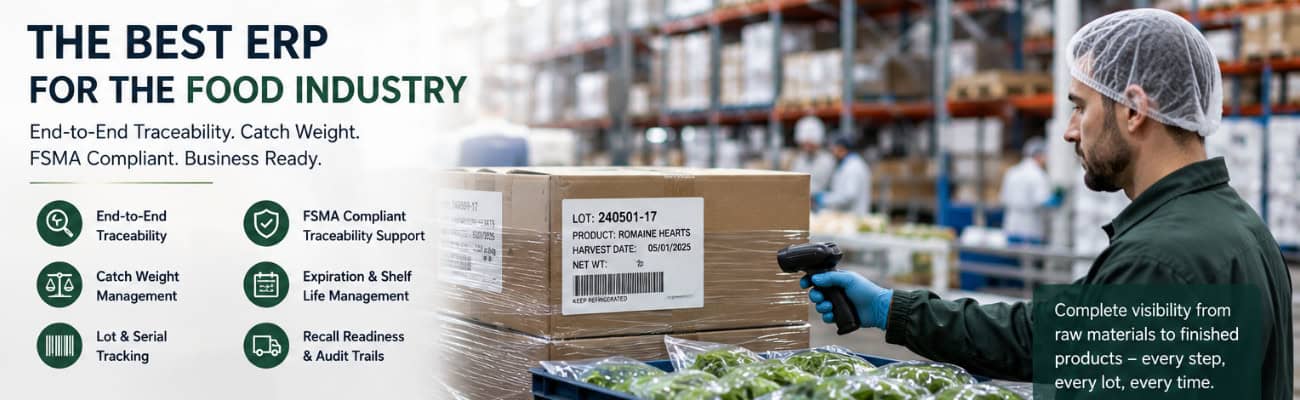
If a customer, auditor, or retail partner asked you right now to produce every lot number, supplier, and shipment record tied to a single pallet of product — how long would it take your team to answer?
For most growing food and beverage companies, the honest answer is: too long. The information exists, but it lives across a receiving spreadsheet, a production log, a separate inventory tool, and someone’s memory of which truck picked up which order. Pulling it together takes phone calls, manual cross-referencing, and a few hours nobody had budgeted for.
That gap — between having the data somewhere and being able to produce it on demand — is the real operational problem behind food traceability. It shows up during a recall. It shows up when a retailer’s compliance team flags a shipment. And increasingly, it shows up in everyday vendor scorecards, long before any regulator gets involved.
This guide is for teams already evaluating an ERP for exactly this reason. What to look for, what to skip, and how to tell a system built for food and beverage operations from one that was adapted for it after the fact.
Why Traceability Pressure Is Rising Now
Food traceability isn’t a new concept, but the urgency around formalizing it has accelerated from two directions at once.
The first is regulatory. The FDA’s Food Traceability Rule — FSMA Section 204 — requires companies that manufacture, process, pack, or hold foods on the FDA’s Food Traceability List to maintain detailed records called Key Data Elements (KDEs), tied to specific points in the supply chain called Critical Tracking Events (CTEs). When the FDA requests those records, companies have 24 hours to produce them. The original compliance deadline was January 2026. The FDA extended it 30 months to July 20, 2028, and Congress made that extension binding through appropriations legislation.
The second source of pressure is commercial — and it hasn’t moved at all. Major retailers and large foodservice distributors are already enforcing their own traceability and labeling requirements on suppliers, with vendor scorecard penalties and chargebacks for shipments that don’t comply. For a food company selling into mass retail or large distribution accounts, the date that actually matters is often not 2028. It’s whatever your largest customer’s contract already says.
The practical takeaway: the federal deadline is the floor, not the ceiling. Building traceability into how you operate every day — rather than treating it as a project with a 2028 finish line — is what keeps you on the right side of both fronts.
What Traceability-Ready Food Operations Actually Need
Strip away the regulatory language and the operational requirement is straightforward: when a question is asked, the answer should already exist in your system — not need to be assembled.
That requires a specific set of capabilities working together as a single connected record, not as a collection of standalone tools that have to be manually reconciled at the end of the day.
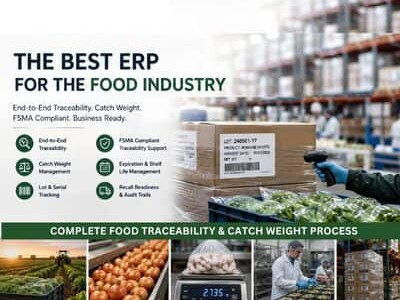
Lot and batch tracking. Every lot needs to be traceable from the supplier it came from, through receiving, production, storage, and shipping, all the way to the customer it ultimately reached — in both directions. If you can’t run that lookup in minutes, you don’t have traceability. You have data.
Expiration and best-use-date visibility. For perishable inventory, date tracking isn’t just a compliance checkbox — it drives real daily decisions about what ships first, what gets marked down, and what gets pulled. That visibility needs to be live, not reconciled at month-end.
Catch weight support. Meat, poultry, seafood, cheese, and other variable-weight products don’t fit neatly into fixed-unit inventory systems. A case might be sold by the unit but invoiced by actual weight, and that weight varies case to case. Without native catch weight handling, the gap between your inventory system and your invoicing becomes a manual reconciliation problem — one of the most common sources of margin leakage and billing disputes in food distribution.
A complete, automatic audit trail. Every inventory movement — who touched it, when, and what changed — needs to be logged automatically by the system, not entered manually by staff. That automatic record is what actually answers a recall question or an auditor’s request, rather than depending on someone’s recollection of what happened three weeks ago.
Real-time visibility from receiving through shipment. Lot numbers, expiration dates, and catch weights are only useful if they update in real time across the whole business. If your warehouse team, production floor, and finance team are each looking at data from a different system, the traceability record has already broken before anyone asks for it.
Why Spreadsheets and QuickBooks Fall Short
None of this is a knock on QuickBooks — it does what it was built to do, which is accounting. But QuickBooks has no native concept of lot tracking, catch weight, or expiration dates. That’s why so many food companies end up running QuickBooks alongside spreadsheets plus a separate inventory tool, manually reconciling all three.
The problem with that patchwork isn’t that any one piece fails on its own. It’s that no single system has the complete picture — and a complete picture is exactly what traceability requires. For more on when that setup stops being sustainable, see our full breakdown in QuickBooks vs. ERP: When Accounting Software Isn’t Enough.
What to Look for in an ERP for Food and Beverage Companies
If you’re evaluating ERP systems specifically because of lot tracking, catch weight, or traceability requirements, a few pointed questions will tell you quickly whether a system was built for food operations or bolted on after the fact:
- Does lot tracking work natively across every module — inventory, production, and shipping — or only in one place?
- Can the system handle catch weight items without a manual workaround or a third-party add-on?
- Is the audit trail logged automatically by the system, or does it depend on staff remembering to record changes?
- Can you produce a full lot history — supplier to customer — in minutes, not hours?
- Does the vendor have actual food and beverage clients, or is food listed as a supported industry without a real track record behind it?
How Kechie Approaches Food and Beverage Operations
Kechie’s inventory and warehouse management system was built around these requirements from the ground up — not configured for them after the fact.
Lot tracking with expiration and best-use-date filtering, native catch weight support for variable-weight items, serialized inventory tracking, and a complete audit trail logging user, timestamp, and before-and-after values on every transaction are all part of Kechie’s core modules — not separate add-ons you pay for later. Because Kechie runs on a single database, that information is visible in real time across receiving, production, warehousing, and shipping. A lot lookup or a recall response pulls from one place instead of three.
Kechie is recognized as a Forbes Top 10 ERP for 2025 and is used by food and beverage operations — including distribution organizations managing perishable goods at scale — that need the operational foundation traceability requirements are built on.
To be direct about what this does and doesn’t mean: no ERP vendor can certify your business as FSMA 204 compliant. That depends on your written Traceability Plan, your internal procedures, and your supply chain partners — not your software alone. What a system like Kechie provides is the ability to capture the right data at the right points and produce it quickly when it’s asked for, whether the ask comes from the FDA, an internal auditor, or a retail buyer’s compliance team. For more on how Kechie compares to the major alternatives, see our ERP comparison overview.
Implementation Reality for Food and Beverage Companies
Food and beverage operations don’t have the luxury of a long, disruptive rollout. Perishable inventory and live production schedules don’t pause for a software project.
Kechie implementations are handled directly by the Kechie team — not handed off to a third-party VAR — and typically go live in weeks rather than months. Onboarding includes sandbox access for hands-on training before go-live, so your team works in the actual system on your actual workflows before the cutover happens. If your operation runs production in addition to distribution, our manufacturing ERP implementation guide covers the process mapping and data migration steps in depth.
Kechie serves food and beverage companies from roughly $1M to $100M+ in revenue — businesses that have outgrown spreadsheets and accounting software but don’t need (or want to pay for) enterprise-scale complexity. For context on where Kechie fits against larger systems like NetSuite or SAP, see our cloud ERP for distribution guide.
Frequently Asked Questions
What is food traceability software?
Food traceability software tracks inventory by lot or batch from receipt through production and shipment, so a company can quickly identify where a specific lot came from, where it went, and what happened to it along the way. The strongest implementations do this inside a single integrated system — not across separate tools that have to be manually reconciled.
What should an ERP track for food and beverage companies specifically?
At minimum: lot and batch numbers, expiration and best-use dates, catch weight for variable-weight items, and a complete audit trail of inventory movement. These need to update in real time and stay connected across receiving, production, warehousing, and shipping.
What is FSMA Section 204?
FSMA Section 204 is the FDA’s Food Traceability Rule, which requires companies that manufacture, process, pack, or hold certain high-risk foods to maintain detailed traceability records and produce them to the FDA within 24 hours of a request. The compliance deadline was extended to July 20, 2028. However, many major retailers and foodservice distributors are already enforcing their own traceability requirements on suppliers independent of the federal timeline.
Does QuickBooks support lot tracking and catch weight?
No. QuickBooks is accounting software and has no native lot tracking, expiration date management, or catch weight functionality. Companies that need these capabilities typically run QuickBooks alongside separate inventory tools and spreadsheets — which creates reconciliation gaps rather than a single source of truth.
What is catch weight, and why does it matter for ERP selection?
Catch weight refers to products — common in meat, poultry, seafood, and cheese — that are sold by the unit but invoiced based on actual variable weight. An ERP without native catch weight support forces manual reconciliation between inventory counts and invoicing, which is a common source of billing errors and margin loss in food distribution.
How long does it take to implement an ERP with traceability features?
It depends heavily on the vendor and how the system is architected. Implementations that route through third-party consultants and require building traceability functionality on top of a generic system often take three to six months or longer. Kechie implementations, handled directly by the team that built the system, typically go live in weeks.
Does an ERP make a company FSMA 204 compliant?
Not on its own. FSMA 204 compliance depends on a company’s written Traceability Plan, internal procedures, and coordination with supply chain partners — software alone can’t satisfy that. What the right ERP provides is the data infrastructure those requirements depend on: fast, accurate lot lookups and a complete audit trail, produced from real operations rather than reconstructed after the fact.
If you’re earlier in the process and want the broader case for why traceability matters before getting into system evaluation, see Why ERP and Traceability Matter in the Food & Beverage Industry. For more on how Kechie supports food and beverage operations specifically, visit the Kechie Food Services page.
➤ Ready to see how Kechie handles lot tracking, catch weight, and traceability for your operation? Schedule your free Kechie ERP demo.
Schedule a Free Demo Today!
See how Kechie ERP can transform your business, save you time, money, and aggravation. Click the button below to schedule your free demo.
Schedule Your Kechie Demo Now!In This Article
-Why Traceability Pressure Is Rising Now
-What Traceability-Ready Food Operations Actually Need
-Why Spreadsheets and QuickBooks Fall Short
-What to Look for in an ERP for Food and Beverage Companies
-How Kechie Approaches Food and Beverage Operations
-Implementation Reality for Food and Beverage Companies
-FAQs

Best ERP Software for Nonprofits

Nonprofits manage some of the most operationally complex inventory in any sector — yet most ERP software wasn’t built with that in mind. This guide breaks down what to look for in nonprofit ERP software and compares the top five options, including Kechie, NetSuite, Sage Intacct, Odoo, and Microsoft Dynamics 365.
Here Is What Most People Get Wrong About Nonprofits
They assume the operations are simple. They are not.
A regional food bank is managing hundreds of perishable items with lot numbers, expiration dates, and FIFO rotation requirements — the same complexity as a food manufacturer, but with a fraction of the staff and budget. A clothing nonprofit distributing apparel across multiple program sites is managing SKUs across sizes, genders, and colors with the same inventory depth as a fashion distributor. Add consumable supplies, medical items, donated equipment, and program materials on top of that, and you have an inventory operation more complex than many mid-size commercial businesses.
And nonprofits are doing all of this with lean teams, tight budgets, and zero margin for error — because real people depend on what they distribute.
Most ERP software was never designed for this. Enterprise systems were built for manufacturers and distributors with dedicated IT departments and six-figure implementation budgets. Lightweight nonprofit tools were built for fund accounting, not operational complexity. Neither fits.
The Real Operational Complexity of Nonprofits
Before evaluating any ERP system, it helps to be honest about the scope of what nonprofit operations actually involve.
Food Programs: Lot Tracking, Expiration Dates, and Perishables
Organizations managing food — whether a food bank, a meal delivery program, or a hunger relief organization — are dealing with inventory requirements that rival commercial food distributors. Every item needs to be tracked by lot number and expiration date. FIFO (first in, first out) rotation must be enforced to prevent waste and ensure safety. Items need to be flagged as they approach expiration. Cold chain and storage location requirements add another layer of complexity.
For an organization like Meals on Wheels, which prepares and distributes up to 30,000 fresh meals daily, this is not a minor administrative function — it is the operational core of the entire mission.
Apparel and Clothing Programs: Multi-Dimensional Inventory
Nonprofits distributing clothing manage inventory with the same variation complexity as apparel retailers and distributors. A single item — a winter jacket, for example — may exist in dozens of combinations of size, gender, and color. Each combination is a distinct SKU that needs to be tracked, received, stored, and distributed accurately.
Without a system built to handle item variants natively, organizations resort to manual workarounds that create errors, waste time, and make it nearly impossible to know what’s actually on hand at any given moment.
Consumables, Medical Supplies, and Program Materials
Beyond food and clothing, many nonprofits manage a wide range of consumable items — janitorial supplies, office materials, medical items, hygiene products, and program-specific materials. These items don’t follow a traditional buy-and-sell inventory model. They are purchased, allocated to programs or locations, used internally, or given away. Tracking them requires a consumption model that most commercial ERP systems don’t support well.
Multi-Location Distribution
Regional and national nonprofits often operate across multiple warehouses, distribution centers, program sites, and partner locations. Inventory needs to be visible across all sites simultaneously, transfers between locations need to be tracked, and site-level reporting needs to roll up to an organizational view without manual aggregation.
Vendor and Partner Networks
Nonprofits don’t just manage internal operations — they manage complex external relationships. Food suppliers, product vendors, partner agencies, and distribution partners all need to be coordinated. The more manual that coordination is — phone calls, emails, spreadsheets — the more time and error it introduces into operations that are already running lean.
What to Look for in Nonprofit ERP Software
Given the operational reality above, here are the capabilities that matter most:
Lot tracking and expiration date management. Native support for lot numbers, expiration dates, and FIFO rotation is essential for any nonprofit managing food, medical supplies, or other perishable or regulated items. This should be built in, not bolted on.
Item variants. The system must handle multi-dimensional inventory — size, color, gender, or any other combination of attributes — without requiring a separate SKU for every variation. This is non-negotiable for clothing and apparel programs.
Consumable inventory tracking. A dedicated consumption model for items that are used internally or distributed as donations, with real-time reporting on usage by program, location, or time period.
Multi-location management. Real-time visibility across all sites from a single dashboard, with the ability to transfer inventory between locations and run location-specific or cross-location reports.
Vendor and partner portals. Direct connectivity with suppliers and partner organizations, so that POs, order confirmations, delivery updates, and program requests can flow through the system rather than through email and phone.
Configurable workflows. No two nonprofits operate exactly the same way. The system needs to be flexible enough to be configured to your specific programs, approval processes, reporting requirements, and organizational structure — without requiring a developer or an expensive customization project.
Audit trail and grant reporting. Every transaction should be logged with user, timestamp, and before-and-after values. Program-level and grant-level reporting should be easy to generate and clean enough to put in front of a funder.
A team that stays with you. Implementation is the beginning, not the end. Nonprofits need a vendor that remains a hands-on partner after go-live — one that understands the mission and is willing to configure the system as the organization’s needs evolve.
The Best ERP Solutions for Nonprofits in 2026
| ERP System | Best For | Lot Tracking & Expiration Dates | Item Variants (Size/Color) | Ready Out of the Box | Typical Implementation |
|---|---|---|---|---|---|
Kechie |
Nonprofits with real inventory complexity |
Native |
Native |
Yes |
Weeks |
| NetSuite | Large nonprofits, complex fund accounting | Requires build-out | Requires build-out | No — needs configuration | 6–12+ months |
| Sage Intacct | Nonprofit financial management | Not applicable (financial tool) | Not applicable | Yes, for finance only | Weeks to months |
| Odoo | Tech-savvy teams, tight budgets | Requires build-out | Requires build-out | No — needs development | Months (varies) |
| Dynamics 365 | Microsoft-embedded organizations | Requires build-out | Requires build-out | No — needs configuration | 6–12+ months |
1. Kechie ERP by My Office Apps — Best Overall for Nonprofits
Kechie is a cloud-based ERP system purpose-configured for the operational complexity that nonprofits actually face. It is the only solution on this list with a direct track record of supporting mission-driven organizations managing real inventory at scale — from food distribution to multi-site program operations.
Meals on Wheels San Francisco uses Kechie to manage procurement, inventory, preparation, and distribution of up to 30,000 fresh meals daily to homebound seniors. New Life Centers, which serves youth and families across multiple sites, relies on Kechie to manage operations across its programs. These are not pilot deployments — they are production operations running on Kechie every day.
Inventory built for nonprofit complexity.
Kechie’s inventory management handles the full range of what nonprofits actually manage. Lot tracking and expiration date management are native to the system — every food item, medical supply, or regulated product can be tracked from receipt through distribution with full traceability. FIFO rotation is enforced automatically. Item variants support multi-dimensional attributes, so clothing programs can manage size, gender, and color without creating an unmanageable SKU explosion. Consumable inventory is tracked through a dedicated consumption model that records what was used, by whom, where, and when.
Multi-location management gives operations teams a real-time top-down view of every site simultaneously, with the ability to transfer inventory between locations, run location-specific reports, and manage site-level procurement independently.
Vendor and partner connectivity.
Kechie’s SupplierHub gives vendors and suppliers direct access to purchase orders, order confirmations, and delivery updates through a dedicated portal — eliminating the back-and-forth emails and phone calls that consume staff time and introduce errors. For nonprofits managing relationships with multiple food suppliers, product vendors, or service partners, this is a significant operational improvement.
The Kechie B2B portal extends that connectivity to partner organizations. New Life Centers, which provides education, mentorship, and family support services across Chicago, used Kechie to build a portal connecting them with the network of community-based organizations they work with — including food banks and pantries, shelters, churches, schools, and other nonprofits that either receive donations from New Life Centers or provide donations into its network. Partner organizations can now view available inventory in real time, instead of relying on phone calls and emails to coordinate distributions. “It’s a game-changer for us,” said Connie Marquez of New Life Centers. “Now, our partner organizations can view available inventory in real-time, making it easier to meet the needs of families and individuals quickly. Before, we struggled to coordinate with other nonprofits; now, we’re all on the same page.”
Partner network growth at New Life Centers Using Kechie’s B2B portal, New Life Centers grew its partner network from 27 nonprofit organizations to over 150 in a single year — a scale of collaboration that would be unmanageable without a connected system.
Lot tracking serves another nonprofit-specific purpose as well: separating donated items from purchased items. New Life Centers uses Kechie’s lot tracking functionality to keep clear, auditable records distinguishing what was donated from what was purchased — a distinction that matters for accurate reporting to funders and boards.
Flexible and configured to your needs.
What sets Kechie apart from enterprise ERP systems is not just what it does — it is how it is delivered. Kechie is highly configurable to specific workflows without requiring developers or IT staff. The system adapts to how your organization actually operates, not the other way around.
Kechie is implemented and supported by a team that stays hands-on long after go-live — one that understands your mission and is committed to configuring the system around it as your needs evolve.
My Office Apps offers nonprofit discounts and contributes implementation time for qualifying organizations. Pricing is user-based and predictable — no consumption variables, no per-module surcharges, no surprise fees.
The system comes pre-configured out of the box with hundreds of ready-to-run reports. Integrations include QuickBooks, ShipStation, CardConnect, US Foods, and EBizCharge.
Best for: Nonprofits managing food distribution, clothing programs, multi-site operations, or any organization dealing with real inventory complexity. Serves organizations from $1M to $100M+ in annual operating budgets.
Awards: Forbes Advisor Top 10 ERP Systems of 2025, Capterra Best Ease of Use 2025, Software Advice FrontRunners 2025, GetApp Category Leaders 2025.
2. NetSuite ERP — Best for Large, Complex Nonprofits
NetSuite offers a nonprofit edition with strong fund accounting, grant management, and financial reporting capabilities. It is one of the most widely deployed cloud ERP systems in the world and integrates with a broad ecosystem of third-party tools.
For smaller nonprofits, the tradeoffs are significant. NetSuite is a platform, not a ready-to-use system — it requires substantial configuration and build-out before it reflects how your organization actually operates, representing a substantial investment and additional costs. Licensing is consumption-based and scales with users, modules, and transaction volume. Until the build-out is complete, the system isn’t usable for day-to-day operations, which means a long runway before any value is realized.
Best for: Large nonprofits with complex fund accounting needs, dedicated IT staff, and budgets to support enterprise-level implementation and ongoing costs.
3. Sage Intacct — Best for Nonprofit Financial Management
Sage Intacct is purpose-built for nonprofit financial management, with strong fund accounting, grant tracking, and FASB-compliant reporting. For finance teams that need sophisticated accounting capabilities, it is one of the best options available.
Where it falls short is operational breadth. Sage Intacct is primarily a financial tool. Nonprofits managing inventory, procurement, multi-location operations, or vendor networks will need to integrate additional systems — adding cost, complexity, and data synchronization challenges.
Best for: Nonprofits whose primary need is sophisticated fund accounting and financial compliance reporting, with limited inventory or operational management requirements.
4. Odoo — Best for Tech-Savvy Nonprofits on a Tight Budget
Odoo is an open-source ERP system with a modular structure and one of the lowest price points in the market. It covers a wide range of operational functions and can be configured extensively for nonprofit workflows.
The significant caveat is that Odoo is a framework, not a ready-to-use system. Getting it configured into something that actually runs a nonprofit’s operations requires real development work — either in-house or through an implementation partner — before the system can be used day to day. For nonprofits without IT resources, that build-out is a substantial barrier before any value is realized, and ongoing maintenance remains an ongoing technical responsibility.
Best for: Tech-savvy nonprofits with access to development resources who want maximum flexibility at minimum licensing cost.
5. Microsoft Dynamics 365 Business Central — Best for Microsoft-Embedded Organizations
Dynamics 365 Business Central is Microsoft’s mid-market ERP solution. For nonprofits already deeply embedded in the Microsoft ecosystem — Teams, SharePoint, Outlook, Azure — it offers natural integration and a familiar interface for staff.
Like NetSuite, Dynamics 365 is a platform that needs to be built out before it’s usable — it is not purpose-built for nonprofits and lacks native nonprofit-specific features out of the box. Inventory complexity like lot tracking, expiration dates, and item variants all require additional configuration work before the system reflects a nonprofit’s actual operations, and total cost of ownership is high as a result.
Best for: Nonprofits with existing Microsoft infrastructure, access to Dynamics implementation partners, and the budget to support an enterprise-level deployment.
How to Choose the Right ERP for Your Nonprofit
What types of inventory do you manage? If your organization handles food, medical supplies, clothing, or any items requiring lot tracking, expiration date management, or variant tracking, make sure those capabilities are native — not add-ons or workarounds.
How many locations do you operate? Multi-site organizations need real-time cross-location visibility and the ability to manage inventory transfers and site-level reporting from a single system.
How do you work with vendors and partner organizations? If managing supplier relationships and partner order requests is taking significant staff time, look for a system with portal connectivity that lets vendors and partners interact directly with the system.
How configurable does it need to be? Every nonprofit is different. The system should adapt to your workflows, approval processes, and reporting requirements — not force you to adapt to it.
What does your IT capacity look like? If you don’t have a dedicated IT team, prioritize a system that’s ready to use out of the box rather than a platform that needs to be built out and configured from the ground up before it’s functional.
What is your realistic total cost of ownership? Look beyond the subscription price. Factor in build-out and configuration time, training, add-on modules, and ongoing support. A system that’s ready to use out of the box may cost significantly less over three years than a platform with a lower headline price that requires months of build-out before it’s operational.
Why Nonprofits Choose Kechie
Nonprofits choose Kechie because it is the rare system that matches their operational reality — and backs it up with a team that actually shows up.
The inventory capability handles what nonprofits actually manage: perishable food with lot tracking and expiration dates, clothing with size and color variants, consumables, donated goods, and program materials across multiple sites. The vendor and partner portals reduce the manual coordination burden that consumes staff time. The system is flexible enough to be configured to each organization’s specific workflows without requiring IT expertise or customization budgets.
And when something needs to change — because nonprofit operations always evolve — Kechie’s team is there, understanding the mission and invested in the organization’s success, not handing the system off and disappearing after go-live.
As Connie Marquez of New Life Centers said: “Flexibility, ease of use, and support provided are unmatched. As a non-profit with limited resources, this makes a huge difference.”
Frequently Asked Questions
What is the best ERP software for nonprofits? Kechie ERP by My Office Apps is the best overall ERP solution for nonprofits managing real operational complexity — food distribution with lot tracking and expiration dates, clothing programs with item variants, multi-site operations, or vendor and partner networks. For large nonprofits with complex fund accounting needs, NetSuite or Sage Intacct may also be worth evaluating.
Do nonprofits need ERP software? Nonprofits managing physical inventory, multiple locations, or complex procurement relationships will benefit significantly from a full ERP system. Organizations primarily managing finances can often get by with accounting software, but once operational complexity grows — especially around inventory, lot tracking, or multi-site distribution — accounting tools hit a ceiling quickly.
Can nonprofit ERP software handle lot tracking and expiration dates? Yes — but not all systems do this equally well. Kechie ERP includes native lot tracking, expiration date management, and FIFO rotation enforcement, making it a strong fit for food banks, meal programs, and any nonprofit managing perishable or regulated items.
Can nonprofit ERP software manage clothing with size and color variations? Yes. Kechie supports multi-dimensional item variants — size, gender, color, or any combination of attributes — so clothing and apparel programs can manage their full inventory without creating an unmanageable number of separate SKUs.
How much does nonprofit ERP software cost? Costs vary widely. Enterprise solutions like NetSuite can run into the tens of thousands of dollars or more to implement, with ongoing consumption-based licensing. Kechie offers predictable per-user pricing with no consumption variables or hidden fees, and My Office Apps offers nonprofit discounts and contributes implementation time for qualifying organizations.
How long does it take to implement ERP software for a nonprofit? Kechie implementations are typically completed in weeks, with hands-on support from the Kechie team throughout the process — because the system is ready to use out of the box and configuration is the focus, not custom development. Other enterprise platforms may take months to implement.
What is a B2B portal for nonprofits? A B2B portal allows partner organizations to view inventory and coordinate distributions directly through a secure online portal, instead of relying on phone calls and emails. New Life Centers uses Kechie’s B2B portal to connect with the network of nonprofits, shelters, food banks, and other community organizations it works with — both those receiving donations and those providing them — and grew that partner network from about 20 organizations to over 150 in a single year.
What is a SupplierHub for nonprofits? Kechie’s SupplierHub gives vendors and suppliers direct access to purchase orders, order confirmations, and delivery status updates through a dedicated portal. Rather than coordinating everything through email and phone calls, suppliers can log in and manage their side of the relationship directly — saving staff time and reducing errors.
Ready to See Kechie in Action?
If your nonprofit is managing food distribution, clothing programs, multi-site operations, or complex vendor and partner relationships — and you’re ready to replace spreadsheets and disconnected systems with something built for your real operational needs — Kechie ERP was designed for organizations like yours.
Schedule a Free Demo and see firsthand how Kechie can help your team do more with less.
Schedule a Free Demo Today!
See how Kechie ERP can transform your business, save you time, money, and aggravation. Click the button below to schedule your free demo.
Schedule Your Kechie Demo Now!
ERP Integration for SMBs in 2026: How AI and Cloud Technology Are Changing the Game

If your business is running separate tools for eCommerce, inventory, accounting, CRM, and shipping — and your team spends part of every day manually moving data between them — you already know the problem. Disconnected systems aren’t just inefficient. They create blind spots, slow decisions, and cap your growth.
In 2026, the conversation around ERP integration has shifted significantly. It’s no longer just about whether your systems can “talk to each other.” The new standard is whether they can think together — sharing data in real time, surfacing actionable insights automatically, and eliminating the manual work that drains your team’s time.
For small and mid-sized businesses (SMBs) that have outgrown entry-level tools like QuickBooks but aren’t ready to absorb the complexity and cost of enterprise systems like SAP or Oracle, this moment represents a real opportunity. Modern cloud ERP solutions have closed the gap dramatically — delivering enterprise-grade integration capabilities at a fraction of the cost and without the year-long implementation timelines.
This guide — from the team behind Kechie ERP, named one of Forbes’ 10 Best ERP Solutions — breaks down what SMB ERP integration looks like in 2026, which integrations matter most, and what to look for when evaluating whether your current system — or a new one — can actually keep up.
Why Integration Is the #1 Challenge for Growing SMBs
Research from Workday found that 45% of SMBs rank technology integration as a top-three business challenge. That number isn’t surprising to anyone who has tried to run a growing business on disconnected tools.
Here’s what poor integration actually costs:
- Wasted time. Your team re-enters the same order data into three systems. A shipping update in one tool doesn’t reflect in another. Reports require pulling from multiple sources and manually reconciling.
- Costly errors. Manual data transfer is where mistakes happen — wrong quantities, missed updates, billing discrepancies that take hours to untangle.
- Slow decisions. If your inventory numbers live in one place, your sales data in another, and your financials in a third, getting a real picture of business performance means waiting — or guessing.
- Limited visibility. Without a connected system, you can’t easily see how an eCommerce spike affects warehouse capacity, or how a delayed shipment impacts customer satisfaction and revenue.
The businesses pulling ahead in 2026 aren’t necessarily bigger. They’re more connected. Their systems share a single source of truth, and that data advantage compounds over time.
The 2026 Shift: From Integration to Intelligence
A few years ago, “ERP integration” mostly meant syncing data between two systems — usually through a middleware tool or a manual export/import process. The goal was accuracy. If the numbers in your ERP matched the numbers in your eCommerce store, you were doing well.
That baseline is now table stakes.
In 2026, AI-powered cloud ERP systems don’t just sync data — they act on it. The shift is from a system of record (where you log what happened) to a system of intelligence (where the system tells you what’s happening and what to do next).
Practically, this looks like:
- Predictive inventory management — your ERP analyzes sales velocity, supplier lead times, and seasonal patterns to recommend reorder quantities before you run out, not after.
- Automated workflows — when an order is placed in your eCommerce store, inventory is updated, fulfillment is triggered, and the customer record in your CRM is refreshed, all without human intervention.
- Real-time financial visibility — instead of waiting for month-end reports, your finance team (or you, as the business owner) can see revenue and margins updated continuously.
- Inventory optimization triggers — AI identifies when stock levels, reorder points, or supplier lead times are out of alignment and prompts the right action before it becomes a fulfillment problem.
The bottom line: integration in 2026 isn’t just a technical feature. It’s a competitive advantage.
The Integrations That Matter Most for SMBs
Not all integrations are created equal. For growing SMBs, the following categories tend to have the highest day-to-day impact.
eCommerce: Shopify, Amazon, and More
For businesses selling online, the connection between your storefront and your ERP is arguably the most important integration you have. Without it, every order creates manual work — someone has to update inventory, create a fulfillment record, post the revenue, and update the customer account.
A well-integrated ERP syncs all of this automatically:
- Orders flow directly from Shopify, Amazon, or your B2B portal into your ERP the moment they’re placed
- Inventory levels update in real time, so what customers see online always reflects what’s actually available
- Revenue posts to your financials automatically, eliminating manual reconciliation
- Returns and refunds flow back through the same process
In 2026, eCommerce integration also increasingly includes AI-driven demand forecasting — using your order history to predict spikes, optimize stock levels across multiple channels, and flag products at risk of stockout before it affects your customers or your reviews.
CRM: Why Built-In Beats Bolted-On
Your CRM and your ERP need to share the same picture of every customer. The CRM tracks relationships — pipeline status, communication history, follow-ups. The ERP tracks reality — what was ordered, what shipped, what’s owed. When those two live in separate systems, the seams show.
Sales reps go into calls not knowing a shipment is delayed. Finance chases down invoicing questions the sales team can’t answer. Quotes get re-entered manually into the ERP after they close. Customer records drift out of sync. None of this is a technology failure — it’s a structural one, and it’s the inevitable result of treating CRM and ERP as separate tools.
The cleaner solution — and the one more forward-thinking ERP vendors have moved toward — is a built-in CRM. When CRM functionality lives natively inside your ERP, there’s no sync lag, no duplicate records, no middleware to maintain. Every customer interaction, quote, order, shipment, and invoice lives in a single record that every department sees in real time.
- Sales has full visibility into order history, open invoices, and shipment status — without leaving their CRM view
- Quotes created in the CRM convert directly to orders in the ERP with no re-entry
- Customer records are always current because there’s only one record to maintain
- Finance and sales work from the same data, which eliminates a significant source of internal friction
For SMBs evaluating ERP options, a built-in CRM is worth prioritizing over a system that requires a separate third-party integration. The integration approach can work, but it adds cost, complexity, and points of failure that a native solution simply doesn’t have.
Shipping and 3PL: FedEx, UPS, ShipStation, and Third-Party Logistics
Getting product to customers is where operational complexity compounds fast — especially if you’re managing multiple carriers, warehouses, or third-party logistics providers. The integration between your ERP and your shipping infrastructure determines how quickly orders move, how accurately they’re tracked, and how efficiently you manage freight costs.
Key integration capabilities to look for:
- Real-time rate shopping — your ERP automatically selects the most cost-effective carrier and service level at the time of fulfillment
- Automatic label generation — shipping labels are created and tracking numbers are assigned without manual entry
- Tracking visibility — shipment status flows back into the ERP and CRM, so both your team and your customer-facing systems have accurate delivery information
- 3PL sync — if you use a third-party warehouse, inventory levels, receipts, and fulfillments stay in sync automatically
For growing businesses, this integration is particularly valuable during peak periods, when manual processing creates delays and errors that damage customer relationships.
Accounting and Financial Management
Most SMBs that are evaluating an ERP are also thinking about replacing or integrating their accounting tools. The good news is that modern cloud ERP systems typically include robust financial management natively — meaning general ledger, accounts payable, accounts receivable, revenue recognition, and bank reconciliation are built in, not bolted on.
For businesses not yet ready to migrate their full accounting stack, Kechie’s integration with QuickBooks Online can bridge the gap while you transition. If you’re already hitting the ceiling on QuickBooks, this guide can help you understand when it’s time to make the move. The important consideration is that the longer accounting lives outside your ERP, the longer your financial data is incomplete.
A fully integrated system means:
- Every sale, purchase, and fulfillment automatically creates the corresponding financial entries
- Audit trails are comprehensive and automatic
- Month-end close takes hours, not days
EDI and Supply Chain
For businesses selling to large retailers or buying from major suppliers, EDI (Electronic Data Interchange) compliance is often a requirement, not a nice-to-have. EDI integration allows your ERP to exchange purchase orders, invoices, advance ship notices, and inventory updates automatically with trading partners — in their required formats.
Without native EDI support, businesses either pay for expensive middleware or handle compliance manually, which creates errors and risks chargebacks from retail partners.
What to Look for in an ERP Integration Strategy
When evaluating whether your current ERP — or a new one — can deliver the integration capabilities your business needs, here are the questions that matter:
Are integrations pre-built or custom? Pre-built connectors to common platforms (Shopify, FedEx, QuickBooks Online, etc.) mean faster deployment, lower cost, and less maintenance. Custom integrations are often necessary for specialized workflows, but they come with ongoing maintenance overhead and risk.
Is it real-time or batch? Batch integrations sync data on a schedule — every hour, every night, or manually. Real-time integrations sync the moment a transaction occurs. For inventory and order management, the difference between real-time and batch can mean the difference between an accurate customer experience and an oversell.
How is data mapped and governed? Integration isn’t just about moving data — it’s about moving it accurately. Look for systems that give you control over field mapping, data validation rules, and error handling. When something goes wrong (and it will), you need to be able to identify and resolve it quickly.
What does implementation actually look like? This is where many businesses get surprised. A system that advertises “easy integrations” may still require significant configuration time. Ask specifically about implementation timelines, what support is included, and whether implementation expertise is part of the package.
Why the Mid-Market Gap Is Finally Being Closed
For years, the SMB integration story was frustrating: enterprise systems like SAP and Oracle had deep, mature integrations, but they cost hundreds of thousands of dollars to implement and required dedicated IT teams to maintain. Entry-level tools like QuickBooks had some integrations, but they were limited in depth and often broke under the weight of business growth.
The businesses caught in the middle — companies doing $5M to $100M in revenue, with real operational complexity — were forced to choose between under-powered tools and over-engineered systems. If you’re evaluating your options, our guides to NetSuite alternatives, NetSuite vs Kechie, and Odoo alternatives are a good place to start.
That’s the gap that purpose-built cloud ERP solutions for SMBs are now designed to fill. The best of these systems offer:
- Native integrations with the tools SMBs actually use — Shopify, Amazon, ShipStation, QuickBooks Online, and more
- AI-powered capabilities built in, not available only at enterprise price tiers
- Implementation timelines measured in weeks, not months or years
- Pricing models that scale with business size, not enterprise contract structures
The result is that a $20M distributor or a $50M manufacturer can today run with the same quality of integrated, intelligent systems that used to be available only to companies ten times their size.
The Integration Readiness Checklist
Before selecting or upgrading your ERP, use this checklist to evaluate integration readiness:
- Does it offer native, pre-built connectors to your eCommerce platform(s)?
- Does it include a native CRM, or does it require a separate integration?
- Does it support real-time inventory sync across all sales channels?
- Does it include built-in shipping carrier integrations and rate shopping?
- Does it support EDI if you sell through retail or wholesale channels?
- Is financial data updated in real time, or on a delay?
- Does it include AI-driven forecasting and anomaly detection?
- What is the implementation support model — and is it included?
- What are the ongoing maintenance requirements for integrations?
Kechie ERP: Built for Connected SMBs
Named one of Forbes’ 10 Best ERP Solutions and highly rated on Capterra, Kechie ERP was built specifically for the SMB that has outgrown entry-level tools and needs a connected, scalable solution without the complexity and cost of enterprise software. If you’re currently evaluating NetSuite, see how Kechie compares.
Kechie supports native integrations across eCommerce (including Shopify and Amazon), shipping carriers, 3PL providers, and EDI — all on a single, cloud-based solution. It also includes a built-in CRM, which means your sales, operations, and finance teams all work from the same customer record without a separate integration or subscription to manage. Real-time data sync means your inventory, orders, financials, and customer records are always current, across every channel and department.
And unlike enterprise systems that require months of configuration and dedicated IT resources, Kechie’s implementation is designed to get businesses live quickly — with the support of our team included from day one.
If disconnected systems are slowing your business down, we’d welcome a conversation. Request a demo to see how Kechie handles integration in your specific environment.
Schedule a Free Demo Today!
See how Kechie ERP can transform your business, save you time, money, and aggravation. Click the button below to schedule your free demo.
Schedule Your Kechie Demo Now!In This Article
-Why Integration Is the #1 Challenge for Growing SMBs
-The 2026 Shift: From Integration to Intelligence
-The Integrations That Matter Most for SMBs
-What to Look for in an ERP Integration Strategy
-Why the Mid-Market Gap Is Finally Being Closed
-The Integration Readiness Checklist
-Kechie ERP: Built for Connected SMBs

Manufacturing ERP Implementation: The Step-by-Step Guide for SMBs (2026)

Implementing a manufacturing ERP system is one of the most consequential operational decisions a growing business can make. Done right, it creates a permanent foundation for efficiency, real-time visibility, and scalable growth. Done poorly, it introduces months of disruption, budget overruns, and team resistance that can take years to recover from.
The stakes are real: 64% of ERP projects exceed their initial budget — most commonly due to poor process mapping, underestimated staffing, and rushed data migration (Sci-Tech-Today, 2025). Yet 83% of manufacturers who conduct a structured pre-implementation analysis meet or exceed their ROI expectations after one year live (DocuClipper, 2025).
This guide walks you through every stage of manufacturing ERP implementation — from process mapping and vendor selection through data migration, configuration, training, go-live, and continuous optimization. Whether you are implementing cloud-based manufacturing software for the first time or replacing a legacy system, this is your practical roadmap.
What This Guide Covers
- Why ERP implementations fail — and the specific mistakes to avoid
- A 7-step implementation framework proven to reduce disruption for SMB manufacturers
- A realistic cost and timeline breakdown based on industry data
- How to manage data migration, configuration, and user training
- What to do after go-live to maximize long-term ROI
- Answers to the most common ERP implementation questions
Why Manufacturing ERP Implementations Fail — And How to Avoid It
Most ERP implementation failures are not technology failures. They are planning failures. The software rarely performs as expected because the business was not ready for it — not because the software itself was the wrong choice.
According to industry research, the leading causes of ERP implementation failure are:
- Undefined or inconsistent business processes before implementation begins
- Poor data quality migrated directly into the new system
- Underestimating training time and change management requirements
- Attempting a full big-bang go-live instead of a phased rollout
- No dedicated internal project owner with authority to make decisions
The consequences are measurable. 51% of businesses experience operational disruptions at go-live, and 50% of ERP implementations fail to fully achieve their stated objectives on the first attempt (Sci-Tech-Today, 2025). The businesses that succeed treat implementation as a structured business transformation — not a software installation.
The good news: every one of these failure modes is preventable with the right preparation. The 7-step framework below is built around exactly that.
The 7-Step Manufacturing ERP Implementation Framework
For SMB manufacturers, the most reliable path to a successful ERP go-live is a phased, structured approach. Over 58% of organizations prefer phased implementation over a big-bang approach (DocuClipper, 2025), and the data consistently shows better adoption rates and fewer post-launch disruptions as a result.

Step 1: Define and Standardize Your Processes
Before a single module is configured, you must understand how your business actually operates — not how you think it operates, and not how it operated three years ago.
This means mapping every core workflow in detail: how sales orders are created and confirmed, how production is planned and scheduled, how inventory is received and consumed, how purchasing decisions are made, and how financial reporting is produced. For each workflow, identify where manual steps occur, where data is re-entered across systems, and where information gaps cause delays or errors.
This process map serves two purposes. First, it becomes the configuration blueprint for your ERP vendor. Second, it establishes the baseline against which you measure improvement after go-live. Without it, you have no way to demonstrate ROI.
- Documented workflow maps for all core operational processes
- A list of identified inefficiencies and manual workarounds to eliminate
- Agreement from department heads on how processes should work post-ERP
- A data inventory: what data exists, where it lives, and who owns it
Do not rush this step. Businesses that skip process mapping and jump straight to configuration consistently end up configuring the ERP around broken processes — and then wondering why the system does not deliver the expected results.
Step 2: Select the Right ERP System for Your Manufacturing Model
The right ERP for your business is the one that fits your specific production model without requiring extensive customization to do so. Companies that engage a structured vendor evaluation process report an 85% ERP implementation success rate, compared to approximately 50% for those who select without a formal process (RubinBrown, 2025).
When evaluating manufacturing ERP vendors, match the system to your production type:
- Discrete manufacturers (machined parts, assemblies, electronics) need strong BOM management, work order tracking, and serial or lot traceability
- Process manufacturers (food, chemicals, pharmaceuticals) need formula management, yield tracking, batch recording, and expiry-date controls
- Make-to-order manufacturers need the ERP to trigger production only on confirmed customer orders, not on forecast
- Make-to-stock manufacturers need robust demand forecasting and reorder point automation to keep finished goods available
Beyond production fit, evaluate vendors on true system unification (one database, not integrations), implementation methodology, scalability, and total cost of ownership. For a full vendor evaluation framework, see our 7-point ERP selection checklist in the main cloud manufacturing software guide.
One important note: avoid the trap of selecting the most feature-rich system on paper. The best ERP for your operations is the one your team will actually use effectively — which means intuitive interfaces, role-based dashboards, and a vendor whose implementation approach scales with your complexity rather than overwhelming it.
Step 3: Build Your Implementation Plan and Project Team
A manufacturing ERP implementation is a cross-functional project that touches every department in the business. It requires a dedicated internal project owner with the authority to make decisions, resolve conflicts, and hold stakeholders accountable.
Your implementation team should include:
- Project owner / ERP champion — senior enough to enforce decisions, dedicated enough to stay involved throughout
- Department leads from operations, finance, sales, and warehouse — each responsible for validating workflows in their area
- IT or systems contact — to manage data exports, integrations, and infrastructure requirements
- Vendor implementation manager — your primary point of contact at the ERP vendor
Your implementation plan should include clearly defined phases with start dates, completion criteria, and named owners for each deliverable. Successful ERP implementations are driven by strong leadership and alignment across business units (Deloitte). Organizations that treat implementation as an IT project — rather than a business transformation project — consistently underperform.
Establish a realistic timeline. For most SMB manufacturers, a well-structured ERP implementation takes between 3 and 9 months from kickoff to go-live (DocuClipper, 2025). If a vendor promises a two-week implementation, ask detailed questions about what is included — speed and thoroughness are rarely compatible in ERP deployment.
Step 4: Data Migration and Preparation
Data migration is the stage most commonly underestimated — and the one most likely to cause problems at go-live. The core principle is simple: migrating dirty data does not clean it. It amplifies it.
Before migrating any data into your new ERP, conduct a thorough audit of your existing records:
- Item master: Are all part numbers accurate? Are units of measure consistent? Are BOMs current?
- Customer and vendor records: Are contact details, payment terms, and pricing current?
- Inventory counts: Are current stock levels accurate? When was the last physical count performed?
- Open orders: Are all open sales orders, purchase orders, and work orders accounted for?
- Historical data: What historical transactional data is required for reporting, and how far back?
Once the audit is complete, establish clear data ownership — a named person responsible for maintaining each data category going forward. Data quality degrades when no one owns it.
Work with your vendor to agree on the migration format and validation rules before data is transferred. Run a parallel validation — comparing records in the new system against the source — before any data is considered migration-complete. Data accuracy issues are among the top three causes of post-go-live ERP problems (RubinBrown, 2025), and they are almost entirely preventable with adequate pre-migration preparation.
Step 5: System Configuration and User Acceptance Testing
With clean data ready and workflows documented, your ERP vendor now configures the system to match your processes. This is where your process maps from Step 1 pay off — a well-documented workflow translates directly into a correctly configured system.
Configuration typically covers:
- User roles and access permissions — who can view, enter, approve, and report on each module
- Workflow rules — how orders flow through the system from creation to fulfilment
- Inventory settings — costing methods, reorder points, location assignments, and lot or serial tracking rules
- Financial structure — chart of accounts, cost centers, and reporting hierarchies
- MRP parameters — lead times, safety stock levels, and planning horizons for your MRP software module
- Report templates — dashboards and reports configured for each role
Once configuration is complete, run User Acceptance Testing (UAT) with real employees from each department — not just the IT team. Test your most complex real-world scenarios: a multi-line sales order with partial inventory, a production job with mid-run material substitution, a month-end financial close. If the system handles those correctly, it will handle routine transactions without issue.
Document every issue identified in UAT, assign an owner, and verify resolution before signing off on the configuration phase. Do not move to training until UAT is complete.
Step 6: Training and Change Management
The most common reason a technically successful ERP implementation fails to deliver business value is low user adoption. Teams revert to spreadsheets. Workarounds develop. Data quality degrades. Within months, the ERP becomes a system of record that no one trusts.
Preventing this requires two parallel efforts: role-based training and active change management.
Role-Based Training
Train each employee on the specific screens, workflows, and tasks they will use in their daily role — not on every feature the system offers. A warehouse operative needs to know how to receive inventory, perform cycle counts, and process transfers. They do not need to understand financial reporting configuration.
Role-based training is faster, more relevant, and produces higher retention than generic system overviews. Where possible, train using your own data and your own workflows — not vendor demo data — so the learning directly mirrors what employees will see on day one.
Change Management
Resistance to new systems is predictable and manageable. It peaks when employees feel the change is being done to them rather than with them. Address this by:
- Involving department leads in process mapping and UAT — they become internal advocates
- Communicating clearly what changes, what stays the same, and why the change is happening
- Identifying and supporting “super users” in each department who can answer peer questions
- Keeping leadership visibly engaged — teams adopt change faster when management leads by example
Plan for a support-intensive first two weeks post-go-live. Have your vendor’s implementation team on call. Designate internal escalation contacts. Organizations that invest adequately in training and change management report significantly higher post-implementation satisfaction and ROI — the data is consistent across every major ERP implementation study.
Step 7: Go-Live, Stabilization, and Continuous Optimization
Go-live is not the finish line. It is the beginning of the return on your investment.
Planning Go-Live
Choose a go-live date during a slower production period if at all possible. Avoid month-end, quarter-end, or your busiest seasonal period. A quieter window gives your team space to adjust without the pressure of peak operational demands.
Run a final data validation immediately before go-live to confirm that inventory counts, open orders, and financial balances in the ERP match your source systems. Any discrepancies at this stage are far easier to resolve before go-live than after.
The First 30 Days
The first month after go-live is the highest-risk period. Monitor system performance daily. Track which processes are generating errors or workarounds. Have vendor support available and responsive — this is the period where issues must be resolved quickly before they become habits.
Collect structured feedback from department leads weekly. What is working? Where are users struggling? What was not configured as expected? This feedback loop is essential for rapid stabilization.
Continuous Optimization
Once the system is stable — typically 4 to 8 weeks after go-live — shift focus from fire-fighting to optimization. Schedule monthly business reviews to identify where the system is underutilized, where new modules could add value, and where reporting could better support decision-making.
ERP implementations compound in value over time. The businesses that see the strongest long-term ROI are those that treat the system as a living operational platform — continuously refined as the business evolves — rather than a static software deployment.
The data confirms this: 83% of organizations that conducted a structured pre-implementation ROI analysis reported meeting or exceeding their expected returns after one year live (DocuClipper, 2025).
Manufacturing ERP Implementation: Timeline and Cost Breakdown
Two questions every manufacturer asks before committing to ERP: how long will this take, and how much will it cost? The honest answer to both is: it depends — but the ranges are well-documented.
Typical Implementation Timeline by Phase
| Phase | Typical Duration | Key Milestone |
| Process mapping & discovery | 2–4 weeks | Signed-off workflow documentation |
| Data preparation & cleansing | 2–4 weeks | Validated data ready for migration |
| Configuration & UAT | 3–6 weeks | UAT sign-off from all departments |
| Training | 1–2 weeks | All users trained and certified |
| Go-live & stabilization | 2–4 weeks | System stable, support normalized |
| Total (typical SMB) | 3–9 months | Full operational adoption |
Cloud-based ERP systems like Kechie ERP consistently achieve faster go-live timelines than on-premise systems because they eliminate infrastructure provisioning, server setup, and manual upgrade cycles. However, speed should never come at the cost of process mapping or data preparation — these stages cannot be compressed without significantly increasing go-live risk.
What Does Manufacturing ERP Implementation Cost?
ERP implementation costs for SMB manufacturers typically include four components: software subscription, implementation services, data migration, and training. The relative weight of each varies by vendor and complexity.
| Cost Component | What It Covers | Notes |
| Software subscription | Monthly or annual platform fee | Per-user pricing is common — model growth scenarios |
| Implementation services | Configuration, project management, UAT support | Largest variable cost — quality matters more than price |
| Data migration | Data cleansing, mapping, transfer, validation | Often underestimated — budget 15–20% of total project cost |
| Training | Role-based user training, super-user coaching | Cutting training budget is the most expensive false economy |
| Ongoing support | Post-go-live vendor support and optimization | Confirm SLA terms before signing |
Despite these costs, the return is well-documented. The average ERP ROI across manufacturing SMBs is 52% — $1.52 returned for every $1 invested — with most businesses breaking even within 2.5 years (DocuClipper, 2025). In manufacturer case studies, ERP systems have been shown to reduce manual processes, improve production efficiency, and significantly lower inventory levels through better planning and visibility.
Common Manufacturing ERP Implementation Mistakes — And How to Avoid Them
Even well-planned implementations encounter problems. These are the most frequent mistakes — and the specific actions that prevent them.
Over-Customizing the System<
Customization feels like a solution but is usually a symptom of inadequate process mapping. When teams cannot make a standard workflow fit, the instinct is to customize. But heavy customization creates long-term maintenance problems, slows upgrades, and makes it harder to onboard new staff.
The better approach: if a standard ERP workflow does not fit your process, first ask whether your process is the problem. In many cases, the standard workflow is actually more efficient — it is simply unfamiliar. Accept standard functionality wherever possible, and customize only where a genuine business requirement cannot be met any other way.
Underestimating Training Requirements
Training budgets are cut more often than any other line item in ERP projects — and it shows in adoption rates. The most common causes of ERP budget overruns are underestimating project staffing (38%), scope expansion (35%), and data issues (34%) (DocuClipper, 2025). But the hidden cost of under-training is higher still: employees who cannot use the system revert to workarounds, data quality degrades, and the ERP delivers a fraction of its potential value.
Budget training generously. Plan for initial training before go-live, refresher training 30 days after go-live, and onboarding training for all new hires. Treat training as an ongoing operational cost, not a one-time project expense.
Choosing the Wrong Implementation Partner
Your ERP vendor’s implementation team has as much impact on your success as the software itself. A poorly managed implementation — with vague milestones, unresponsive support, and generic configuration — will produce a poorly performing system regardless of how good the underlying platform is.
Before signing, ask every vendor: how many implementations have you done for manufacturers in my industry and at my company size? Can you provide references? What does your go-live support look like in the first 30 days? The answers reveal more than any feature demo.
Skipping the Post-Go-Live Optimization Phase
Many manufacturers treat go-live as the project endpoint and disengage their implementation resources immediately. This is a mistake. The first 90 days post-go-live are when the highest-value optimization opportunities surface — as real usage reveals configuration gaps, training needs, and underutilized features.
Schedule a 30-day, 60-day, and 90-day post-go-live review with your vendor. Make continuous optimization a standing agenda item in your operational review calendar.
How Kechie ERP Supports Manufacturing Implementation
The implementation experience is often the deciding factor between ERP success and failure — yet it is the factor most manufacturers evaluate last. Software features are easy to compare. Implementation quality is harder to assess until you are already in the project.
Kechie ERP, developed by My Office Apps, is a fully cloud-based manufacturing ERP platform that delivers enterprise-grade capability across manufacturing, distribution, and retail — scalable from a single-site growing operation through multi-site enterprise deployments, all on one platform with no forced migration. Rather than deploying a generic system and leaving configuration to the customer, Kechie’s implementation team works from your documented processes — configuring the system around how you manufacture, not around how the software was designed to work.
- Single unified database: Inventory, MRP, production, sales orders, purchasing, financials, and CRM all share one proprietary database — no middleware, no sync delays, no integration failures
- Manufacturing-native: Full MRP software engine, BOM management, work order tracking, multi-warehouse inventory, and job costing built in — not added on
- Implementation without the enterprise overhead: Kechie’s implementation methodology and support model are designed to match your complexity — not a Fortune 500 deployment timeline. Enterprise capability, without the months of consulting and six-figure implementation fees that typically come with it
- Recognized performance: Named one of the 10 Best ERP Systems of 2025 and 10 Best Manufacturing ERPs of 2025 by independent review platforms
- Post-go-live partnership: Ongoing configuration support, feature additions, and dedicated account management — not a handoff at go-live
For a full overview of Kechie’s manufacturing modules and how they compare to the broader market, see our main guide: Cloud-Based Manufacturing Software: The Complete 2026 SMB Guide.
Ready to discuss your implementation timeline and scope? Schedule a free 20-minute Kechie demo — bring your current process pain points and we will map them to a realistic implementation plan.
Frequently Asked Questions: Manufacturing ERP Implementation
Q: How long does manufacturing ERP implementation take?
A: For most SMB manufacturers, a structured ERP implementation takes between 3 and 9 months from kickoff to go-live (DocuClipper, 2025). The primary variables are data quality, process complexity, the number of modules being deployed, and how quickly the internal project team can make decisions. Cloud-based systems like Kechie typically achieve faster timelines than on-premise deployments because infrastructure setup is eliminated. The fastest legitimate implementations are 10–12 weeks; anything shorter usually means critical phases have been skipped.
Q: What is the biggest risk in ERP implementation?
A: Poor data quality and inadequate change management are the two most common failure drivers. Data quality problems — inaccurate inventory counts, duplicate records, inconsistent part numbering — migrate directly into the new system and immediately undermine trust in the platform. Change management failures — teams that are not trained, not involved, or not convinced — produce the workarounds and parallel processes that hollow out ERP value over time. Both risks are entirely preventable with adequate pre-implementation investment.
Q: Should we implement all ERP modules at once or in phases?
A: For SMB manufacturers, a phased approach is almost always the right choice. Over 58% of organizations prefer phased implementation over big-bang go-live (DocuClipper, 2025). Start with the modules that address your highest-pain areas — typically inventory management and sales order processing — then expand into production, MRP, and financials. A phased approach reduces go-live risk, builds team confidence with the new system, and allows you to demonstrate early wins to leadership before the full deployment is complete.
Q: What is the difference between ERP and MRP during implementation?
A: MRP (Material Requirements Planning) is a specific production planning engine within a broader ERP system. During implementation, MRP software configuration — including lead times, safety stock levels, planning horizons, and BOM accuracy — is typically one of the most technically demanding phases because it directly drives purchasing and production decisions. Errors in MRP configuration produce real operational consequences: incorrect purchase orders, material shortages, and production delays. For a full explanation of the distinction, see our guide: ERP vs. MRP — What’s the Difference?
Q: How much does manufacturing ERP implementation cost?
A: Costs vary significantly based on company size, number of users, modules deployed, and the complexity of data migration. For SMB manufacturers, total implementation costs — including software, services, migration, and training — typically range from $15,000 to $150,000+. The most important number is not the upfront cost but the total cost of ownership over three years relative to the ROI delivered. The average ERP ROI is 52% within 2.5 years (DocuClipper, 2025). The lowest-cost implementation option is rarely the lowest-cost outcome.
Q: What happens after ERP go-live?
A: The first 30 days after go-live should be treated as a stabilization period — high-support, high-monitoring, with rapid issue resolution. After stabilization, shift to a continuous optimization cadence: monthly business reviews to identify underutilized features, new reporting needs, and process improvements the ERP can support. ERP systems compound in value over time; the businesses that treat go-live as the beginning of the journey — not the end of the project — consistently achieve higher long-term ROI.
Q: Can we implement ERP without disrupting current production?
A: Yes — with careful planning. The primary tools for minimizing disruption are a phased rollout (so only one department or module goes live at a time), a go-live date during a slower production period, parallel running of critical processes during the first week, and dedicated implementation support during the first 30 days. Disruption at go-live is almost always proportional to the quality of preparation: businesses that complete thorough process mapping, clean data migration, and comprehensive UAT report significantly smoother go-live experiences.
The Bottom Line: Implementation Is Where ERP Value Is Won or Lost
Selecting the right manufacturing ERP is a critical decision. But implementation is where the real work happens — and where the ROI is either captured or squandered.
The manufacturers who achieve lasting results from ERP share a common pattern: they invest seriously in process mapping before configuration begins, they treat data migration as a core project phase rather than a technical afterthought, they train their teams adequately and involve them early, and they commit to continuous optimization after go-live.
The manufacturers who struggle share the opposite pattern: they rush the early phases, migrate bad data, under-invest in training, and treat go-live as the project endpoint.
The framework in this guide gives you a clear path to the first outcome. For a deeper understanding of how cloud-based manufacturing software works before you implement it, or to compare ERP vs. MRP options for your production model, start with those guides first. When you are ready to talk implementation specifics, schedule a free Kechie demo — bring your timeline, your production model, and your current pain points.
Link to DocuClipper. (2025). ERP Statistics 2025: Adoption Trends, Market Size, and Automation Insights.
Link to RubinBrown / KPC Team. (2025). Top ERP Insights & Statistics.
Link to Cargoson. (2025). How Big Is the ERP Market?
Link to Sci-Tech-Today. (2025). ERP Software Statistics.
Link to Capterra. (2025). Kechie Manufacturing User Reviews.
Link to My Office Apps. (2025). Kechie ERP for Manufacturing.
Schedule a Free Demo Today!
See how Kechie ERP can transform your business, save you time, money, and aggravation. Click the button below to schedule your free demo.
Schedule Your Kechie Demo Now!In This Article
-Why Manufacturing ERP Implementations Fail — And How to Avoid It
-The 7-Step Manufacturing ERP Implementation Framework
-Manufacturing ERP Implementation: Timeline and Cost Breakdown
-What Does Manufacturing ERP Implementation Cost?
-Common Manufacturing ERP Implementation Mistakes — And How to Avoid Them
-Over-Customizing the System
-Underestimating Training Requirements
-Choosing the Wrong Implementation Partner
-How Kechie ERP Supports Manufacturing Implementation
-Frequently Asked Questions: Manufacturing ERP Implementation
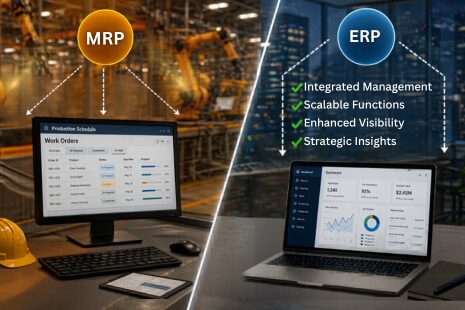
ERP vs MRP: What’s the Difference for Manufacturers? (2026 Guide)
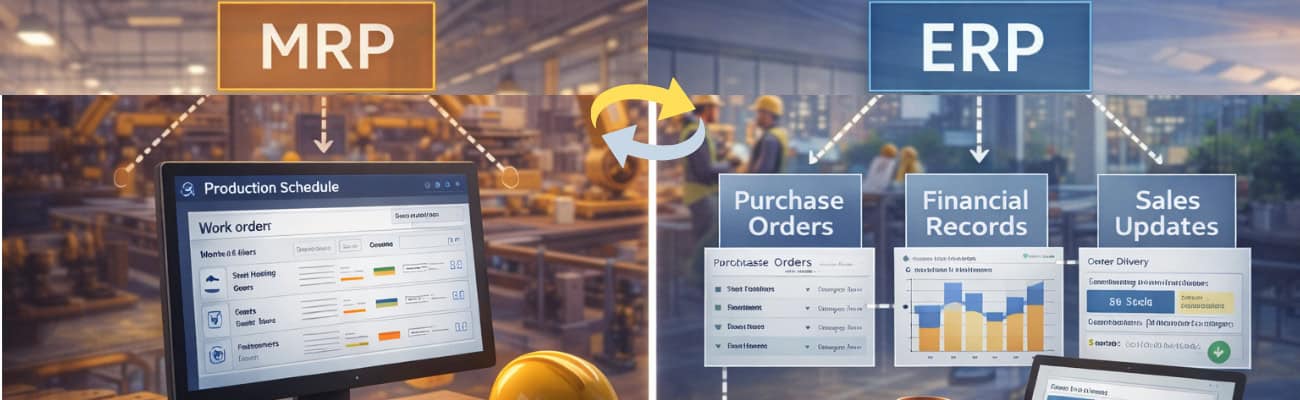
Enterprise Resource Planning (ERP) and Material Requirements Planning (MRP) are two of the most important systems in modern manufacturing. While they are closely related, they serve different purposes and operate at different levels within a business.
At a high level, MRP focuses on production planning and inventory management, while ERP integrates all business processes—including finance, sales, inventory, and operations—into a unified system. Understanding the distinction between ERP and MRP is essential for manufacturers looking to scale efficiently, reduce operational complexity, and improve decision-making.
What is MRP?
Material Requirements Planning (MRP) is a system designed to ensure that the right materials are available at the right time for production. According to Material Requirements Planning, it is a method used to calculate the materials and components needed to manufacture a product.
MRP systems rely on three key inputs: the bill of materials (BOM), inventory data, and demand. By analyzing these inputs, the system determines what needs to be produced or purchased and when.
In practice, this means that when a sales order is entered, the system automatically calculates the required materials, checks current inventory, and generates production or purchasing actions. This eliminates guesswork and reduces the risk of shortages or delays.
MRP is especially valuable for manufacturers dealing with complex assemblies or variable demand. It provides structure to what would otherwise be a highly manual and error-prone process.
For a deeper breakdown of how MRP works, see our guide on
👉 https://test.myofficeapps.com/what-is-mrp-software-complete-guide-for-manufacturers
What is ERP?
ERP (Enterprise Resource Planning) is a broader system that integrates all core business functions into a single platform. Instead of focusing only on production, ERP connects finance, sales, purchasing, inventory, and operations.
The primary goal of ERP is to create a single source of truth. When data is entered into the system—such as a customer order—it automatically updates across all departments.
This means that sales teams can see production timelines, finance teams can track revenue in real time, and operations teams can adjust schedules based on demand. The result is a more coordinated and efficient organization.
Industry organizations such as ASCM (Association for Supply Chain Management) emphasize the importance of integrated systems in modern manufacturing environments, particularly as supply chains become more complex.
For a broader overview of how these systems work in the cloud, see Cloud-based Manufacturing Software
The Core Difference Between ERP and MRP
The difference between ERP and MRP ultimately comes down to scope and integration.
MRP is focused on production planning. It ensures that materials are available and that production schedules align with demand. ERP, on the other hand, connects the entire business.
While MRP answers operational questions such as what to produce and when, ERP answers broader questions about performance, profitability, and efficiency across the organization.
In most modern systems, MRP is not replaced by ERP—it becomes part of it. ERP systems include MRP as one of several integrated modules.
ERP vs MRP Comparison
ERP systems provide broader capabilities across the organization, while MRP focuses specifically on production planning.
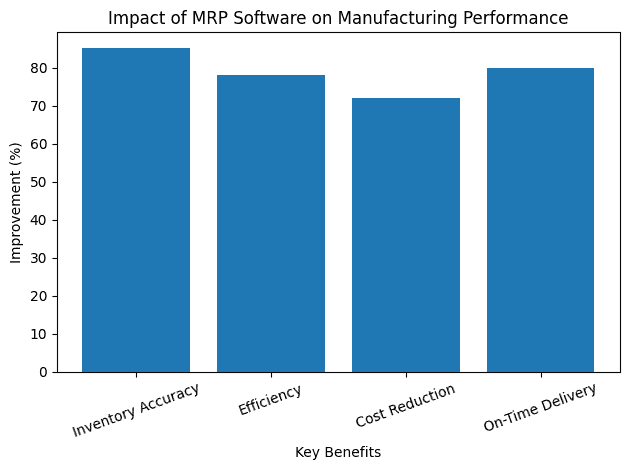
How ERP and MRP Work Together
Rather than being competing systems, ERP and MRP are complementary.
MRP handles the detailed planning of production. ERP ensures that all departments are aligned with that plan.
For example, when MRP generates a production schedule, ERP ensures that purchasing orders are created, financial records are updated, and sales teams have visibility into delivery timelines.
This integration eliminates the need for manual coordination between departments. It reduces errors, improves efficiency, and creates a more responsive organization.
Standards bodies such as the International Organization for Standardization (ISO) highlight the importance of integrated systems in maintaining quality and consistency in manufacturing processes.
When MRP Is Enough
For smaller manufacturers or those with relatively simple operations, MRP alone may be sufficient.
If a business primarily needs better inventory control and production planning, MRP can deliver significant value without the complexity of a full ERP system.
In these cases, MRP provides a strong foundation for improving efficiency. It introduces structure, reduces manual work, and helps ensure that production runs smoothly.
However, this approach has limitations. As the business grows, the lack of integration between departments can create new challenges.
When ERP Becomes Necessary
ERP becomes essential when a business reaches a level of complexity that requires coordination across multiple departments.
This typically happens when operations expand, product lines increase, or financial tracking becomes more sophisticated.
At this stage, relying on separate systems for production, finance, and sales creates inefficiencies. Data must be manually reconciled, and visibility is limited.
ERP solves this by integrating all processes into a single system.
According to research from Deloitte Manufacturing, digital transformation initiatives—including ERP adoption—significantly improve operational performance and supply chain visibility.
Benefits of ERP Over MRP
While MRP provides strong production planning capabilities, ERP offers additional advantages that support long-term growth.
ERP enables unified data across departments, allowing businesses to make decisions based on accurate and up-to-date information. It provides real-time financial insights, helping leaders understand profitability and manage cash flow more effectively.
It also improves scalability. As the business grows, ERP systems can expand to support additional users, locations, and processes without requiring a complete overhaul.
Perhaps most importantly, ERP eliminates data silos. Instead of relying on multiple disconnected tools, businesses operate from a single platform.
Implementation Considerations
Choosing between ERP and MRP is not just a technical decision—it is a strategic one.
MRP systems are generally easier and faster to implement because they focus on a specific area of the business. ERP systems, by contrast, require broader planning and coordination.
A phased approach is often the most effective way to implement ERP. Businesses can start with core modules such as inventory and production, then expand into financials and advanced features over time.
Training and change management are critical. Employees need to understand not only how to use the system, but how it improves their workflows.
For a detailed breakdown of implementation steps, see
👉 https://test.myofficeapps.com/manufacturing-erp-implementation-guide
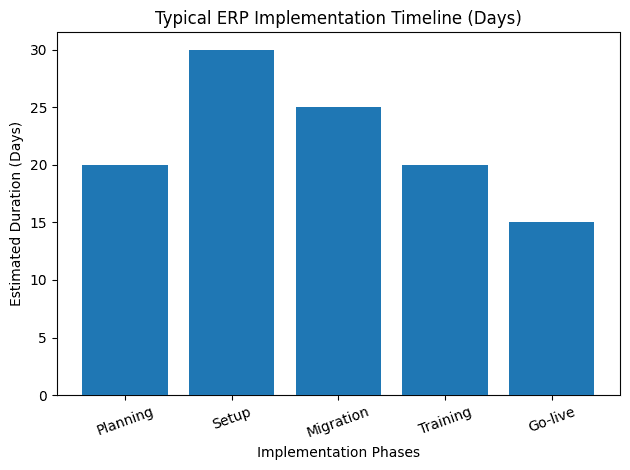
ERP implementations typically follow a phased approach, allowing teams to adapt gradually.
Real-World Example: Transition from MRP to ERP
Consider a manufacturer that initially adopts MRP to improve production planning.
At first, the system delivers significant benefits. Inventory becomes more accurate, production schedules improve, and manual work is reduced.
However, as the business grows, new challenges emerge. Financial data is managed separately, sales teams lack visibility into production timelines, and coordination becomes more complex.
By transitioning to ERP, the company integrates all processes into a single system. This eliminates inefficiencies and provides a clearer view of operations.
Within months, the business sees improvements in decision-making, efficiency, and overall performance.
Choosing the Right Path for Your Business
The decision between ERP and MRP depends on your current needs and long-term goals.
If your primary challenge is production planning, MRP may be the right starting point. If your goal is to integrate and scale your entire business, ERP is the better choice.
Many manufacturers begin with MRP and transition to ERP as their operations become more complex.
For a comparison of available solutions, see Kechie Manufacturing Software
Final Thoughts
ERP and MRP are not competing solutions—they are part of the same evolution.
MRP provides the foundation for efficient production planning, while ERP builds on that foundation to create a fully integrated business system.
For manufacturers looking to grow, the goal is not just to adopt software, but to implement a system that supports long-term scalability, efficiency, and visibility.
Frequently Asked Questions
What is the main difference between ERP and MRP?
MRP focuses on production planning and inventory, while ERP integrates all business processes including finance, sales, and operations.
Should I choose ERP or MRP first?
If your main challenge is production planning, start with MRP. If you need full business visibility and integration, ERP is the better choice.
Is MRP included in ERP systems?
Yes. Most modern ERP systems include MRP as a core module for production planning
Why do companies switch from MRP to ERP?
As businesses grow, they need better integration across departments. ERP eliminates data silos and improves visibility.
Is ERP more expensive than MRP?
Generally yes, but it provides more value by integrating all business operations into a single system.
Key Takeaways
- ERP integrates all business functions, while MRP focuses specifically on production planning.
- MRP is typically a module within a broader ERP system.
- Businesses often transition from MRP to ERP as complexity increases.
- Choosing the right system depends on both current needs and future growth.
Schedule a Free Demo Today!
See how Kechie ERP can transform your business, save you time, money, and aggravation. Click the button below to schedule your free demo.
Schedule Your Kechie Demo Now!In This Article
-ERP vs MRP: What’s the Difference for Manufacturers? (2026 Guide)
-What is MRP?
-What is ERP?
-The Core Difference Between ERP and MRP
-How ERP and MRP Work Together
-When MRP Is Enough
-When ERP Becomes Necessary
-Benefits of ERP Over MRP
-Implementation Considerations
-Real-World Example: Transition from MRP to ERP
-Choosing the Right Path for Your Business
-Final Thoughts
-Frequently Asked Questions