
Odoo looks great at first. It offers open-source flexibility, modular pricing, and apps for nearly every business task. But the cracks show once you are deep into setup. Think multiple warehouses, thousands of SKUs, and a finance team that needs GAAP-compliant reports.
Customizations that made sense at launch now break with every version upgrade. Integrations that were supposed to be native require third-party middleware that fails silently. The low-cost ERP that drew you in now costs as much as a mid-market platform. And it lacks mid-market reliability.
If you are researching Odoo alternatives, you have likely experienced at least one of those frustrations firsthand. This guide compares 10 of the best Odoo alternatives for 2026. We group them by use: all-in-one ERP, CRM and sales, accounting and finance, and project management. We rated each one on integration depth, ease of use for non-technical teams, total cost, and fit for distributors and manufacturers.
You may want a low-cost Odoo alternative with full ERP, a cheaper ERP that competes with Odoo, or a cloud ERP with built-in inventory and manufacturing. The comparison below helps you narrow the list fast.
What Are the Alternatives to Odoo? Top Odoo Competitor Comparison & Ratings Chart
| Software | Best For | Key Strength | Deployment | Starting Price | Setup Time | Capterra Rating |
| Kechie | Manufacturers & Distributors | Fully integrated ERP + WMS + MRP | 100% Cloud | Contact for quote | Weeks | 4.7/5 |
| Oracle NetSuite | Mid-market growth companies | Global ERP with multi-subsidiary | Cloud | $$$+/user/mo | 3-6 months | 4.0/5 |
| Acumatica | Mid-size companies (no per-user fees) | Consumption-based pricing | Cloud | Contact for quote | 3-6 months | 4.5/5 |
| SAP Business One | Small & mid-size businesses in SAP ecosystem | Deep industry functionality | Cloud / On-prem | ~$100+/user/mo | 3-9 months | 4.0/5 |
| Microsoft Dynamics 365 | Microsoft-heavy organizations | Native Microsoft 365 integration | Cloud | From $70/user/mo | 3-6 months | 4.0/5 |
| ERPNext | Open-source ERP seekers | Free, Python-based ERP | Cloud / Self-hosted | Free; hosted from $50/mo | 2-8 weeks | 4.0/5 |
| Zoho One | Small businesses wanting app suite | 40+ apps for $45/user/mo | Cloud | From $45/user/mo | Days to weeks | 4.3/5 |
| Fishbowl | QuickBooks users adding WMS | Native QuickBooks integration | Cloud / On-prem | From ~$329/mo | 1-4 weeks | 4.1/5 |
| Sage Intacct | Finance-first organizations | Best-in-class cloud accounting | Cloud | Contact for quote | 2-4 months | 4.3/5 |
| Xero | Small businesses needing accounting | Simple, clean accounting | Cloud | From $29/mo | Days | 4.4/5 |
10 Top Odoo Alternatives for 2026
1. Kechie – Best Fully Integrated Cloud ERP for Manufacturers & Distributors
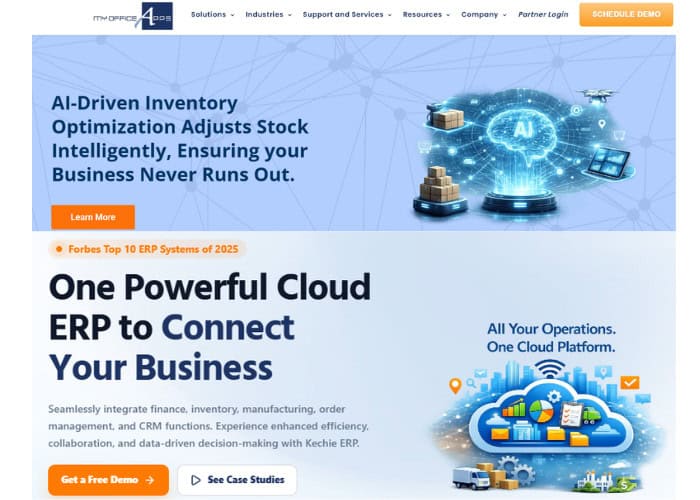
Odoo promises full integration but often delivers loosely linked modules. If that is your main frustration, Kechie is the most direct alternative. We built Kechie as a fully integrated cloud ERP for small to mid-size distributors and manufacturers.
Inventory, warehouse management, orders, purchasing, manufacturing with MRP, CRM, logistics, and full accounting all run on one database. Every module shares real-time data.
Product Overview
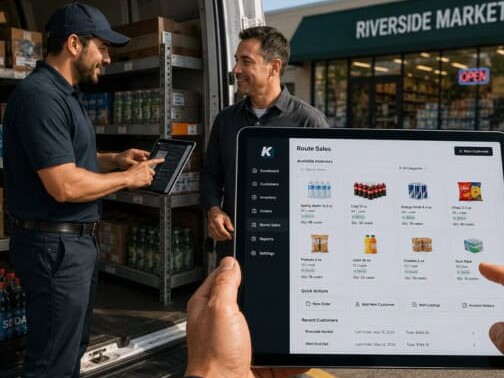
Odoo users often need several apps and connectors to get what Kechie has built in. That includes multi-warehouse inventory with real-time views, lot and serial tracking, and barcode pick/pack/ship. It also includes MRP, automated cycle counts, and built-in finance.
Every transaction is audited and drillable. The system is accessible from any browser on any device, with no local installation required.
Pros & Cons
Pros: Fully integrated, with no module stitching or middleware. Award-winning support with direct access to developers. Setup in weeks. Unlimited transactions with no per-SKU or per-order fees. Frequent updates and a strong record in distribution and manufacturing.
Cons: Smaller brand than SAP or NetSuite. The interface is practical rather than polished. Best for teams that need real inventory, manufacturing, or accounting depth, not lightweight tools.
Pricing
User-based subscription pricing. Packages available modularly (inventory/WMS, manufacturing, finance) or as a full ERP. One-time fee for implementation, data migration, and training.
Minimum 7 users. Contact us for a custom quote.
Unlike Odoo, there are no per-app fees and no hidden module dependencies that inflate costs.
Setup
Implementation typically takes weeks, not months. We assign a dedicated team. They map your processes, build a scope of work, and handle setup. Caitec, a distribution company, compared four ERP systems. They chose Kechie because we could customize during rollout instead of forcing a rigid package. New employees are typically productive on the system within one to two days.
Tradeoffs
Reviewers on Capterra, G2, and GetApp often praise Kechie for ease of use, flexible setup, and strong support.
Some users report a learning curve with advanced setup. Companies that need very specialized modules, like construction project accounting or field service routing, should confirm fit.
Kechie targets the exact problems that push distributors and manufacturers away from Odoo. These are unreliable integrations, weak accounting, poor warehouse usability, and unpredictable total cost.
➤ See Kechie in action: Schedule your free ERP demo
2. Oracle NetSuite – Best for Mid-Market Companies Planning Global Expansion
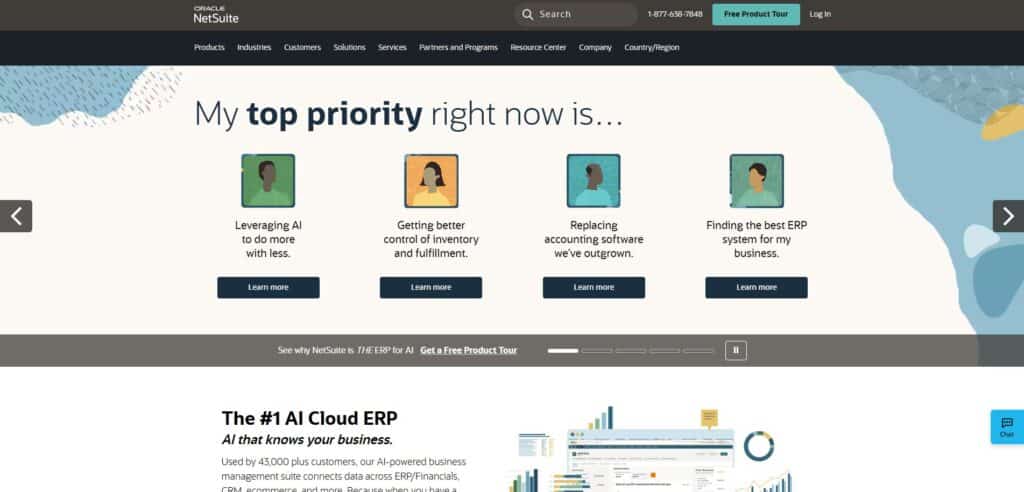
Odoo users move up to NetSuite when they need to manage multiple companies, handle global taxes, and run a platform that holds up under enterprise complexity. It runs financials, CRM, inventory, ecommerce, and HR on a single cloud platform with real-time dashboards.
Product Overview
NetSuite provides real-time financial consolidation, advanced demand planning, multi-currency and multi-subsidiary support, and a built-in WMS module. SuiteCommerce handles B2B and B2C ecommerce natively.
Pros & Cons
Pros: Mature, proven platform for scaling companies, strong financial management, global compliance, large partner ecosystem.
Cons: Expensive (total cost often 3-5x initial estimates), long implementation timelines, steep learning curve, customization requires SuiteScript expertise.
Pricing
Base platform fee plus per-user licensing. Total costs vary widely but typically run significantly higher than Odoo or most small and mid-size-focused alternatives. Implementation fees add substantially to year-one costs.
Setup
3 to 6 months for standard implementations. Complex, multi-subsidiary deployments can extend beyond 12 months.
Tradeoffs
NetSuite fixes Odoo’s scaling limits. But many small and mid-size businesses find its cost and complexity too high. Best suited for companies with $10M+ revenue that need a platform built for global operations. If your primary issue with Odoo is cost, NetSuite moves in the wrong direction.
3. Acumatica – Best for Mid-Size Companies That Want Unlimited Users
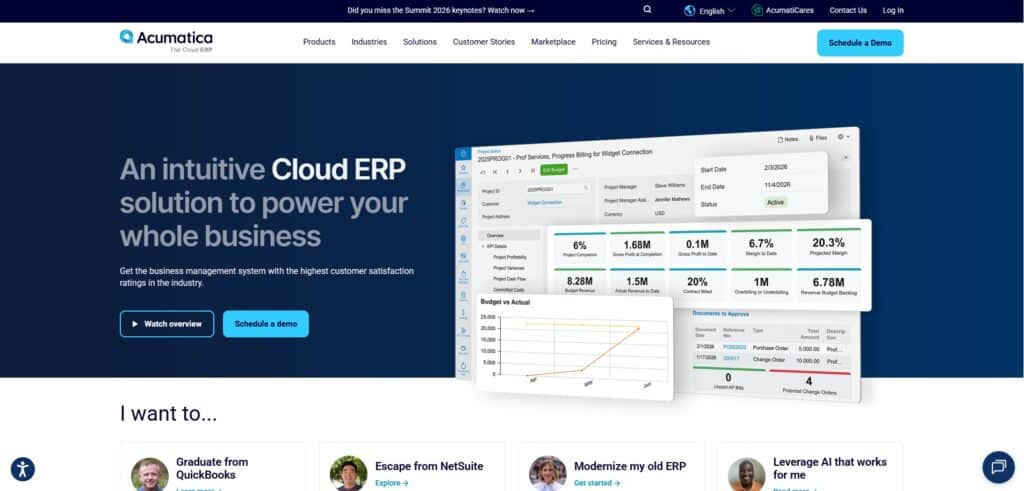
Odoo charges per user. Adding warehouse workers, sales reps, or finance staff drives costs up fast. Acumatica fixes this by charging for resource usage, not seats. That makes it a strong Odoo alternative for companies with large teams.
Product Overview
Acumatica is a cloud-native ERP with strong vertical solutions for manufacturing, distribution, construction, and retail. It includes financials, CRM, inventory, project accounting, and advanced reporting through native Power BI integration.
Pros & Cons
Pros: No per-user fees, strong manufacturing and distribution modules, modern interface, robust API and integration framework.
Cons: Setup costs can exceed estimates. Custom work needs .NET developers. Pricing stays unclear until you talk to a partner.
Pricing
Consumption-based pricing (transactions and storage, not user count). Contact Acumatica for quotes. Typically higher overall cost than Odoo but more predictable than NetSuite.
Setup
3 to 6 months through certified VARs (Value Added Resellers). Implementation quality varies by partner.
Tradeoffs
Acumatica ranks high in customer satisfaction (especially on G2) and offers genuine scalability for growing mid-market companies. The trade-off: it costs more upfront than Odoo, and success depends heavily on your partner.
4. SAP Business One – Best for Small & Mid-Size Businesses Already in the SAP Ecosystem
SAP Business One is the small business tier of the SAP portfolio. It gives ERP tools to companies with 10 to 500 employees. It covers finance, purchasing, inventory, manufacturing, and CRM. For businesses that value the SAP brand and need industry-specific functionality, it is a credible Odoo competitor.
Product Overview
Financials, purchasing, inventory, sales, CRM, production, MRP, and reporting in a single platform. Available on-premise or via SAP HANA Cloud. Strong in discrete manufacturing and wholesale distribution.
Pros & Cons
Pros: Enterprise-grade tools at small and mid-size scale. Deep industry features, strong HANA analytics, and global compliance.
Cons: Costs more than Odoo. The interface feels dated. Success depends on your SAP partner, and it is less flexible to customize than open-source options.
Pricing
Approximately $100+ per user per month for cloud. Perpetual licensing available for on-premise. Implementation costs range from $20,000 to $100,000+ depending on complexity.
Setup
3 to 9 months depending on scope and partner capability.
Tradeoffs
SAP Business One is more reliable and deeper than Odoo for manufacturing and distribution. But it costs much more. If budget comes first, SAP moves you further from Odoo’s price edge. It also lacks the ease of use of newer cloud platforms.
5. Microsoft Dynamics 365 Business Central – Best for Microsoft-Heavy Organizations
If your team already works in Outlook, Excel, and Teams, Dynamics 365 Business Central is the natural ERP choice. Built-in Microsoft 365 integration removes the middleware and sync problems common with Odoo’s third-party connectors.
Product Overview
Business Central covers financials, supply chain, sales, project management, and manufacturing with native Power BI analytics. In 2026, its integration with Microsoft Copilot adds AI-assisted reporting and data analysis.
Pros & Cons
Pros: Seamless Microsoft integration, strong financials and reporting, large AppSource marketplace, well-established partner network.
Cons: Per-user pricing adds up for large teams. The manufacturing module is less specialized than dedicated tools. Custom work is complex, and setup can be slow.
Pricing
Essentials plan from $70/user/month. Premium (includes manufacturing and service management) from $100/user/month.
Setup
3 to 6 months for typical deployments. Heavily dependent on partner selection.
Tradeoffs
Dynamics 365 fixes Odoo’s fragile integrations for Microsoft users. But per-user costs climb fast as your team grows. Its manufacturing and warehouse modules work well. But they are not built for SMB distributors the way Kechie is.
6. ERPNext – Best Open-Source Alternative to Odoo
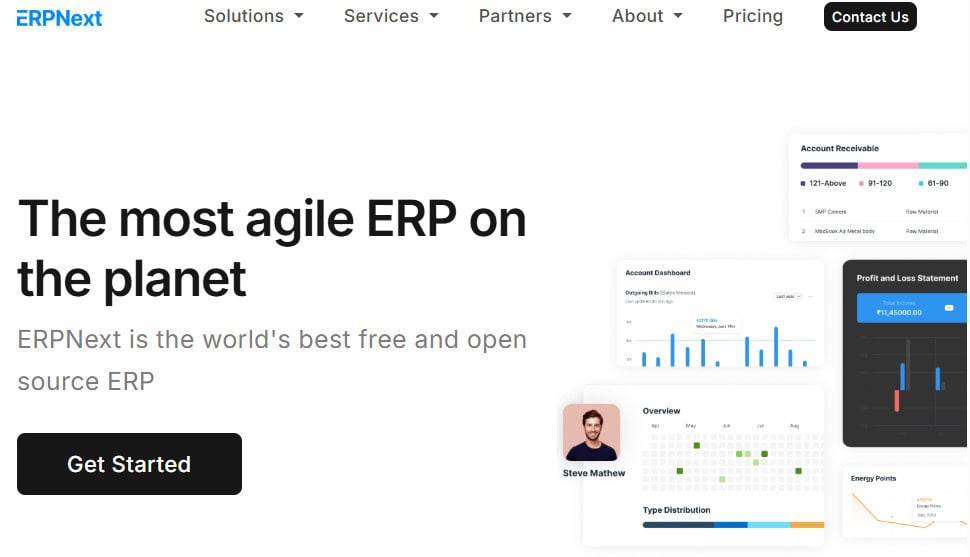
For companies specifically searching for an Odoo alternative that is open source, ERPNext is the closest equivalent. It is the strongest open-source alternative to Odoo. This free, Python-based ERP covers accounting, inventory, manufacturing, HR, CRM, and projects. Unlike Odoo, ERPNext does not split features between a Community and Enterprise edition.
Product Overview
ERPNext offers a full ERP suite. It includes double-entry accounting, stock with batch and serial tracking, manufacturing with BOMs and work orders, CRM, HR, and projects. All features are available in the free version.
Pros & Cons
Pros: Fully free and open source, with no paid tiers. All features are included. It has an active community, a Python/JavaScript stack that is easier to customize than Odoo, and a public roadmap.
Cons: Smaller ecosystem than Odoo, with fewer apps and integrations. Self-hosting needs technical skill. The interface is less polished, and official support is limited.
Pricing
Free (self-hosted). Managed cloud hosting available from approximately $50/month through ERPNext Cloud. No per-user licensing fees in either model.
Setup
2 to 8 weeks for basic cloud deployments. Self-hosted installations require Linux administration skills.
Tradeoffs
ERPNext delivers on the open-source promise that Odoo originally made but has gradually moved away from. The tradeoff is a smaller partner ecosystem and less hand-holding during implementation. Best for technically capable teams that want full control without licensing fees.
CRM & Sales Alternatives
7. Zoho One – Best Affordable All-in-One Suite for Small Businesses
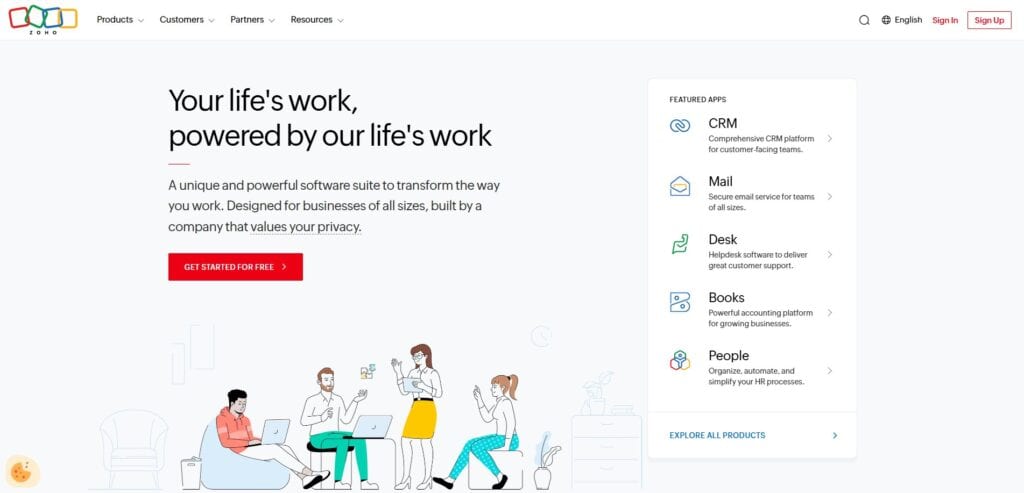
Zoho One bundles 40+ business apps in one subscription. These include CRM, accounting, inventory, HR, projects, marketing, and helpdesk. Some small businesses liked Odoo’s CRM and sales tools but struggled with accounting or inventory. For them, Zoho One feels more unified at a predictable price.
Product Overview
Zoho CRM sits at the center. It links natively to Zoho Books, Zoho Inventory, Zoho Projects, and dozens of other apps. The suite covers sales pipeline management, invoicing, inventory tracking, email marketing, and customer support.
Pros & Cons
Pros: Low flat-rate pricing, a large app library, a clean interface, and strong CRM. Good for small teams that need breadth more than depth.
Cons: Each app is less powerful than a dedicated tool. Inventory and manufacturing lack depth for complex work. Zoho apps connect well but not perfectly, and WMS tools are limited.
Pricing
$45 per user per month (all apps included). Significant discount over buying individual Zoho apps separately. Free trial available.
Setup
Days to weeks. Zoho’s cloud-native design and guided setup make initial deployment fast.
Tradeoffs
Zoho One is excellent for small businesses that want many tools without the complexity of a full ERP. It falls short for mid-size distributors and manufacturers. They need deep inventory, MRP, lot tracking, or multi-warehouse tools. Think of Zoho One as a better Odoo CRM alternative rather than a full Odoo ERP alternative.
Accounting & Finance Alternatives
8. Fishbowl – Best for QuickBooks Users Who Need Inventory and Warehouse Management
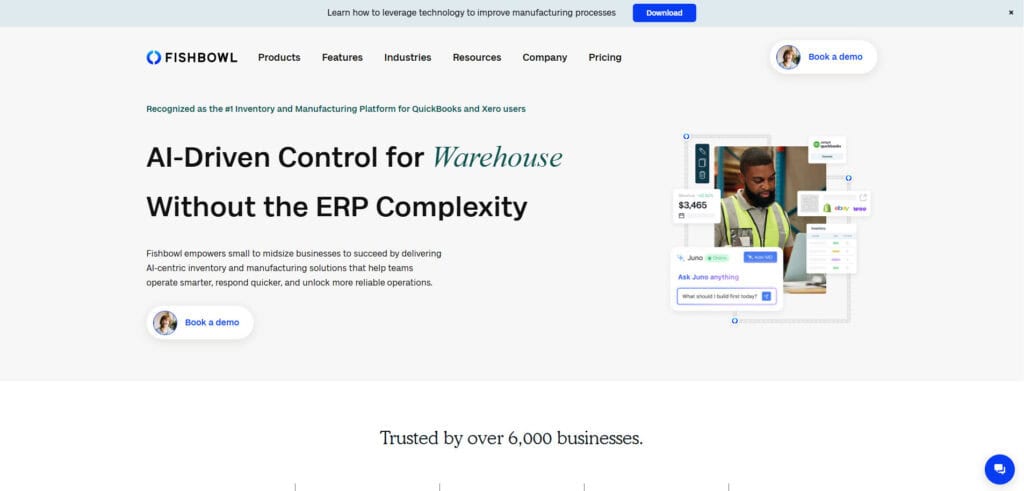
Many companies leave Odoo because its accounting falls short of US GAAP or their controller’s standards. Your team may want to keep QuickBooks for accounting but add real warehouse and inventory tools. Fishbowl fills that gap without a full ERP move.
Product Overview
Fishbowl offers multi-location inventory, barcode scanning, part tracking, work orders for light manufacturing, and shipping links. It syncs both ways with QuickBooks.
Pros & Cons
Pros: Best-in-class QuickBooks integration, straightforward inventory and warehouse management, reasonable pricing for small teams.
Cons: Not a full ERP. MRP and supply chain planning are limited. Companies outgrow Fishbowl as operations grow, and it relies on QuickBooks for finance, which has its own limits.
Pricing
Fishbowl Online starts at approximately $329 per month. Fishbowl Advanced (on-premise) uses a one-time license model.
Setup
1 to 4 weeks. The QuickBooks integration simplifies data migration for existing QB users.
Tradeoffs
Fishbowl solves the immediate inventory management gap but does not address Odoo’s core problem of disconnected systems. You are still running separate platforms for accounting, inventory, and (potentially) CRM. If you want to end system sprawl instead of working around it, a fully integrated ERP is the better long-term path.
9. Sage Intacct – Best Cloud Accounting for Finance-First Organizations

If accounting quality is your main reason for leaving Odoo, Sage Intacct is the strongest dedicated cloud accounting platform. It is built for controllers and CFOs. They get multi-entity consolidation, revenue recognition, and detailed reports without the limits of Odoo’s European-built accounting.
Product Overview
Sage Intacct provides dimensional accounting, automated revenue recognition (ASC 606), multi-entity consolidation, project accounting, and real-time dashboards. It is the only accounting application endorsed by the AICPA.
Pros & Cons
Pros: Best-in-class financial management, strong multi-entity and multi-currency support, AICPA-endorsed, excellent reporting and analytics, robust audit trail.
Cons: Not a full ERP, with no built-in inventory, WMS, or manufacturing. Premium pricing. Operations need extra integrations, and CRM is limited.
Pricing
Contact Sage for custom pricing. It usually costs more than QuickBooks and Xero. Price depends on modules and number of entities.
Setup
2 to 4 months for standard implementations. Multi-entity configurations add complexity.
Tradeoffs
Sage Intacct solves Odoo’s accounting weaknesses decisively. The tradeoff is that it is a financial management platform, not an all-in-one ERP. You still need separate tools for inventory, warehouse management, and manufacturing. That means more integrations to maintain.
10. Xero – Best Simple Accounting Alternative for Small Teams
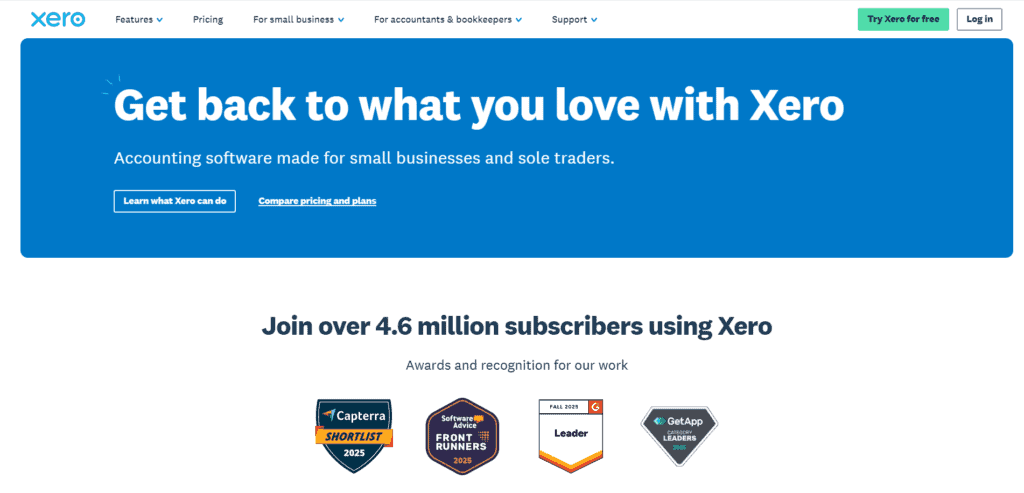
Some small businesses mainly used Odoo for invoices, expenses, and basic reports. For them, Xero offers cleaner, simpler accounting without ERP overhead.
Product Overview
Xero provides double-entry accounting, bank reconciliation, invoicing, expense management, payroll (US-supported), and multi-currency support. Over 1,000 app integrations through the Xero marketplace.
Pros & Cons
Pros: Clean, intuitive interface, strong bank feed integrations, affordable pricing, excellent for accountants and bookkeepers, large app marketplace.
Cons: Only basic inventory tracking. No manufacturing or warehouse tools. Reports are less deep than Sage Intacct, and it cannot stand alone for distributors or manufacturers.
Pricing
Starter from $29/month, Standard from $46/month, Premium from $62/month (US pricing).
Setup
Days. Xero is one of the fastest accounting platforms to deploy.
Tradeoffs
Xero is a pure accounting tool, not an ERP. It works well for small teams that need clean books and simple invoicing. It does not replace Odoo’s inventory, manufacturing, or operations modules. Pair it with a dedicated WMS or inventory tool if you need those capabilities.
Why Companies Switch Away from Odoo
The decision to leave Odoo typically builds over months, not overnight. Here are the most common reasons companies look at Odoo competitors. They come from patterns we see across small and mid-size distributors and manufacturers.
Misleading Total Cost of Ownership
Odoo’s free Community edition attracts cost-conscious buyers, but it lacks critical functionality for serious business operations. Enterprise pricing starts around $24.90 per user per month. Each extra app, third-party module, and custom change adds to the bill. Add setup, hosting, and upkeep, and the total rivals mid-market platforms. Those platforms offer more reliability and deeper built-in tools.
Customization Debt That Compounds Over Time
Odoo’s flexibility is a double-edged sword. Heavy custom work creates long-term upkeep problems. Custom modules clash with core updates, and version upgrades break workflows. Knowledge of your setup stays with the partner, not your team. When Odoo releases a major version, heavily customized companies face upgrade costs close to their original setup budget.
Unreliable Integrations for US Distribution and Manufacturing
Connectors for shipping, ecommerce, EDI, and payments often need third-party middleware. That middleware may lack real-time sync, fail without warning, or lose vendor support. Distributors and manufacturers need accurate inventory across systems. These gaps cause order errors and stock mismatches that hurt customer trust.
Accounting That Falls Short of US Standards
Odoo’s accounting originated in European markets. GAAP compliance, multi-state tax handling, revenue recognition, and bank reconciliation workflows feel bolted on rather than native. Controllers and bookkeepers often keep shadow books in QuickBooks or Excel next to Odoo. That defeats the point of one system and doubles the matching work.
Support That Disappears When You Need It Most
Community edition offers no official support at all. Enterprise support often defers to implementation partners, whose quality varies significantly. When a major issue hits during month-end close or peak shipping, response times and fix quality are hard to predict. This is a stark contrast to Kechie, where customers work directly with our engineering team.
Poor Daily Usability for Warehouse and Operations Teams
The interface looks modern in demos but proves inefficient for real-world warehouse, manufacturing, and order management workflows. Routine tasks take too many clicks, and navigation confuses non-technical staff. The design favors developer flexibility over daily efficiency. The result is low adoption and constant workarounds. Looking for an ERP with Odoo’s features but easier to use? Almost any platform built for operations staff, not developers, fits.
How to Choose the Right Alternatives to Odoo ERP Software
Replacing an ERP is a consequential decision. Use this framework to move from evaluation to a shortlist efficiently.
Step 1: Document Why Odoo Failed You
Before evaluating any replacement, write down the specific problems that are driving the switch. Is it accounting depth? Integration reliability? Support quality? Total cost? Warehouse usability? Your list of pain points becomes the scoring criteria for every alternative you evaluate. If you skip this step, you risk choosing a new platform that repeats the same mistakes.
Step 2: Decide Whether You Need a Full ERP or Point Solutions
Some companies leave Odoo because the entire platform underperforms. Others only have issues with one module (usually accounting or inventory). If your Odoo CRM works but accounting is the problem, Sage Intacct or Xero fixes that one issue without a full move. If the core problem is scattered systems and unreliable integrations, a fully integrated ERP like Kechie fixes the root cause.
Step 3: Calculate the Real Total Cost of Ownership
Ask every vendor on your shortlist for a full cost breakdown. Include licenses, setup, data migration, training, support, and needed integrations. Compare that to what you spend on Odoo today. Count partner fees, third-party modules, internal IT time, and the cost of workarounds. The cheapest license often is not the cheapest total cost.
Step 4: Test With Your Actual Workflows
Ask for demos using your real tasks: receive a shipment, run a cycle count, process a sales order, and reconcile finances. Generic product tours do not reveal usability issues. Involve your warehouse staff, accounting team, and operations managers in the evaluation. Do not leave it only to the person signing the contract.
Step 5: Verify Migration Complexity Before You Commit
Moving data out of Odoo can be straightforward or painful, depending on how much customization exists. Ask each vendor about their migration process and typical timelines. Also ask whether they have moved companies off Odoo before. A vendor who has done it before will know the common pitfalls and data mapping challenges.
Key Features to Look for When Exploring the Best Odoo CRM Alternatives
Native Inventory and Warehouse Management
If you are a distributor or manufacturer, inventory visibility is non-negotiable. Look for multi-warehouse support, real-time stock tracking, barcode scanning, lot tracking, and serialization. These capabilities should be native to the platform, not bolted on through third-party apps that require middleware.
Integrated Financial Management (GAAP-Compliant)
Your accounting should handle multi-state taxes, revenue recognition, bank reconciliation, and consolidation. You should not need shadow books in QuickBooks or Excel. Ask specifically about GAAP compliance if you operate in the US.
Manufacturing and MRP
Manufacturers need MRP. It shows what materials you need and when. It also suggests purchase orders and production runs from real-time supply and demand. BOMs, work orders, and production scheduling should connect to inventory. They should not run in a separate module.
CRM That Connects to Operations
A CRM that exists in isolation from your inventory, orders, and financials creates more data silos. The best Odoo CRM alternatives link customer data to sales orders, stock levels, and payment history in real time. Sales sees what is available to promise, and finance sees the full customer picture.
Reliable, Native Integrations
Confirm built-in links to your ecommerce platforms (Shopify, Amazon), carriers (ShipStation, FedEx, UPS), EDI partners, and payment processors. “Native” means the vendor builds and maintains the integration, not a third-party app developer who may abandon it.
Reporting and Real-Time Dashboards
Controllers need margin-by-customer reports, inventory valuation, aging reports, and open order status without exporting to Excel. Operations managers need fulfillment metrics and warehouse productivity data. The system should deliver these pre-configured, not require custom development or third-party BI tools.
Responsive, Accountable Support
If your ERP goes down during month-end close, you need support that responds in hours, not days. Check each vendor’s support model. Look for a dedicated account manager, phone support in business hours, ticket support, and average fix times. Ask for references and verify.
Cost Comparison: Odoo vs. Competitors
| Solution | Licensing Model | Estimated Monthly Cost (10 users) | Hidden Cost Risks |
| Odoo Enterprise | Per user + apps ($24.90/user/mo standard) | ~$250-500+ (before implementation, hosting, modules) | Third-party modules, version migration, partner dependency |
| Kechie | Per user, all modules included | Contact for quote; no per-app or per-transaction fees | Implementation and training (typically lower than Odoo long-term) |
| Oracle NetSuite | Base fee + per user | $1,500-3,000+ | Implementation consulting, customization, annual price increases |
| Acumatica | Consumption-based (no per-user) | Contact for quote | Implementation partner fees, customization scope |
| Microsoft Dynamics 365 | Per user ($70-100/user/mo) | $700-1,000+ | Add-on modules, partner implementation, Power Platform licensing |
| ERPNext | Free (self-hosted) or ~$50+/mo (cloud) | $0-100 | Internal IT resources for self-hosting, limited paid support |
| Zoho One | Per user ($45/user/mo) | ~$450 | Limited depth forces additional tools for complex operations |
| Sage Intacct | Module-based, per entity | Contact for quote (premium tier) | Not a full ERP; need additional systems for operations |
Which of the ERP Alternatives to Odoo Is Right for Your Business?
The right choice depends on what specifically broke down with Odoo and how complex your operations are.
You may be a small to mid-size distributor or manufacturer needing inventory, warehouse management, MRP, and accounting in one system. If so, Kechie is the most direct replacement, with no module stitching or middleware. It fixes the exact problems that push most companies off Odoo: unreliable integrations, weak accounting, poor warehouse usability, and unpredictable costs.
If accounting is your main issue and you want to keep your operations tools, Sage Intacct or Xero can replace Odoo’s finance module. No full ERP move is needed. If you want an open-source alternative to Odoo, ERPNext is the closest match. It does not lock features behind a paid edition.
Mid-market companies with $10M+ in revenue may need global operations, multi-company management, and enterprise infrastructure. NetSuite or Acumatica offer the scale Odoo cannot. For teams deep in Microsoft, Dynamics 365 Business Central removes the friction of Odoo’s third-party connectors.
Whatever you choose, start with your pain points. Test with real workflows, and calculate total cost, not just sticker price.
➤ Ready to replace Odoo? Schedule your free Kechie ERP demo
FAQs
What are the disadvantages of using Odoo?
The biggest disadvantages are hidden costs, customization debt, and unreliable integrations. Odoo’s free Community edition lacks key features. Most businesses move to Enterprise, where per-user and per-app costs add up. Heavy customizations break during version upgrades, creating recurring migration expenses. Its accounting is European-built and falls short on US GAAP. Links to carriers, EDI, and ecommerce often need fragile third-party middleware.
Is Odoo the cheapest ERP?
Not when you calculate total cost of ownership. Odoo’s entry price is low. But Enterprise licenses, third-party modules, partner fees, hosting, and upgrades push the real cost close to mid-market ERP. ERPNext (free, open source) or Zoho One ($45/user/month with 40+ apps) can cost less, based on your needs.
Which is better, Odoo or ERPNext?
ERPNext is the better choice for teams that want fully open-source ERP with no split between free and paid features. All ERPNext functionality is available in the free version. Odoo has more apps and partners. But its Community/Enterprise split locks many key features behind paid licenses. For manufacturers and distributors who value transparency and control, ERPNext offers a more honest open-source model.
Is Zoho better than Odoo?
Zoho One beats Odoo for small businesses that want CRM, marketing, and basic operations at a predictable price. The $45/user/month flat rate includes 40+ apps with no per-module surprises. Odoo is more capable for inventory-heavy or manufacturing operations, but at higher complexity and cost. If you need serious warehouse and manufacturing depth beyond both, a fully integrated ERP like Kechie fits better.
How does QuickBooks compare to Odoo?
QuickBooks is a dedicated accounting platform, not an ERP. It handles finance better than Odoo for US businesses, especially taxes and bank reconciliation. But it lacks inventory, manufacturing, and warehouse tools. Many businesses outgrow QuickBooks and try Odoo as a step up. Then they find Odoo’s accounting falls below the QuickBooks standard. A fully integrated cloud-based ERP solves both limitations.
What are the problems with Odoo?
The most common complaints: weak US accounting, unreliable integrations that need middleware, and costly yearly upgrades. Others include support that defers to uneven partners, a click-heavy interface that slows warehouse teams, and hidden costs (modules, partners, hosting, custom work) that erase the budget advantage.
What are the top 5 ERP systems in 2026?
The top ERP systems vary by company size. For manufacturers and distributors, the leading options are Kechie (fully integrated cloud ERP), Oracle NetSuite (mid-market), and Acumatica (usage-based pricing). SAP Business One (SMB SAP) and Microsoft Dynamics 365 Business Central (Microsoft users) round out the list. Enterprise-scale operations typically evaluate SAP S/4HANA and Oracle Cloud ERP.
Do big companies use Odoo?
Some large companies use Odoo, primarily in Europe and the Middle East where the platform originated. However, Odoo’s primary user base is small businesses with under 50 employees and revenue below $10 million. Larger companies with complex multi-warehouse work, strict compliance rules, and high volume often outgrow Odoo. They move to NetSuite, SAP, or Acumatica for scale and reliability.
How challenging is migration from Odoo to a competitor?
Migration complexity depends on how much customization exists in your Odoo instance. Standard data (contacts, products, orders, financials) exports cleanly from Odoo in most cases. Custom modules, non-standard workflows, and partner-specific configurations require more careful mapping. Plan for 4 to 12 weeks for migration depending on data volume and complexity. Work with a vendor that has specific Odoo migration experience to avoid common pitfalls.
What should I switch to from Odoo?
If you are a distributor or manufacturer that needs inventory, warehouse management, MRP, and accounting in one platform, switch to a fully integrated cloud ERP like Kechie. If your issue is specifically accounting, consider Sage Intacct. If you want to stay open-source, evaluate ERPNext. Start by documenting your specific Odoo pain points, then match them against each alternative’s strengths.
Schedule a Free Demo Today!
See how Kechie ERP can transform your business, save you time, money, and aggravation. Click the button below to schedule your free demo.
Schedule Your Kechie Demo Now!In This Article
– What Are the Alternatives to Odoo? Top Odoo Competitor Comparison & Ratings Chart
– 10 Top Odoo Alternatives for 2026
– Why Companies Switch Away from Odoo
– How to Choose the Right Alternatives to Odoo ERP Software
– Key Features to Look for When Exploring the Best Odoo CRM Alternatives
– Cost Comparison: Odoo vs. Competitors
– Which of the ERP Alternatives to Odoo Is Right for Your Business?
– FAQs