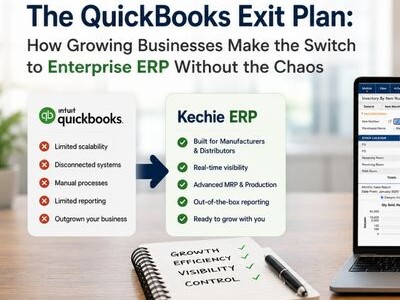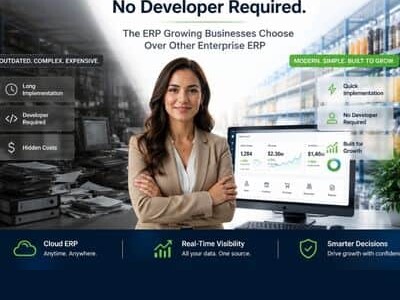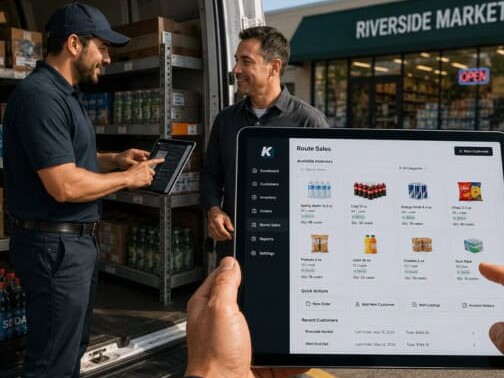

Your warehouse has more SKUs than it did two years ago. You are running inventory across multiple locations, juggling purchase orders in one system and financials in another, and relying on spreadsheet workarounds that break every time someone forgets to update a formula. If that sounds familiar, you are not alone.
Most controllers and operations managers searching for the best warehouse management software have already hit the ceiling of QuickBooks, a basic inventory app, or a legacy on-premise system. The real trigger is not curiosity. It is pain: stockouts that cost you orders, disconnected tools that force double data entry, and zero real-time visibility into what is actually on the shelf.
This guide reviews 12 of the top warehouse management systems for 2026, with a focus on distribution, wholesale, and manufacturing. We evaluated each platform on real-time inventory accuracy, multi-warehouse support, integration depth, ease of use, implementation speed, and total cost of ownership.
Whether you need a standalone WMS or a fully integrated cloud-based ERP with built-in warehouse management, you will find a clear breakdown of features, pricing, and tradeoffs below.
Best WMS Software Solutions: Comparison & Ratings Chart
| Software | Best For | Starting Price | Setup Time | Key Strength |
| Kechie | SMB distributors & manufacturers needing fully integrated ERP + WMS | Contact for quote (user-based) | Weeks, not months | Full ERP integration with WMS, MRP, accounting |
| Oracle NetSuite WMS | Mid-market companies wanting ERP + WMS in one | Contact for quote (typically $$$) | 3-6 months | Unified ERP and WMS on single database |
| Cin7 | Product brands and omnichannel retailers needing inventory + WMS | From ~$349/mo | 2-4 weeks | Omnichannel inventory with AI demand forecasting |
| SAP EWM | Large enterprises with existing SAP stack | Custom enterprise pricing | 6-18 months | Deep integration with SAP ecosystem |
| Brightpearl | Multichannel retailers and wholesalers ($1M+ revenue) | Contact for quote | 2-4 weeks | Retail-focused automation engine with built-in WMS |
| inFlow Inventory | SMBs needing intuitive inventory and warehouse management | From ~$186/mo | 1-2 weeks | Ease of use with barcode scanning and mobile app |
| Infor WMS | Large-scale complex warehousing | Custom enterprise pricing | 3-12 months | Advanced directed putaway and wave planning |
| Blue Yonder | Global supply chain enterprises | Custom enterprise pricing | 6-12+ months | AI/ML-powered demand forecasting |
| Fishbowl | QuickBooks users needing WMS | From ~$329/mo | 1-4 weeks | Native QuickBooks integration |
| Korber (HighJump) | Mid-to-large warehouse operations | Custom pricing | 2-6 months | Flexible, modular architecture |
| Zoho Inventory | Small businesses and startups | Free plan; paid from $29/mo | Days | Affordable with multichannel selling |
| Odoo | Budget-conscious SMBs wanting open-source | Free (community); from $24.90/user/mo | 2-8 weeks | Open-source flexibility with modular approach |
12 Top Warehouse Management Systems in 2026, Reviewed
1. Kechie
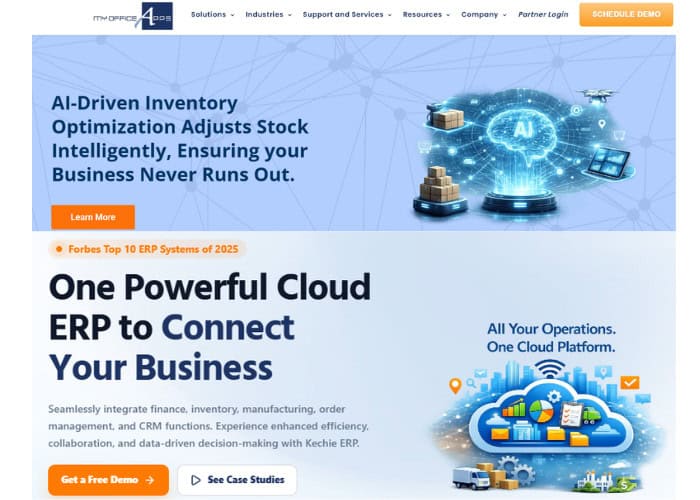
Best for: Small to mid-size distributors and manufacturers (15 to 250+ employees) who need fully integrated cloud-based ERP with warehouse management, inventory control, MRP, and accounting in a single platform.
My Office Apps built Kechie ERP in 2014 specifically for the gap that most SMBs fall into: too complex for basic inventory tools, too cost-conscious for enterprise ERP. Kechie is a fully integrated cloud-based ERP that includes warehouse management, inventory, order management, procurement, manufacturing (with MRP), CRM, logistics, and a complete accounting package. Everything runs on one database, so your warehouse team, finance team, and operations team all see the same real-time data.
Product Overview
Multi-Warehouse Visibility and Real-Time Tracking
One of the biggest pain points for growing distributors is losing visibility as they add warehouse locations.
Kechie lets you manage unlimited warehouses from a single dashboard with real-time inventory counts, transfer orders between locations, and min/max alerts that factor in allocated stock and open purchase orders.
Every transaction is audited and drillable, so when your controller asks where 200 units went, you can answer in seconds, not hours.
Lot Tracking, Serialization, and Compliance
If you distribute in food and beverage, healthcare, or any regulated vertical, traceability is not optional.
Kechie provides full lot tracking with expiration and best-use-date filtering, serialized inventory management for individual item tracking, and complete audit trails.
This is especially critical for companies that need to demonstrate compliance during audits or manage recalls efficiently.
Pick, Pack, Ship with Barcode Scanning
Kechie’s logistics module integrates portal barcode scanners directly into the pick, pack, and ship workflow.
This eliminates manual errors, speeds up fulfillment, and provides real-time visibility into order status across sales, warehouse, logistics, and finance departments.
Pricing
Kechie uses a user-based subscription pricing model. Packages are sold modularly (inventory and warehouse management, manufacturing, finance) or as a fully configured ERP system.
Integrations
Kechie integrates with Shopify, Shopify Plus, Square POS, EasyPost, ShipStation, QuickBooks Online, Amazon, Authorize.net, CardConnect, EBizCharge, SPS Commerce (EDI), Avalara, TaxJar, and Descartes Pacejet.
The B2B eCommerce Portal lets your customers place orders directly, with all orders flowing into Kechie inventory in real time.
Setup
Implementation is measured in weeks, not months. My Office Apps assigns a dedicated implementation team that blueprints your business processes, builds a scope of work, and walks you through every step.
Multiple customers report getting new employees productive on the system within one to two days. Caitec, a distribution company that evaluated four ERP systems, chose Kechie specifically because the team could customize the implementation during rollout rather than offering a rigid, take-it-or-leave-it package.
Tradeoffs
Kechie earns strong marks across review sites (Capterra, GetApp, G2) for ease of use, flexibility, and customer support.
Some users note a learning curve with advanced configuration options, and the UI, while functional, is built for depth of capability rather than visual polish.
Compared to well-established enterprise brands like SAP or NetSuite, Kechie is a smaller company, which some larger organizations may weigh during evaluation.
That said, the award-winning customer service and partner-level relationship approach consistently stand out in reviews.
Support
My Office Apps provides a dedicated ticket system for support requests, suggestions, and improvements. Phone support is available during business hours, and online support is accessible 24/7. Every customer gets assigned account management.
Reviewers repeatedly highlight that the support team includes the engineers who built the software, which means faster resolution and the ability to make customizations within days rather than months.
Mini Case Study
Meals on Wheels San Francisco needed to manage end-to-end supply chain operations for up to 30,000 meals per day.
After implementing Kechie, they grew from 5 to 17 system users (a 240% increase), gained real-time visibility into warehouse inventory and internal distribution, and achieved the ability to adapt to daily demand fluctuations of thousands of meals.
As their team put it: “Knowing exactly what we have on hand and where it is at any given moment is a huge time saver for our staff.” Read the full Meals on Wheels case study for more details.
➤ See Kechie in action: Schedule a free warehouse management demo
2. Oracle NetSuite WMS
Oracle NetSuite WMS is the warehouse management module built into the broader NetSuite ERP platform. It is designed for mid-market companies that want inventory management, order fulfillment, and financials running on a single shared database. NetSuite handles receiving, putaway, picking, packing, and shipping with mobile device support and barcode scanning.
Product Overview
NetSuite WMS provides wave management, cycle counting, bin management, and returns processing within the larger NetSuite ecosystem. Because it shares a database with NetSuite financials and CRM, inventory updates automatically flow into financial reporting. The platform supports multiple warehouse locations and can handle zone-based picking strategies.
Pricing
NetSuite does not publish pricing publicly. Expect a base platform fee plus per-user licensing, with total costs typically running significantly higher than standalone WMS solutions. Implementation fees add to the total cost of ownership.
Integrations
Native integration with the full NetSuite ecosystem (financials, CRM, ecommerce). Connects with major ecommerce platforms and third-party logistics tools through SuiteApp marketplace.
Setup
Implementation typically takes 3 to 6 months depending on complexity. Requires certified NetSuite implementation partners. Organizations with simpler needs may deploy faster, but customization adds time.
Tradeoffs
NetSuite is a powerful platform, but the cost and complexity can be prohibitive for smaller SMBs. Implementation timelines and ongoing consulting costs are common complaints. The WMS module is solid but less specialized than dedicated WMS platforms like Infor or Blue Yonder. Best suited for companies that are already committed to (or considering) NetSuite as their core ERP.
3. Cin7
Cin7 is a cloud-based inventory and warehouse management platform built for product brands, omnichannel retailers, wholesalers, and light manufacturers. Originally launched as DEAR Inventory before being acquired by Cin7, the platform combines inventory management, order management, and WMS in a single system with strong multichannel selling capabilities.
Product Overview
Cin7 provides a dedicated WMS mobile app that connects directly to the core inventory system. Warehouse staff work from real-time stock levels and bin locations, with barcode scanning for order validation at every step.
The platform supports guided walk paths and tote-based picking to optimize warehouse routes, zone-based picking for larger facilities, batch and expiration date tracking, and FIFO/FEFO enforcement on higher-tier plans.
Cin7 also includes ForesightAI, an AI-powered demand forecasting engine that analyzes sales trends, predicts demand, and can automatically generate purchase orders to prevent stockouts. For businesses selling across multiple channels, Cin7 syncs inventory in real time across ecommerce platforms, retail POS, and wholesale channels from one dashboard.
Pricing
Cin7 offers two product lines: Cin7 Core and Cin7 Omni. Core plans start at approximately $349 per month for growing businesses, with higher tiers for advanced WMS features like directed picking, time tracking, and delivery scheduling. Cin7 Omni is tailored for high-volume businesses with complex operations, with custom pricing available. All plans use a monthly subscription model.
Integrations
Cin7 integrates with Shopify, Amazon, eBay, WooCommerce, Etsy, QuickBooks Online, Xero, ShipStation, and many more. The platform supports over 700 integrations across ecommerce marketplaces, accounting platforms, shipping carriers, and POS systems. A B2B portal is also available for wholesale customers to place orders directly.
Setup
Typical deployment takes 2 to 4 weeks for cloud-based setup. Cin7 provides onboarding support and data migration assistance. The WMS mobile app is available for immediate download, and most warehouse teams become productive within the first week.
Tradeoffs
Cin7 is a strong choice for product-based businesses that sell across multiple channels and need warehouse management integrated with inventory and order management. However, it is not a full ERP. It lacks native accounting (relying on Xero or QuickBooks integration), and advanced WMS features like directed picking and FIFO enforcement require higher-tier plans.
Complex manufacturers, especially those in process or food and beverage production, may find the manufacturing capabilities too lightweight. Businesses needing a fully integrated ERP with accounting and MRP built in will want to look at more comprehensive solutions.
4. SAP Extended Warehouse Management (EWM)
SAP EWM is the warehouse management solution within the SAP ecosystem. It covers inbound and outbound processing, warehouse task management, physical inventory, and integration with SAP’s broader supply chain and ERP modules.
Product Overview
SAP EWM provides advanced capabilities including cross-docking, value-added services, labor management, yard management, and production warehousing. It is tightly integrated with SAP S/4HANA for end-to-end supply chain visibility.
Pricing
Custom enterprise pricing based on SAP licensing agreements. Total cost of ownership is high when factoring in implementation, consulting, and ongoing maintenance.
Integrations
Deep native integration with the SAP ecosystem. Connects with SAP S/4HANA, SAP TM (Transportation Management), and third-party warehouse automation systems.
Setup
Implementation ranges from 6 to 18 months depending on scope. Requires SAP-certified implementation partners and significant internal resources for configuration and testing.
Tradeoffs
SAP EWM makes the most sense for organizations already running SAP. The learning curve is steep, the implementation is resource-intensive, and the cost structure is built for enterprise budgets.
Smaller distributors and manufacturers will find better value and faster time-to-value with solutions designed for their scale.
5. Brightpearl

Brightpearl by Sage is a retail operating system designed specifically for multichannel retailers and wholesalers doing $1M or more in annual revenue. It combines order management, inventory, warehouse management, accounting, CRM, and purchasing into a single platform built around the needs of retail and wholesale businesses.
Product Overview
Brightpearl includes a built-in WMS with barcode scanning, automated pick/pack/ship workflows, batch shipment processing, and optimized pick routes. The platform features a dedicated warehouse login and interface so warehouse staff see only the tools and data they need.
Partial and full inventory counts can be run by zone without shutting down operations. The Automation Engine is a standout feature, allowing businesses to define rules that automatically route orders, allocate inventory, trigger fulfillment workflows, and process returns based on custom criteria. Brightpearl claims this processes orders 70% faster than manual workflows. Multi-warehouse support includes real-time inventory syncing across locations and third-party warehouse integrations.
Pricing
Brightpearl does not publish pricing publicly. The platform is designed for retailers doing $1M or more in revenue, and pricing is provided on a custom quote basis. Expect subscription pricing that scales based on order volume and the number of modules required.
Integrations
Brightpearl integrates natively with Shopify, Shopify Plus, Amazon, eBay, Magento, BigCommerce, and WooCommerce. It also connects with major shipping carriers and third-party logistics providers. As a founding member of Shopify’s global ERP program, Brightpearl has a particularly strong Shopify integration. Accounting is built in, so no separate QuickBooks or Xero integration is required for core financial workflows.
Setup
Implementation typically takes 2 to 4 weeks with a 97% implementation success rate according to Brightpearl. Dedicated onboarding teams guide businesses through data migration, workflow configuration, and training. The web-based interface requires minimal IT overhead.
Tradeoffs
Brightpearl is purpose-built for retail and wholesale, which is both its greatest strength and its main limitation. If you are a manufacturer, distributor, or non-retail business, the platform will not fit your workflows. It also targets businesses doing $1M or more in revenue, so earlier-stage companies may find it premature.
Some users report that reporting and business intelligence capabilities could be more robust, particularly for year-over-year comparisons and margin analysis. That said, for multichannel retail and wholesale operations, Brightpearl delivers a tightly integrated platform that eliminates the need for multiple disconnected systems.
6. inFlow Inventory
inFlow Inventory is a cloud-based inventory and warehouse management solution from Archon Systems, designed for small to mid-size businesses across wholesale, distribution, manufacturing, and ecommerce. It is known for its intuitive interface, fast onboarding, and strong mobile capabilities.
Product Overview
inFlow provides real-time inventory tracking across unlimited locations with bin-level visibility. The platform includes barcode generation and scanning, pick/pack/ship workflows, cycle counting, stock transfer management, and reorder point alerts. The mobile app (iOS and Android) lets warehouse staff receive shipments, fulfill orders, transfer stock, and scan barcodes from the floor. inFlow also offers an optional Smart Scanner, a ruggedized Android device with a built-in laser scanner designed for warehouse use. For businesses with manufacturing needs, inFlow offers a manufacturing add-on with bill of materials, assemblies, and kitting support. The built-in B2B Showroom feature lets businesses create customer-facing portals for wholesale ordering.
Pricing
inFlow uses tiered subscription pricing. The Entrepreneur plan starts at approximately $186 per month, the Small Business plan runs approximately $436 per month with five user seats and 1,000 monthly orders, and the Mid-Size plan runs approximately $549 per month. An Enterprise plan is available with custom pricing for larger organizations. Each subscription includes a mandatory onboarding package (one-time fee) with a dedicated Customer Success Manager. A 14-day free trial is available.
Integrations
inFlow integrates with Shopify, Amazon, WooCommerce, Squarespace, eBay, QuickBooks Online, Xero, Zapier, Extensiv Integration Manager, and EasyPost for shipping. The platform also provides API access for custom integrations on higher-tier plans.
Setup
Deployment is fast, typically 1 to 2 weeks for basic setup. inFlow assigns a dedicated Customer Success Manager during onboarding who helps with data migration, workflow configuration, and training. Multiple reviewers report getting teams of 10 or more productive within one week. The cloud-based architecture means no local servers or IT infrastructure are required.
Tradeoffs
inFlow delivers excellent ease of use and fast time-to-value, making it a strong choice for SMBs upgrading from spreadsheets or basic inventory tools. However, it is not a full ERP. It does not include native accounting (you will need QuickBooks Online or Xero), and its manufacturing capabilities are limited to simple assemblies and kitting. Integration limits on lower-tier plans (only 1 to 2 active integrations on entry plans) can be restrictive for businesses with multiple sales channels. The mandatory onboarding package adds to the initial cost. For businesses that need fully integrated financials, advanced MRP, or deep warehouse optimization, a more comprehensive platform will be a better fit.
7. Infor WMS
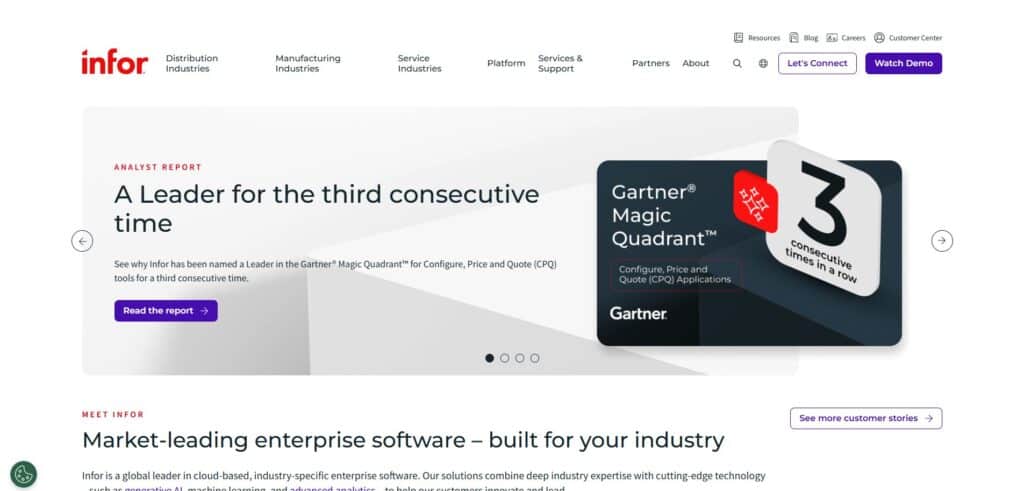
Infor WMS is an enterprise warehouse management solution tailored for large-scale warehousing with advanced directed putaway, wave planning, and labor management.
Product Overview
Infor WMS supports complex warehouse operations with features including 3D visual warehouse tools, voice-directed picking, task interleaving, dock scheduling, and advanced analytics. It is designed for high-throughput environments where optimizing every movement matters.
Pricing
Custom enterprise pricing. Infor typically serves mid-to-large warehouse operations with significant order volumes.
Setup
3 to 12 months depending on warehouse complexity, number of locations, and integration requirements.
Tradeoffs
Infor WMS is a strong fit for large, complex warehouses but is over-engineered for SMBs. Implementation requires specialized consultants and the total cost of ownership can climb quickly with customization and integration work.
8. Blue Yonder

Blue Yonder (formerly JDA Software) is a global supply chain platform with warehouse management capabilities that leverage AI and machine learning for demand forecasting and operational optimization.
Product Overview
Blue Yonder WMS includes real-time inventory management, labor optimization, slotting, wave management, and yard management. Its AI/ML capabilities help predict demand patterns and optimize warehouse workflows proactively.
Pricing
Custom enterprise pricing. Blue Yonder is positioned for global supply chain operations with significant complexity.
Setup
6 to 12+ months for enterprise implementations. Cloud deployments can be faster than legacy on-premise installations.
Tradeoffs
Blue Yonder is designed for global enterprises with complex, multi-node supply chains. The AI/ML capabilities are impressive but require substantial data volumes to deliver meaningful results. Cost, implementation timelines, and ongoing complexity make this a poor fit for small to mid-size operations.
9. Fishbowl
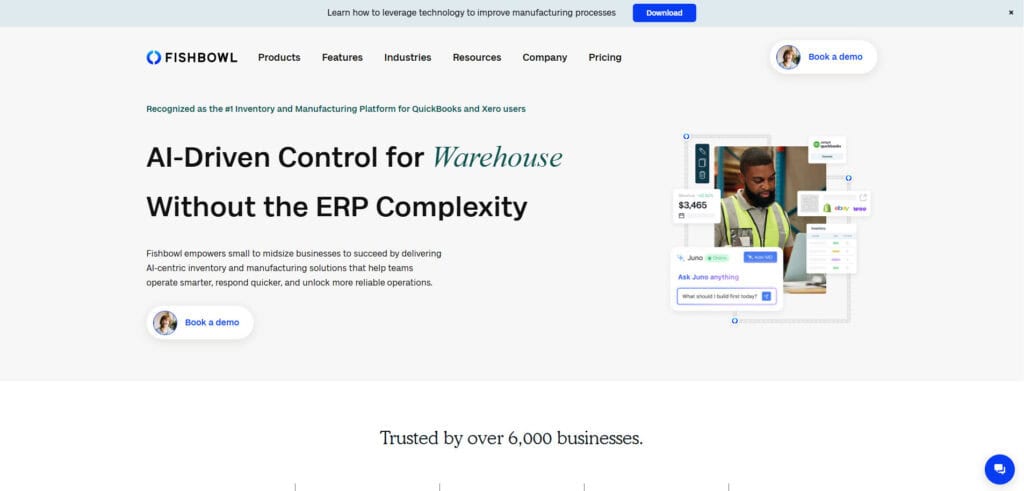
Fishbowl is a warehouse management and inventory solution known for its strong integration with QuickBooks. It is designed for small to mid-size businesses that want to keep QuickBooks for accounting while adding more robust inventory and warehouse capabilities.
Product Overview
Fishbowl provides multi-location inventory tracking, barcode scanning, part tracking, work orders for light manufacturing, and shipping integrations. The product comes in two flavors: Fishbowl Online (cloud) and Fishbowl Advanced (on-premise).
Pricing
Fishbowl Online starts at approximately $329 per month. Fishbowl Advanced (on-premise) uses a one-time license model.
Integrations
Native bi-directional integration with QuickBooks. Also connects with Shopify, Amazon, eBay, ShipStation, and UPS.
Setup
1 to 4 weeks for basic deployment. The QuickBooks integration makes migration smoother for businesses already on that platform.
Tradeoffs
Fishbowl is a solid QuickBooks add-on, but it is not a full ERP. As your business grows, you may hit the same ceiling that drove you away from QuickBooks in the first place: disconnected financials, limited reporting, and no native MRP or supply chain planning. Companies that need a fully integrated system often outgrow Fishbowl within a few years.
10. Korber (formerly HighJump)
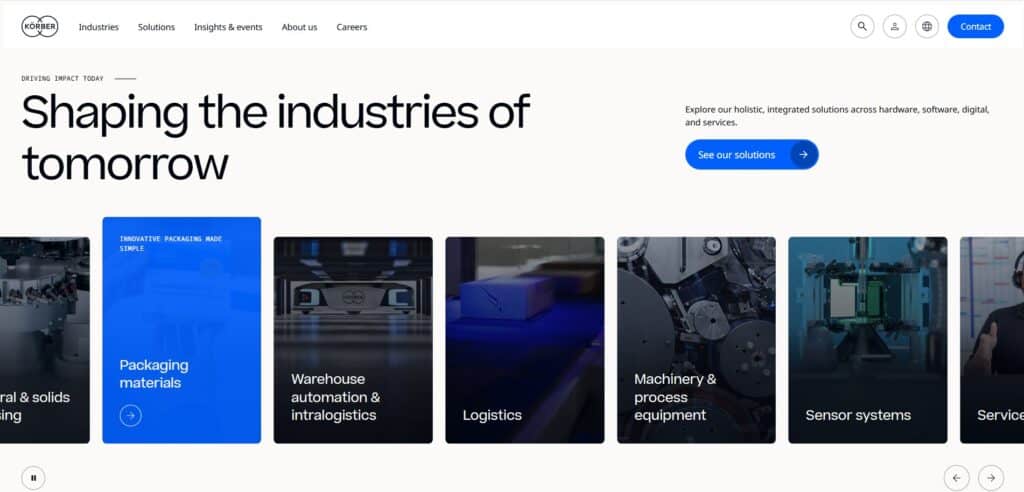
Korber Supply Chain (formerly HighJump) offers a modular WMS platform for mid-to-large warehouse operations across distribution, retail, and manufacturing verticals.
Product Overview
Korber WMS includes configurable workflows, voice picking, mobile computing, and integration with warehouse automation. The platform’s modular architecture lets organizations start with core WMS and add functionality as needed.
Pricing
Custom pricing based on deployment model, number of users, and modules selected.
Setup
2 to 6 months for typical implementations. The modular approach allows phased rollouts.
Tradeoffs
Korber is flexible and scalable but requires more technical expertise to configure than cloud-native alternatives. The rebranding from HighJump has created some market confusion. Not ideal for companies looking for an all-in-one ERP with warehouse management built in.
11. Zoho Inventory
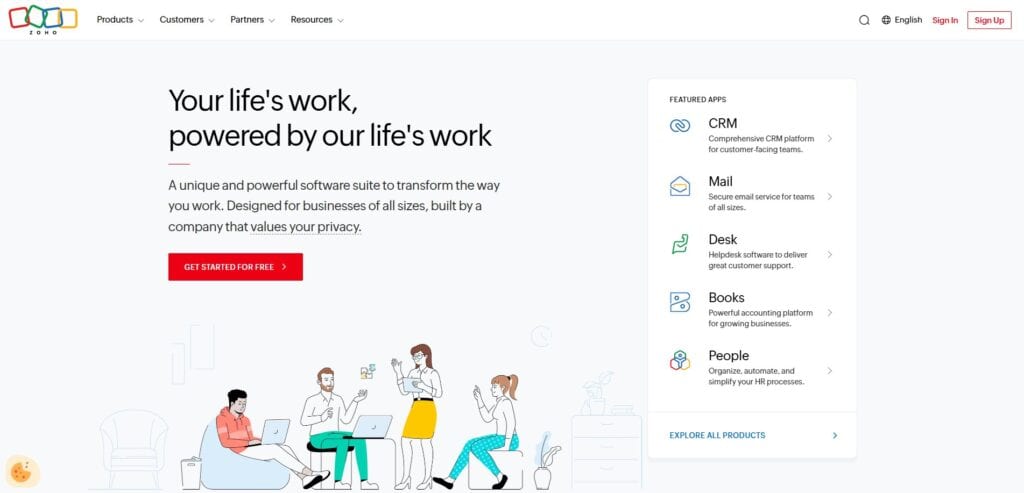
Zoho Inventory is a cloud-based inventory and warehouse management tool within the broader Zoho ecosystem. It is designed for small businesses and startups that need affordable, straightforward inventory tracking with multichannel selling support.
Product Overview
Zoho Inventory provides multi-warehouse management, order management, barcode scanning, batch and serial number tracking, and multichannel selling across Amazon, eBay, Etsy, and Shopify. Reporting covers inventory valuation, sales trends, and order fulfillment.
Pricing
Free plan available for very small operations. Paid plans start at $29 per month. Higher tiers (Professional, Premium, Enterprise) scale with order volumes and features.
Integrations
Integrates with the full Zoho suite (Books, CRM, Desk) plus Shopify, Amazon, eBay, Etsy, WooCommerce, and shipping carriers.
Setup
Days. Zoho Inventory is one of the fastest WMS tools to deploy due to its simplicity and cloud-native design.
Tradeoffs
Zoho Inventory is affordable and easy to use, but it lacks the depth needed for complex warehouse operations. There is no MRP, no advanced lot tracking with compliance-grade audit trails, and limited support for sophisticated pick/pack/ship workflows. Companies with more than basic inventory needs will outgrow Zoho Inventory quickly.
12. Odoo
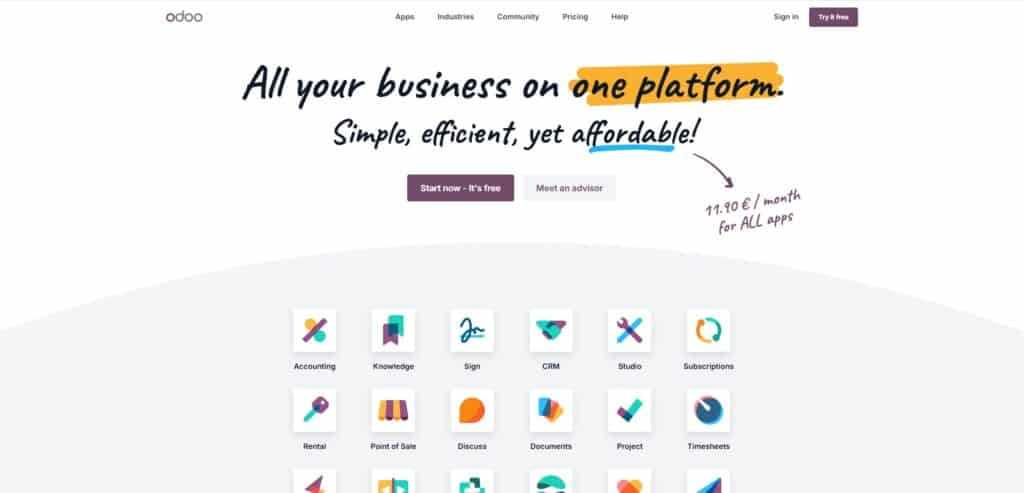
Odoo is an open-source ERP platform with a modular approach that includes inventory and warehouse management alongside CRM, accounting, manufacturing, and ecommerce. The community edition is free; the enterprise edition adds features and support.
Product Overview
Odoo’s inventory module provides multi-warehouse management, automated replenishment rules, barcode scanning, serial/lot tracking, and configurable picking strategies (wave, batch, cluster). The open-source model gives you access to a large library of community modules.
Pricing
Community edition is free (self-hosted). Enterprise starts at $24.90 per user per month for cloud hosting. Additional apps are available at extra cost.
Integrations
Extensive app marketplace covering ecommerce, shipping, accounting, and manufacturing. Custom integrations are possible through the open API.
Setup
2 to 8 weeks for basic cloud deployments. Self-hosted community edition requires more technical expertise and can take longer.
Tradeoffs
Odoo’s flexibility is both its strength and its weakness. The modular pricing means costs can escalate as you add apps. The community edition lacks official support, and the ecosystem of implementation partners varies widely in quality. For distributors and manufacturers who need reliable, out-of-the-box warehouse management with dedicated support, a purpose-built solution will typically deliver faster time-to-value.
How to Choose the Best Software for Warehouse Management
Selecting the right WMS is not about finding the platform with the longest feature list. It is about matching the software to your specific warehouse complexity, growth trajectory, and operational priorities.
The following framework is designed so a controller or operations manager can work through each step and arrive at a shortlist within a week.
Step 1: Define Your Warehouse Complexity and Core Requirements
Start by documenting what your warehouse actually does today and where it is heading in 12 to 24 months.
- How many warehouse locations do you operate? How many SKUs do you manage?
- Do you require lot tracking, serial numbers, or expiration date management?
- Are you running manufacturing with bill-of-materials and work orders?
A company with two warehouses and 500 SKUs has fundamentally different requirements than one with six locations, 10,000 SKUs, and active production lines.
Step 2: Decide Between Standalone WMS and Fully Integrated ERP
This is the most consequential decision in the entire process. A standalone WMS handles warehouse operations but still needs to sync with your accounting, purchasing, and order management systems.
A fully integrated ERP with built-in WMS (like Kechie or NetSuite) puts everything on one database, eliminating data silos and reconciliation headaches.
If you are currently running separate systems for inventory, accounting, and orders that do not talk to each other, an integrated approach solves the root problem rather than adding another disconnected tool.
Step 3: Evaluate Multi-Warehouse Visibility and Real-Time Accuracy
If you operate (or plan to operate) more than one warehouse, test how each platform handles multi-location inventory.
- Can you see aggregated and location-specific stock levels in real time?
- Can you create transfer orders between locations?
- Does the system factor in allocated inventory and open purchase orders when calculating available stock?
Real-time accuracy across locations is the difference between confident decision-making and guesswork.
Step 4: Check for Lot Tracking, Serial Numbers, and Compliance Support
Industries like food and beverage distribution, healthcare supply chain, and medical device distribution require full traceability.
Verify that the WMS supports lot tracking with expiration dates, serialized inventory for individual item tracking, and audit trails that satisfy regulatory requirements.
If compliance is part of your operation, this is non-negotiable.
Step 5: Assess Fulfillment Automation: Barcode Scanning, Pick/Pack/Ship
Manual picking, packing, and shipping processes introduce errors and slow down fulfillment. Evaluate each platform’s support for barcode scanning, directed picking workflows, automated packing slip and invoice generation, and carrier integration for label printing and tracking.
The goal is to reduce manual touchpoints between order receipt and shipment.
Step 6: Compare Cloud-Based vs. On-Premise Deployment
Cloud-based WMS solutions offer accessibility from any device, automatic updates, lower upfront costs, and faster implementation.
On-premise solutions give you more control over data and customization but require internal IT resources, hardware, and longer deployment timelines.
For most SMBs in 2026, cloud-based deployment is the practical choice unless you have specific regulatory or infrastructure constraints.
Step 7: Test for Ease of Use With Non-Technical Warehouse Teams
Your warehouse staff are not software engineers. The system needs to be intuitive enough that new employees can be productive within days, not weeks.
Request a hands-on demo with actual warehouse scenarios (receiving a shipment, picking an order, running a cycle count) and involve the people who will use the system daily, not just the people signing the purchase order.
Step 8: Calculate Total Cost of Ownership Beyond the Sticker Price
The monthly subscription or license fee is only part of the picture. Factor in implementation costs, data migration, training, customization, ongoing support fees, and the cost of any additional integrations you will need.
Some platforms advertise low starting prices but require expensive add-ons for features you consider essential. Ask every vendor for a total cost of ownership breakdown for your specific scenario.
Step 9: Confirm It Can Scale With More Warehouses, SKUs, and Volume
Your WMS should support your business three to five years from now, not just today.
Verify that the platform can handle additional warehouse locations, growing SKU counts, increased order volumes, and new channels or business models without requiring a migration to a different system.
Switching WMS platforms is expensive and disruptive, so choose a solution that grows with you.
Pricing Models and Costs of the Top WMS Systems in 2026
WMS pricing varies dramatically based on deployment model, business size, and feature requirements. Most cloud-based platforms charge per user per month, with entry-level systems starting around $29 to $150 per month and mid-market solutions ranging from $500 to $2,000+ per month. Enterprise platforms (SAP, Blue Yonder, Infor) use custom pricing that can run into six figures annually.
Beyond the subscription, buyers should budget for implementation (which can range from a few thousand dollars for simple cloud deployments to $150,000+ for enterprise systems), data migration, training, and customization. The hidden cost that catches most buyers off guard is integration: connecting your WMS to accounting, ecommerce, shipping, and EDI systems often requires additional investment.
Questions to Ask When Choosing the Best Warehouse Management System Software
Bring these questions to every vendor demo and evaluation conversation. The answers will separate genuinely capable platforms from those that look good in a slide deck but fall short in practice.
1. What is included in the base price, and what costs extra?
Some vendors gate critical features (barcode scanning, multi-warehouse support, advanced reporting) behind premium tiers. Get a clear list of what is and is not included.
2. What does implementation actually cost, and how long does it take?
Ask for references from companies your size and in your industry. Timelines and costs that sound too good to be true usually are.
3. How does your system handle multi-warehouse inventory in real time?
Request a live demonstration of inventory visibility across locations, including transfer orders and allocated stock calculations.
4. What happens if we outgrow our current plan?
Understand the upgrade path, including pricing changes, data migration requirements, and any downtime involved.
5. What is your support model?
Determine whether you will interact with a dedicated account manager, a shared support queue, or a chatbot. Ask about average response times for critical issues.
6. Can you share total cost of ownership data for a business our size?
Push for real numbers, not ranges. Include implementation, training, integrations, and ongoing subscription costs for year one and year two.
7. What is your contract structure?
Ask about contract length, cancellation terms, and whether pricing is locked or subject to annual increases.
Integrations of WMS Platforms: What to Verify Before Buying
Integration is where most WMS buying decisions fail or succeed. A warehouse management system does not operate in isolation. It needs to exchange data with your accounting software, ecommerce platforms, shipping carriers, EDI trading partners, and potentially manufacturing or procurement systems.
Name-drop the specific integrations that matter for your operation during vendor demos. If you use QuickBooks, Shopify, ShipStation, or specific EDI partners, verify that the integration is native, maintained by the vendor, and included in your pricing tier. Third-party or Zapier-based integrations can work, but they add cost, complexity, and potential points of failure.
Key Features to Look for When Choosing the Top Warehouse Management Software
Real-Time Inventory Visibility
The ability to see accurate, current stock levels across all locations at any moment. This includes nettable vs. non-nettable inventory, allocated quantities, and items in transit. Without real-time visibility, every other warehouse process is built on unreliable data.
Multi-Warehouse Management
Support for managing inventory across multiple physical locations from a single system. This should include inter-warehouse transfer orders, location-specific min/max levels, and consolidated reporting. Critical for any business operating more than one facility.
Barcode Scanning and Mobile Access
Integration with barcode scanners and mobile devices for receiving, picking, packing, and shipping. Mobile access lets warehouse staff perform tasks from the floor without walking back to a desktop terminal, which directly improves throughput and accuracy.
Lot Tracking and Serialization
The ability to track inventory by lot number, serial number, and expiration date. Essential for regulated industries and any business that needs to manage recalls, warranty claims, or compliance audits.
Pick, Pack, and Ship Automation
Automated workflows that guide warehouse staff through the fulfillment process. This includes directed picking (telling staff exactly where to go and what to grab), automated packing slip generation, carrier rate comparison, and label printing.
Cycle Counting
The ability to run ongoing inventory audits without shutting down warehouse operations. Cycle counting programs with configurable parameters replace the need for disruptive full physical inventory counts while maintaining accuracy.
Reporting and Analytics
Configurable reporting that provides actionable data on inventory turnover, order accuracy, fulfillment speed, cost of goods sold, and warehouse labor productivity. The best WMS platforms provide real-time dashboards alongside the ability to generate detailed, drill-down reports.
MRP and Supply Chain Planning
For manufacturers and distributors with production needs, Material Requirements Planning (MRP) functionality is critical. MRP calculates what materials you need, when you need them, and generates recommendations for purchase orders and production schedules based on real-time supply and demand data.
Which of the Popular WMS Systems Is Right for Your Business?
The right choice depends on three factors: your business complexity, your budget, and how many disconnected systems you want to manage.
If you are a small to mid-size distributor or manufacturer running 15 to 250+ employees and you need warehouse management, inventory control, accounting, and optionally MRP and CRM in one system, Kechie delivers the broadest functionality in a single fully integrated cloud-based platform at a price point designed for SMBs.
If you are an ecommerce-heavy operation focused purely on picking, packing, and shipping high volumes of small parcels, Cin7 or Brightpearl may be a better fit for that specific workflow. If you are an enterprise with existing SAP or Oracle infrastructure, staying within that ecosystem with SAP EWM or NetSuite WMS avoids the complexity of cross-platform integration.
For most SMBs in the distribution and manufacturing space, the decision comes down to this: do you want another point solution that solves one problem while leaving your systems disconnected, or do you want a fully integrated platform that eliminates the root cause of your operational pain?
FAQs
What are the top 10 warehouse management systems in 2026?
The top WMS platforms depend on your business size and needs. For SMB distributors and manufacturers, the leading options include Kechie, Oracle NetSuite WMS, Fishbowl, and Zoho Inventory.
For enterprise operations, SAP EWM, Infor WMS, and Blue Yonder lead the market. Multichannel retailers benefit from Cin7 and Brightpearl. inFlow Inventory, Korber, and Odoo round out the list for SMB, mid-market, and open-source use cases respectively.
What is the best warehouse management system for small business?
For small businesses that need more than basic inventory tracking, the best WMS depends on your operational complexity. Kechie is the strongest option for small businesses that want warehouse management, accounting, inventory, and optionally manufacturing in one fully integrated cloud-based system.
Zoho Inventory works well for very small operations with simple needs. Fishbowl is a solid add-on if you are committed to QuickBooks.
Do small manufacturers need a WMS?
Yes, if your manufacturing operation has outgrown spreadsheets. Once you are managing multiple raw material inputs, tracking work orders, running production across shifts, and shipping finished goods from inventory, a WMS (ideally integrated with MRP) replaces the manual processes that create errors and slow you down.
The trigger for most small manufacturers is when they start losing track of materials on the floor or missing delivery dates because of inventory inaccuracies.
What is the best WMS for ecommerce?
Cin7 is a strong option for ecommerce fulfillment, with native integrations for Shopify, Amazon, eBay, and WooCommerce plus a WMS mobile app with barcode scanning and guided picking built for multichannel sellers.
Brightpearl is another strong choice for multichannel retailers doing $1M or more in revenue, with a retail-focused automation engine and built-in accounting. For ecommerce businesses that also need manufacturing and full ERP capabilities, Kechie (which integrates with Shopify and Amazon) gives you fulfillment tools without the disconnected systems problem.
Should you choose a standalone WMS or integrated ERP with WMS?
Choose standalone if your only pain point is warehouse operations and you are satisfied with your current accounting, order management, and procurement tools. Choose integrated ERP with WMS if you are running multiple disconnected systems, experiencing data reconciliation issues, or planning to consolidate your tech stack. For most growing SMBs, the integrated approach eliminates the root cause of operational inefficiency rather than adding another point solution.
Is cloud-based or on-premise WMS better?
Cloud-based is the better choice for most businesses in 2026. Cloud WMS solutions offer faster implementation, lower upfront costs, automatic updates, remote accessibility, and easier scalability.
On-premise still makes sense for organizations with strict data sovereignty requirements, unreliable internet connectivity, or existing infrastructure investments they need to maximize. The trend across the WMS market is heavily toward cloud-first deployment.
What is the best simple warehouse management system?
Zoho Inventory is the simplest option for very small businesses with basic warehouse needs. For businesses that need simplicity with more operational depth (multi-warehouse, lot tracking, barcode scanning, reporting), Kechie provides a user-friendly interface that reviewers consistently praise for ease of use, with the ability to add modules as complexity grows.
What is the difference between WMS and inventory management software?
Inventory management software tracks what you have and where it is. A warehouse management system goes further by optimizing how inventory moves through your warehouse: directed receiving, intelligent putaway, efficient picking routes, automated packing, and carrier management for shipping.
Many modern platforms (including Kechie) combine both capabilities. The distinction matters less than ensuring the system covers the specific workflows your warehouse needs.
Schedule a Free Demo Today!
See how Kechie ERP can transform your business, save you time, money, and aggravation. Click the button below to schedule your free demo.
Schedule Your Kechie Demo Now!In This Article
– Best WMS Software Solutions: Comparison & Ratings Chart
– 12 Top Warehouse Management Systems in 2026, Reviewed
– How to Choose the Best Software for Warehouse Management
– Pricing Models and Costs of the Top WMS Systems in 2026
– Questions to Ask When Choosing the Best Warehouse Management System Software
– Integrations of WMS Platforms: What to Verify Before Buying
– Key Features to Look for When Choosing the Top Warehouse Management Software
– Which of the Popular WMS Systems Is Right for Your Business?
– FAQs