
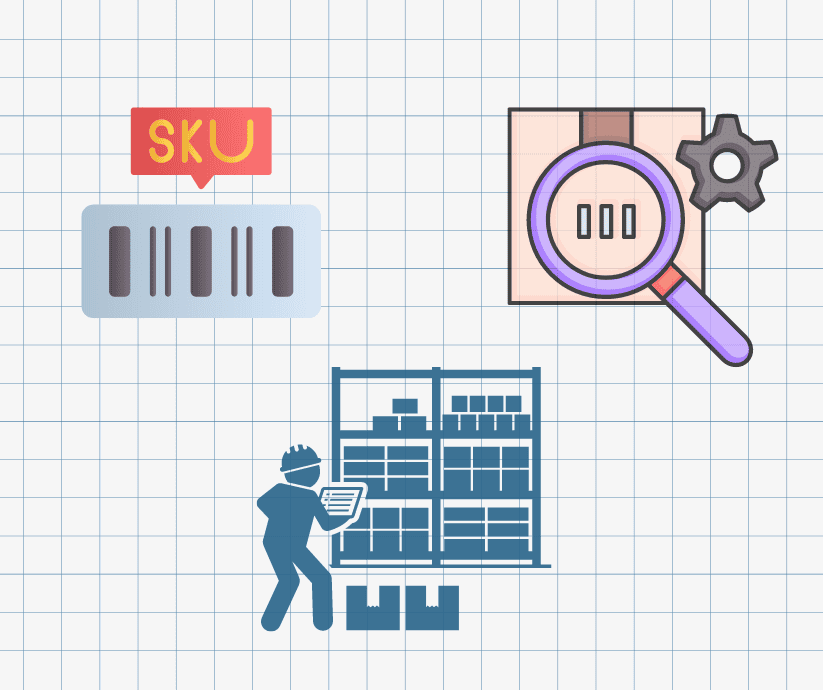
What is an Item Number or SKU Number?
What is an Item Number or SKU Number?

If you are a distributor, manufacturer, or even a service provider, you have probably heard of an “Item Number” and “SKU Number”. These unique identifiers play a crucial role in organizing products, tracking inventory, and streamlining business operations. But what exactly are they, and what types of items do they categorize? This blog will delve into the specifics of Item Numbers and SKU Numbers, explaining their significance and the various types of items they can classify. We will also highlight the importance of SKU and Item Numbers for distribution and manufacturing, and how Kechie Inventory Management Software can efficiently manage these for your business.
Item Number or SKU Number, what are they?
An Item Number, also known as a Stock Keeping Unit (SKU) Number, is a unique identifier assigned to each product in a retailer’s inventory. This alphanumeric code helps businesses track and manage their inventory efficiently. By using SKU Numbers, companies can quickly locate items, track stock levels, and streamline the reordering process.
The Importance of Item Numbers and SKU Numbers
- Inventory Management: Item Numbers help in maintaining accurate inventory levels, preventing overstocking or stockouts.
- Sales Tracking: SKUs allow businesses to monitor sales patterns and identify popular products.
- Efficiency: These identifiers enhance operational efficiency by simplifying the sorting and locating of products.
- Customer Experience: Accurate inventory management leads to better customer satisfaction by ensuring product availability.
Types of Items Classified by SKU Numbers
1. Consumer Goods
Consumer goods encompass a wide range of products, including electronics, clothing, food items, and household goods. Each item in this category has a unique SKU to distinguish it from similar products.
2. Raw Materials
Raw materials used in manufacturing are also assigned SKU Numbers. These can include metals, plastics, fabrics, and other essential materials needed for production.
3. Components and Parts
For businesses dealing with machinery, electronics, or vehicles, components and parts are crucial. Each part, no matter how small, is given an SKU to ensure accurate tracking and inventory management.
4. Finished Goods
Finished goods are products that have completed the manufacturing process and are ready for sale. These items, ranging from furniture to packaged food products, are identified with specific SKUs to streamline sales and inventory control.
5. Services
Although not physical items, services can also be assigned SKU Numbers. For example, in a spa or salon, different services like massages, haircuts, or manicures can have unique SKUs for efficient booking and sales tracking.
6. Digital Products
Digital products such as software, eBooks, and online courses also use SKUs for inventory and sales management. Each digital product is given a unique identifier to simplify the sales process and customer access.
7. Consumable Products
Consumable products, such as cleaning supplies, toiletries, and food and beverage items, are typically used up and replaced regularly. Assigning SKUs to these items helps in tracking usage rates, managing reordering processes, and ensuring consistent availability.
How to Create Effective SKU Numbers
Creating effective SKU Numbers involves a systematic approach to ensure each code is unique and easily identifiable. Here are some tips for creating SKUs:
- Consistency: Use a consistent format across all products.
- Simplicity: Keep SKUs simple and avoid overly complex codes.
- Relevance: Ensure the SKU includes relevant information, such as product type, size, and color.
- Uniqueness: Each SKU should be unique to avoid confusion and errors in inventory management.
Kechie Inventory Management Software
Kechie Inventory Management Software can streamline the creation and management of all SKUs and items. This powerful tool offers an intuitive interface for generating unique SKUs, tracking inventory levels, and managing product details. The addition of barcode capability further boosts efficiency and productivity, allowing for quick and accurate scanning of items reducing manual entry errors, and speeding up the inventory process. By Leveraging Kechie Inventory Management Software with barcode functionality, businesses can enhance their inventory control, improve overall efficiency, and free up valuable resources for other critical tasks.
Conclusion
Item Numbers and SKU Numbers are vital components of efficient inventory management and business operations. By understanding what they are and how to use them effectively, businesses can enhance their organizational processes, improve customer satisfaction, and streamline sales. Whether dealing with consumer goods, raw materials, consumable products, or digital products, assigning the right SKU to each item ensures accurate tracking and management.
Connect with us today, to learn more about how Kechie Solution has the tools for all your business needs. Let our expert team guide you through the process and help you discover the transformative potential of Kechie solutions.

Secure ERP Credit Card Processing Solutions
Two Critical ERP Challenges with Credit Card Processing Systems
In today’s always on world, seamlessly accepting online payments is no longer a differentiator but a basic success requirement for manufacturers, distributors, and service businesses. This means as part of your ERP system you must be able to accept credit card payments from your customers. Credit card sales allow your business to easily increase the size of potential sales, reduce the labor associated with sending out invoices, and improve cash flow.
Accepting a credit card for payment, however, introduces two critical risks to the business – fraud and operational complexity.
At the top of every business owners list should be security. Developing a security strategy is especially important today because of the increasing amount of attempted fraudulent charges. The loss of trust from stolen identity or criminal transactions will have many years of impact beyond a bad transaction.
In order to provide the highest levels of security, credit card payments must be encrypted. In addition, to prevent the possibility that a malicious person gains access to a customer’s account and steals their credit card information, no credit card information should be stored in an ERP system.
How is this done? Instead of storing a customer’s credit card information, the system can use a concept of tokens through a credit card processing company utilizing the PCI (Payment Card Industry) security standard.
These companies create an account for the customer and send your business a token that you store with the customer’s account information in your ERP system. Every time the customer orders, the token is sent to and verified by the credit card processing company. Once the token is verified, the transaction is approved without having to enter or store the credit card information on your site. Follow-on and add-on sales happen just as quickly.
Another risk of accepting credit card payments is operational complexity. Back end ordering, shipping, and accounting systems need to be synchronized with the processing of the payment. Otherwise, manual accounting and auditing practices will be required to match invoice with payments, issue refunds, or answer customer questions. Many businesses have had to implement expensive, complicated programming efforts to interface their business to these credit card processors.
In order to make it easy for you to accept credit cards and not have to worry about possible issues, My Office Apps has established partnerships with two well-respected credit card processing companies. We’ve invested in developing a seamless integration between our cloud-based Kechie ERP software and their credit card processing platforms. This tight integration provides the highest level of security while eliminating operational risk and the need for your business to initiate expensive software development to match payments with orders or manage returns and RMAs.
These two companies are CardConnect and Century Business Solutions. We have incorporated their token system into the Kechie cloud ERP software. Both companies provide highly secure transactions that are compliant with the PCI security standard.
Providing a built-in interface to credit card processing is another example of My Office Apps’ commitment to incorporate innovative features using partnerships and smart algorithms in the Kechie ERP system. Our goal is to provide the best ERP solutions for small and medium sized businesses using the latest techniques in order to help make our clients more efficient and profitable. For more information, you can visit www.myofficeapps.com or better yet, call us at (714) 486-1487 and ask us to schedule a demo so we can show how we can help solve your business issues you face, both today and tomorrow.
About My Office Apps, Inc.
My Office Apps, Inc. (MOA) is a leader in business improvement software solutions to automate your organization. Building on three decades of software design and development, MOA delivers Kechie™, a transformative business tool. Kechie is a fully integrated Enterprise Resource Planning Software as a Service (SaaS) platform with a simplified user experience and the latest in cloud technology. It is quick and easy to implement without the expensive price tag. Sold in separate packages – inventory and warehouse management (CRM, Sales, Procurement, Logistics included), manufacturing, finance – or a fully configured ERP system to include all of these individual tools. Kechie is easily configured to the scalable needs of your growing business. For more information on managing your business processes more efficiently and effectively, visit www.myofficeapps.com.
###

Business Dashboard: 4 Management Tips from Warren Buffett
Business Dashboard: 4 Management Tips from Warren Buffett
The billionaire Berkshire Hathaway CEO has offered some sage advice over the years. Every year, Berkshire Hathaway CEO Warren Buffett writes a letter to the company’s shareholders. Although the letter is mainly about performance of the business, it’s also packed with sage advice from Buffett’s 60-plus-year career. Here are some of his best management tips from the past decade.
1. Base decisions on business needs, not fads.
In his 2014 shareholder letter, Buffett wrote: “That old line, ‘The other guys is doing it, so we must as well,’ spells trouble in any business.”
2. Recognize your employees.
Every shareholder letter from the last decade ends with Buffett thanking his team. “I regularly extol the accomplishments of our operating managers,” he wrote in his 2011 letter. “They are truly All-Stars.”
3. Don’t surround yourself with enablers.
CEO’s keen to close a deal seldom seek dissenting views, Buffett wrote in 2020. “It would be an interesting exercise for a company to hire two ‘expert’ acquisition advisors, one pro and one con, to deliver his or her views on a proposed deal to the board.”
4. Prepare ahead to avoid debt.
“I never will operate Berkshire in a manner that depends on the kindness of strangers,” Buffett wrote in his 2017 letter. “Or even that of friends who may be facing liquidity problems of their own.” Instead, he suggests, build a cash reserve for lean times. Or, as the billionaire calls it, a “cookie jar” fund.
Buffett has employed a laissez-faire or free reign approach to managing his company. It’s a style that allows employees to carry out tasks without much guidance from leaders. Much freedom is given to the employees to make the right decision about what they are going to do. With Kechie™ ERP, management decisions can be swift and powerful with real-time information available at your fingertips. Let us help you make meaningful and prosperous management decisions to grow your business. Visit myofficeapps.com and schedule a demo today.
4 Free Management Tips From Warren Buffett’s Annual Shareholder Letters. (2020, March 4). Retrieved from Management Tips From Warren Buffett’s Annual Shareholder Letters
About My Office Apps, Inc.
My Office Apps, Inc. (MOA) is a leader in business improvement software solutions to automate your organization. Building on three decades of software design and development, MOA delivers Kechie™, a transformative business tool. Kechie is a fully integrated Enterprise Resource Planning Software as a Service (SaaS) platform with a simplified user experience and the latest in cloud technology. It is quick and easy to implement without the expensive price tag. Sold in separate packages – inventory and warehouse management (CRM, Sales, Procurement, Logistics included), manufacturing, finance – or a fully configured ERP system to include all of these individual tools. Kechie is easily configured to the scalable needs of your growing business. For more information on managing your business processes more efficiently and effectively, visit www.myofficeapps.com.
###

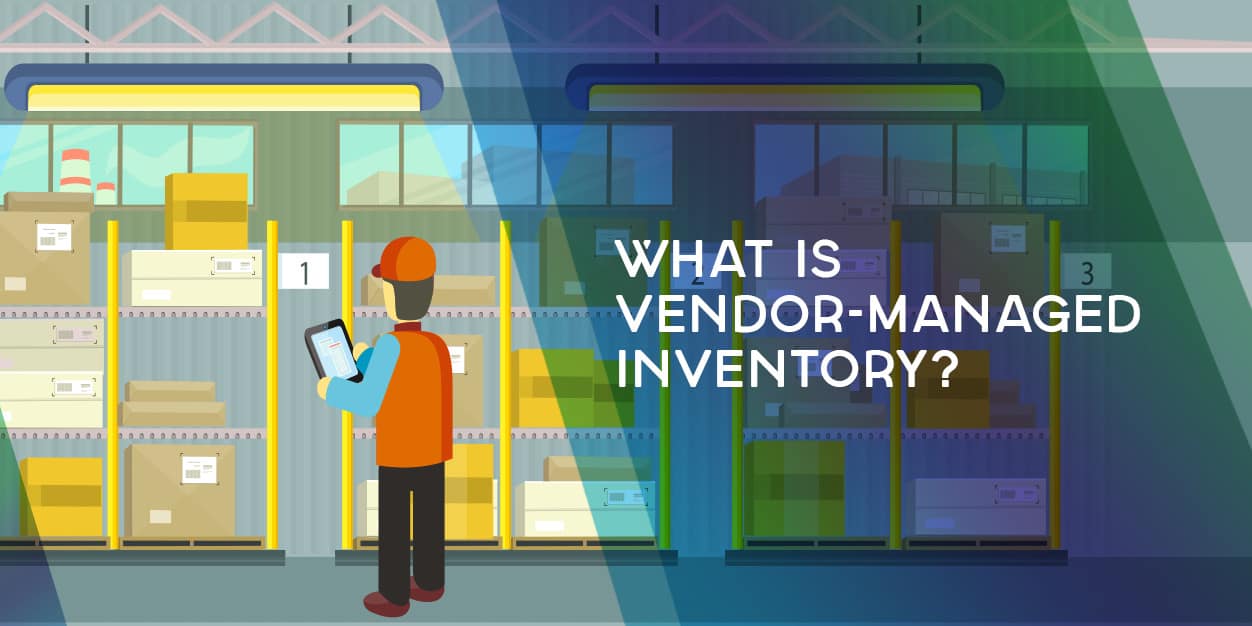
What is Vendor Managed Inventory? How to Make VMI Work
What is Vendor Managed Inventory? How to Make VMI Work
Looking to streamline your supply chain and reduce inventory costs? You might want to look into Vendor-Managed Inventory (VMI). A VMI software might be the solution – as long as you know the best practices to make it work. So, what is VMI, and what is the impact on your business?
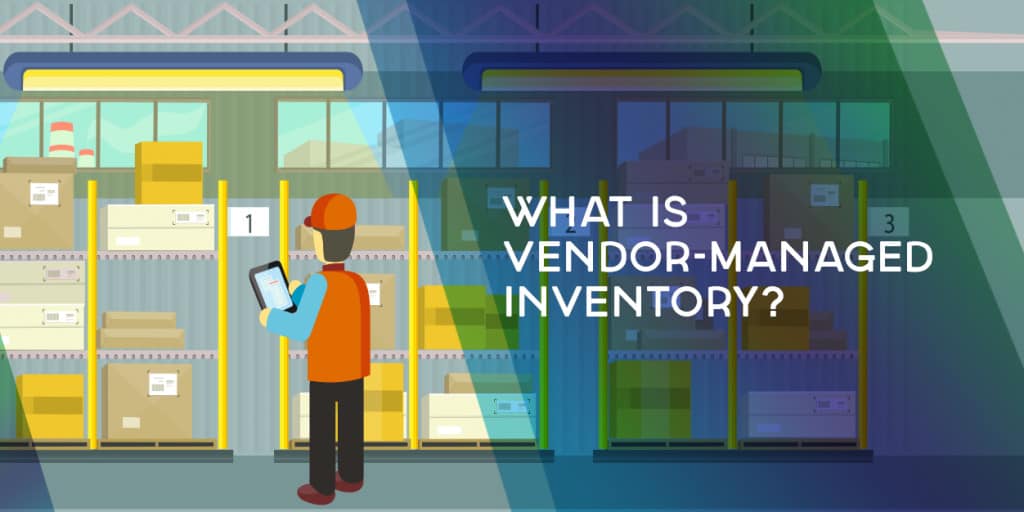
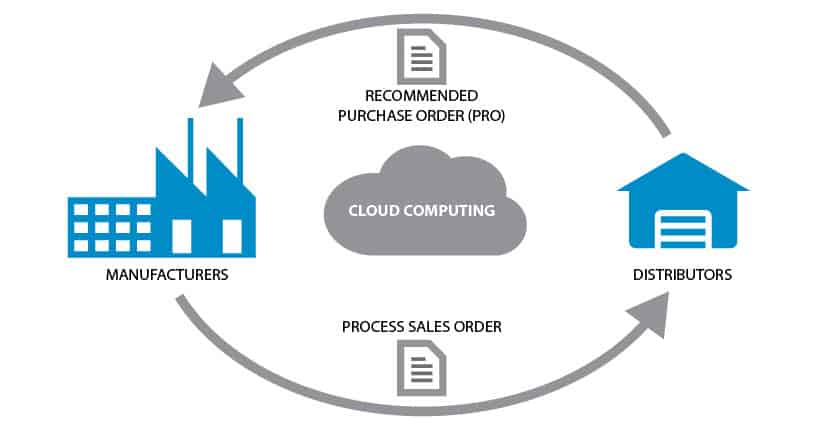
Vendor Managed Inventory is a business arrangement where the vendor of a product takes responsibility for making sure the buyer has the agreed inventory. The supplier or vendor ensures the stock is replenished automatically without the buyer’s initiation. If done right, VMI is a win-win situation for both the vendor and the customer.
What benefits can VMI bring to your business?
- VMI helps cut operating costs – With the supplier handling the quantity and frequency of orders, you can reduce costs associated with personnel and space.
- Lean inventory levels – VMI allows your vendors to supply in-demand goods at the right time. This also removes the need for safety stock.
- Improved Efficiency – The speed of stock replenishment is improved, and the risk of running out of stock is reduced. This improved service trickles down to the end-users.
What are the benefits of VMI for the Manufacturer/Supplier?
- Forecasting is easier courtesy of access to the buyer’s Point of Sale data.
- An optimized VMI program ensures you supply what is needed, and at the right time. Visibility to inventory levels helps the manufacturer ascertain the need for a product before it’s ordered.
- Produces a predictable and steady flow of income while mitigating the risk of losing the customer to a competitor.
- VMI reduces ordering errors and helps the supplier schedule operations productively
- A VMI program facilitates a stronger Customer-Supplier relationship. Both parties must work closely together to ensure seamless inventory management activities.
Cons of VMI
Regardless of the benefits highlighted above, enforcing a VMI program has a few drawbacks that business owners should keep in mind. One of the main disadvantages of VMI is its impact on sourcing. It’s difficult for supply chain managers to consider re-sourcing when the current VMI program is well-run. Some managers might be compelled to compromise supplier-related issues such as higher prices due to over-reliance on a vendor.
Granting non-employees full access to your inventory data is a significant risk. Leaving your stocking needs to the mercy of a 3rd party makes your business vulnerable to errors by the supplier, and even sabotage from competitors.
3 Steps to a Successful VMI Program
- Clarify expectations – and make them realistic: How will the system impact the supplier and the company? Both parties should be engaged in honest discussions to ensure everyone understands the risks and returns of the arrangement.
- Share information seamlessly: The success of a VMI program rests on the quality of information shared between the two parties. The supplier/manufacturer must have full visibility into the inventory levels to ensure a steady flow of goods.
- Clear and open communication: Constant and open communication is vital to the sustainability of the VMI business model. This includes discussing goals and progress towards achieving them. Each side must prevent a breakdown in communication, especially when miscues arise.
To make the best of vendor managed inventory, it's important to utilize a complete inventory management solution to carry out all of the necessary steps on your behalf. Without insights into your inventory, it's difficult to have automatic replenishment of vendor-managed inventory and timely invoicing. That's why it's important to utilize an inventory management solution like Kechie software, which allows you to set up, and streamline your VMI, to maintain automated operations between the vendor and all of the tracked inventory.
