
If your business is running separate tools for eCommerce, inventory, accounting, CRM, and shipping — and your team spends part of every day manually moving data between them — you already know the problem. Disconnected systems aren’t just inefficient. They create blind spots, slow decisions, and cap your growth.
In 2026, the conversation around ERP integration has shifted significantly. It’s no longer just about whether your systems can “talk to each other.” The new standard is whether they can think together — sharing data in real time, surfacing actionable insights automatically, and eliminating the manual work that drains your team’s time.
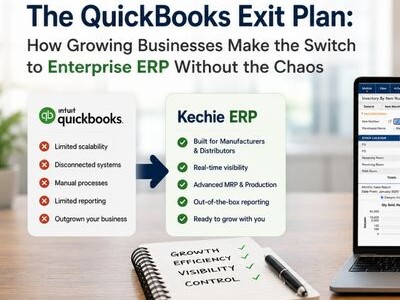
For small and mid-sized businesses (SMBs) that have outgrown entry-level tools like QuickBooks but aren’t ready to absorb the complexity and cost of enterprise systems like SAP or Oracle, this moment represents a real opportunity. Modern cloud ERP solutions have closed the gap dramatically — delivering enterprise-grade integration capabilities at a fraction of the cost and without the year-long implementation timelines.
This guide — from the team behind Kechie ERP, named one of Forbes’ 10 Best ERP Solutions — breaks down what SMB ERP integration looks like in 2026, which integrations matter most, and what to look for when evaluating whether your current system — or a new one — can actually keep up.
Why Integration Is the #1 Challenge for Growing SMBs
Research from Workday found that 45% of SMBs rank technology integration as a top-three business challenge. That number isn’t surprising to anyone who has tried to run a growing business on disconnected tools.
Here’s what poor integration actually costs:
- Wasted time. Your team re-enters the same order data into three systems. A shipping update in one tool doesn’t reflect in another. Reports require pulling from multiple sources and manually reconciling.
- Costly errors. Manual data transfer is where mistakes happen — wrong quantities, missed updates, billing discrepancies that take hours to untangle.
- Slow decisions. If your inventory numbers live in one place, your sales data in another, and your financials in a third, getting a real picture of business performance means waiting — or guessing.
- Limited visibility. Without a connected system, you can’t easily see how an eCommerce spike affects warehouse capacity, or how a delayed shipment impacts customer satisfaction and revenue.
The businesses pulling ahead in 2026 aren’t necessarily bigger. They’re more connected. Their systems share a single source of truth, and that data advantage compounds over time.
The 2026 Shift: From Integration to Intelligence
A few years ago, “ERP integration” mostly meant syncing data between two systems — usually through a middleware tool or a manual export/import process. The goal was accuracy. If the numbers in your ERP matched the numbers in your eCommerce store, you were doing well.
That baseline is now table stakes.
In 2026, AI-powered cloud ERP systems don’t just sync data — they act on it. The shift is from a system of record (where you log what happened) to a system of intelligence (where the system tells you what’s happening and what to do next).
Practically, this looks like:
- Predictive inventory management — your ERP analyzes sales velocity, supplier lead times, and seasonal patterns to recommend reorder quantities before you run out, not after.
- Automated workflows — when an order is placed in your eCommerce store, inventory is updated, fulfillment is triggered, and the customer record in your CRM is refreshed, all without human intervention.
- Real-time financial visibility — instead of waiting for month-end reports, your finance team (or you, as the business owner) can see revenue and margins updated continuously.
- Inventory optimization triggers — AI identifies when stock levels, reorder points, or supplier lead times are out of alignment and prompts the right action before it becomes a fulfillment problem.
The bottom line: integration in 2026 isn’t just a technical feature. It’s a competitive advantage.
The Integrations That Matter Most for SMBs
Not all integrations are created equal. For growing SMBs, the following categories tend to have the highest day-to-day impact.
eCommerce: Shopify, Amazon, and More
For businesses selling online, the connection between your storefront and your ERP is arguably the most important integration you have. Without it, every order creates manual work — someone has to update inventory, create a fulfillment record, post the revenue, and update the customer account.
A well-integrated ERP syncs all of this automatically:
- Orders flow directly from Shopify, Amazon, or your B2B portal into your ERP the moment they’re placed
- Inventory levels update in real time, so what customers see online always reflects what’s actually available
- Revenue posts to your financials automatically, eliminating manual reconciliation
- Returns and refunds flow back through the same process
In 2026, eCommerce integration also increasingly includes AI-driven demand forecasting — using your order history to predict spikes, optimize stock levels across multiple channels, and flag products at risk of stockout before it affects your customers or your reviews.
CRM: Why Built-In Beats Bolted-On
Your CRM and your ERP need to share the same picture of every customer. The CRM tracks relationships — pipeline status, communication history, follow-ups. The ERP tracks reality — what was ordered, what shipped, what’s owed. When those two live in separate systems, the seams show.
Sales reps go into calls not knowing a shipment is delayed. Finance chases down invoicing questions the sales team can’t answer. Quotes get re-entered manually into the ERP after they close. Customer records drift out of sync. None of this is a technology failure — it’s a structural one, and it’s the inevitable result of treating CRM and ERP as separate tools.
The cleaner solution — and the one more forward-thinking ERP vendors have moved toward — is a built-in CRM. When CRM functionality lives natively inside your ERP, there’s no sync lag, no duplicate records, no middleware to maintain. Every customer interaction, quote, order, shipment, and invoice lives in a single record that every department sees in real time.
- Sales has full visibility into order history, open invoices, and shipment status — without leaving their CRM view
- Quotes created in the CRM convert directly to orders in the ERP with no re-entry
- Customer records are always current because there’s only one record to maintain
- Finance and sales work from the same data, which eliminates a significant source of internal friction
For SMBs evaluating ERP options, a built-in CRM is worth prioritizing over a system that requires a separate third-party integration. The integration approach can work, but it adds cost, complexity, and points of failure that a native solution simply doesn’t have.
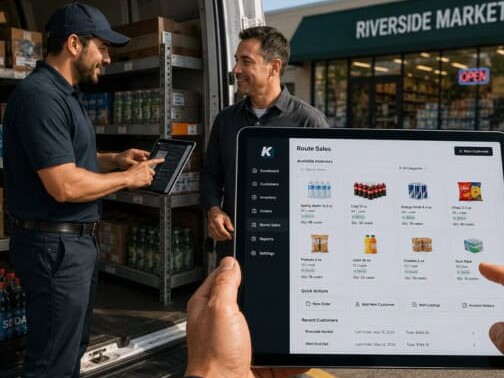
Shipping and 3PL: FedEx, UPS, ShipStation, and Third-Party Logistics
Getting product to customers is where operational complexity compounds fast — especially if you’re managing multiple carriers, warehouses, or third-party logistics providers. The integration between your ERP and your shipping infrastructure determines how quickly orders move, how accurately they’re tracked, and how efficiently you manage freight costs.
Key integration capabilities to look for:
- Real-time rate shopping — your ERP automatically selects the most cost-effective carrier and service level at the time of fulfillment
- Automatic label generation — shipping labels are created and tracking numbers are assigned without manual entry
- Tracking visibility — shipment status flows back into the ERP and CRM, so both your team and your customer-facing systems have accurate delivery information
- 3PL sync — if you use a third-party warehouse, inventory levels, receipts, and fulfillments stay in sync automatically
For growing businesses, this integration is particularly valuable during peak periods, when manual processing creates delays and errors that damage customer relationships.
Accounting and Financial Management
Most SMBs that are evaluating an ERP are also thinking about replacing or integrating their accounting tools. The good news is that modern cloud ERP systems typically include robust financial management natively — meaning general ledger, accounts payable, accounts receivable, revenue recognition, and bank reconciliation are built in, not bolted on.
For businesses not yet ready to migrate their full accounting stack, Kechie’s integration with QuickBooks Online can bridge the gap while you transition. If you’re already hitting the ceiling on QuickBooks, this guide can help you understand when it’s time to make the move. The important consideration is that the longer accounting lives outside your ERP, the longer your financial data is incomplete.
A fully integrated system means:
- Every sale, purchase, and fulfillment automatically creates the corresponding financial entries
- Audit trails are comprehensive and automatic
- Month-end close takes hours, not days
EDI and Supply Chain
For businesses selling to large retailers or buying from major suppliers, EDI (Electronic Data Interchange) compliance is often a requirement, not a nice-to-have. EDI integration allows your ERP to exchange purchase orders, invoices, advance ship notices, and inventory updates automatically with trading partners — in their required formats.
Without native EDI support, businesses either pay for expensive middleware or handle compliance manually, which creates errors and risks chargebacks from retail partners.
What to Look for in an ERP Integration Strategy
When evaluating whether your current ERP — or a new one — can deliver the integration capabilities your business needs, here are the questions that matter:
Are integrations pre-built or custom? Pre-built connectors to common platforms (Shopify, FedEx, QuickBooks Online, etc.) mean faster deployment, lower cost, and less maintenance. Custom integrations are often necessary for specialized workflows, but they come with ongoing maintenance overhead and risk.
Is it real-time or batch? Batch integrations sync data on a schedule — every hour, every night, or manually. Real-time integrations sync the moment a transaction occurs. For inventory and order management, the difference between real-time and batch can mean the difference between an accurate customer experience and an oversell.
How is data mapped and governed? Integration isn’t just about moving data — it’s about moving it accurately. Look for systems that give you control over field mapping, data validation rules, and error handling. When something goes wrong (and it will), you need to be able to identify and resolve it quickly.
What does implementation actually look like? This is where many businesses get surprised. A system that advertises “easy integrations” may still require significant configuration time. Ask specifically about implementation timelines, what support is included, and whether implementation expertise is part of the package.
Why the Mid-Market Gap Is Finally Being Closed
For years, the SMB integration story was frustrating: enterprise systems like SAP and Oracle had deep, mature integrations, but they cost hundreds of thousands of dollars to implement and required dedicated IT teams to maintain. Entry-level tools like QuickBooks had some integrations, but they were limited in depth and often broke under the weight of business growth.
The businesses caught in the middle — companies doing $5M to $100M in revenue, with real operational complexity — were forced to choose between under-powered tools and over-engineered systems. If you’re evaluating your options, our guides to NetSuite alternatives, NetSuite vs Kechie, and Odoo alternatives are a good place to start.
That’s the gap that purpose-built cloud ERP solutions for SMBs are now designed to fill. The best of these systems offer:
- Native integrations with the tools SMBs actually use — Shopify, Amazon, ShipStation, QuickBooks Online, and more
- AI-powered capabilities built in, not available only at enterprise price tiers
- Implementation timelines measured in weeks, not months or years
- Pricing models that scale with business size, not enterprise contract structures
The result is that a $20M distributor or a $50M manufacturer can today run with the same quality of integrated, intelligent systems that used to be available only to companies ten times their size.
The Integration Readiness Checklist
Before selecting or upgrading your ERP, use this checklist to evaluate integration readiness:
- Does it offer native, pre-built connectors to your eCommerce platform(s)?
- Does it include a native CRM, or does it require a separate integration?
- Does it support real-time inventory sync across all sales channels?
- Does it include built-in shipping carrier integrations and rate shopping?
- Does it support EDI if you sell through retail or wholesale channels?
- Is financial data updated in real time, or on a delay?
- Does it include AI-driven forecasting and anomaly detection?
- What is the implementation support model — and is it included?
- What are the ongoing maintenance requirements for integrations?
Kechie ERP: Built for Connected SMBs
Named one of Forbes’ 10 Best ERP Solutions and highly rated on Capterra, Kechie ERP was built specifically for the SMB that has outgrown entry-level tools and needs a connected, scalable solution without the complexity and cost of enterprise software. If you’re currently evaluating NetSuite, see how Kechie compares.
Kechie supports native integrations across eCommerce (including Shopify and Amazon), shipping carriers, 3PL providers, and EDI — all on a single, cloud-based solution. It also includes a built-in CRM, which means your sales, operations, and finance teams all work from the same customer record without a separate integration or subscription to manage. Real-time data sync means your inventory, orders, financials, and customer records are always current, across every channel and department.
And unlike enterprise systems that require months of configuration and dedicated IT resources, Kechie’s implementation is designed to get businesses live quickly — with the support of our team included from day one.
If disconnected systems are slowing your business down, we’d welcome a conversation. Request a demo to see how Kechie handles integration in your specific environment.
Schedule a Free Demo Today!
See how Kechie ERP can transform your business, save you time, money, and aggravation. Click the button below to schedule your free demo.
Schedule Your Kechie Demo Now!In This Article
-Why Integration Is the #1 Challenge for Growing SMBs
-The 2026 Shift: From Integration to Intelligence
-The Integrations That Matter Most for SMBs
-What to Look for in an ERP Integration Strategy
-Why the Mid-Market Gap Is Finally Being Closed
-The Integration Readiness Checklist
-Kechie ERP: Built for Connected SMBs