

7 Mistakes To Avoid When Implementing An ERP
7 Mistakes To Avoid When Implementing An ERP
Implementation of any large-scale and complex system in a business will inevitably come with its own set of challenges. And an enterprise resource planning (ERP) solution is no exception. Therefore, being aware of these challenges beforehand and taking steps to avoid them is your best bet to avoid a costly implementation failure.
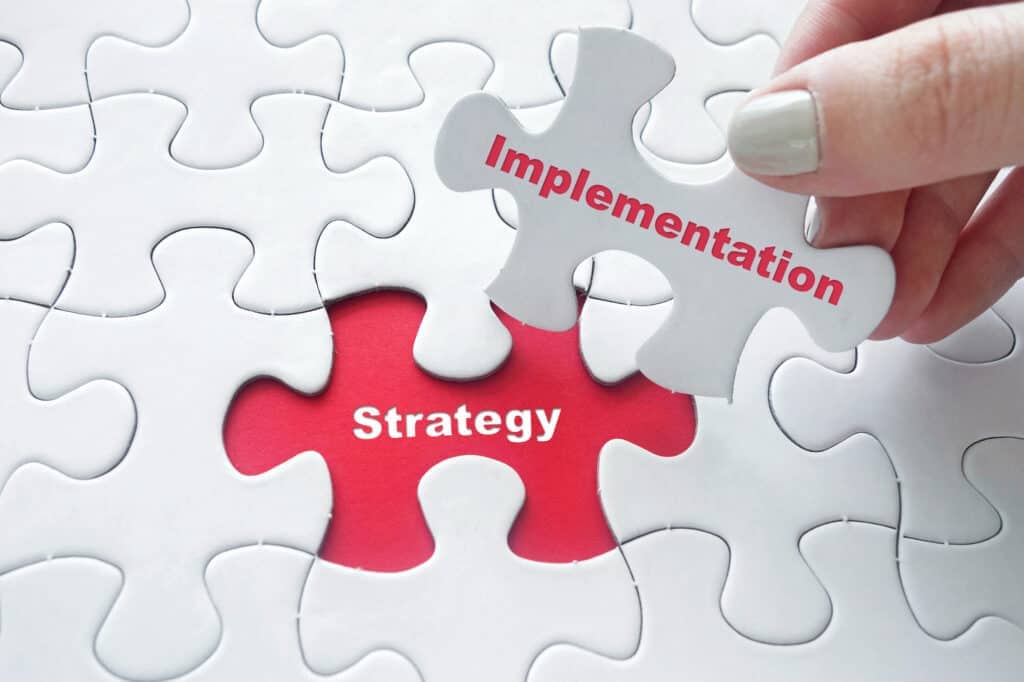
What are these mistakes?
Some of the biggest mistakes that companies make before implementing an ERP are having unrealistic expectations (urge to go fast, aka no plan), not embracing necessary change, not considering the full cost, beginning the process without cleaning and structuring data, excessive customization, not asking the right questions, and minimizing how important people are to the success of this transition.
1. Planning the Implementation
An ERP is not just any tool a business can use with no proper implementation; it takes months for an ERP to be fully implemented and ready to use, making planning for this process imperative. This long, tedious process is because an ERP system encompasses all aspects of your business, ensuring that all your customer data and configurations are all figured out and ready to use. This means that there must be clear planning and communication with your team when deciding to implement an ERP system.
2. Embrace Change
Another important aspect needed in this process is having an open mind and being open to change. So many companies have become accustomed to the software that they have been using for decades and worry about the upfront costs associated with switching to a cloud-based ERP system, but what they don’t realize is how much money they will be saving in the long run if only they are willing to invest in an ERP system today.
It’s easy to become content with the systems that have been in place for years. Getting your employees to recognize the need for necessary change can be challenging for any business. This can be especially challenging when it comes to an ERP system, due to the massive changes that come along with implementation. To combat these issues, placing the focus on the positive impact that this new system will bring to your employees and their tasks is key. That is why change management is essential. With uncontrolled and badly managed changes, a system that’s meant to make things more efficient and easier can end up becoming chaotic, making it difficult to maintain and use. A well-defined change management strategy that includes effective communication and end-user training will help ensure acceptance and facilitate the adoption process.
3. Understanding your needs
When it comes to an ERP system, it is essential to know your current and future business needs to select the right ERP. Not all ERPs are the same; some focus entirely on one module and require vast configuration and customization to tailor the ERP to your basic requirements. In addition, many ERPs require third-party consultants to customize and implement the ERP to your business which increases the price tremendously. Therefore, completely comprehending how your business will use the ERP system and what specifications it will need will aid in searching for a suitable ERP. Ultimately, finding an ERP that best fits your current and future goals is imperative and must not be overlooked.
4. Over Customizing
Up to 93% of companies customize their ERP based on their intended purpose, but this excessive customization and adding of features, can lead to the over complexity of an ERP system and ultimately lead to failure due to difficulty of use. More customization isn’t always better and it’s best to keep those to a minimum. Taking the time to understand exactly what features you require and sticking with those is a key factor in success.
 5. Clean Your Data
At this stage, once a company accepts that switching over is the best decision, starting with clean data and not having duplicates of files can help immensely when organizing your resources. Remember that this is a whole new system that needs the correct data to optimize current and future operations; hence having up-to-date data and organized information will enhance the use of the ERP. Cleaning out your data will further optimize your new ERP system allowing for an effective and efficient way of using it. Taking the time to clean your data can help save you time on your ERP implementation because it can help prevent problems down the road.
That is why taking the time to go in and review documents to get rid of any copies and duplicates can help save you time and money and make the transition easier.
6. Asking the right questions
Being overly confident and not asking for help and clarification when necessary can be the worst mistake a company can make when implementing an ERP system. As in any implementation process, costs can creep up and add up quickly. Therefore, not being diligent with making sure you ask all the right questions and trying to figure things out on your own can lead to avoidable but costly mistakes. Vendors are there to help you get the most out of your ERP system and to make sure they can optimize the system’s functionality, including what works, and especially what doesn’t. Not being afraid to ask the right questions during this process can make your and your employee’s time during this adjustment period much easier.
7. Dedicated team
The final mistake most made during the transition process is not realizing how important people are to this process. Having the right team with the right attitude and willingness to put in the time to learn new software, while doing your best as a manager to be patient with your employees as they are learning a new system can greatly aid in preventing costly mistakes and smoothly transitioning over.
If you are open and do not have unrealistic expectations, and make sure you have the right people who are willing to put in some time to make this transition possible, many of these mistakes can be avoided and the process will in turn be less stressful and costly.
The Kechie Solution
To avoid these struggles that come along with your company’s growth and the hassle of implementing an unsatisfactory ERP, selecting Kechie ERP will give you the competitive edge you need to make this process as simple as possible. Having the right software in place and collaborating with the right people can help you make the transition much more enjoyable and rewarding in the end.
Contact us today to schedule a demo or learn more about how Kechie from My Office Apps can redefine your Inventory Management process.


Benefits of an ERP System in Cosmetics Manufacturing
Is an ERP system the key to your company’s success?
Is an ERP system the key to your company’s success?
With new innovations and products emerging daily, a fast-paced industry such as cosmetics relies heavily on quality control and science-backed precision to ensure smooth operations and manufacturing processes. We understand that the struggles that many manufacturers face are things such as keeping up with strict regulatory rules, the everchanging price of raw materials, and making sure they can deliver high-quality products that are simultaneously eco-friendly. One way to help optimize and streamline these processes is by implementing an Enterprise Resource Planning (ERP) system. With an ERP system in place, you will be able to make sure things are done more efficiently, have instant access to your most important information, and these things done together will aid in faster growth and higher profits for your company in the long run.
Efficiency and Traceability
One of the ways an ERP system can help you run your cosmetics business more efficiently is by helping eliminate any administrative tasks that are time-consuming and unnecessary to the manufacturing process. By making the process more efficient, you can cut down one of the largest costs involved in the manufacturing process, which is the costs associated with labor. As part of good manufacturing practices, an ERP system can help by allowing you to have records of every manufactured batch through batch numbers. This helps you know where all your items are in the process from manufacturing to delivery.
The reason tracking and traceability are so important, especially for a company that manufactures perishable items such as cosmetics is that being able to catch quality control problems early on and eliminate them before you go further down the process can save you not only time, and money, but also prevent waste.
Data in real-time

Another advantage that comes along with having an ERP system for manufacturers is being able to view all data from the manufacturing process in real-time. This helps with communications between different steps in the operations and the decision-making process if problems do arise. Why this is so essential to a company's success due to the interconnectivity within departments and how when data inconsistencies and discrepancies occur in one department, they can bleed into another and cause a great deal of confusion, leading to errors and slowing down productivity.
Managing perishable inventory efficiently
With inventory management being one of the most important parts of a company, to make sure the right number of items are stocked at all times, as well as aiding in avoiding crises during recall, the use of lot numbers is essential to the inventory management process. This is especially important in an industry such as cosmetics where items are perishable.
Lot numbers are unique tracking numbers that are used when tracking items throughout the manufacturing process and can be used to identify recalled items or products with defects.
Like any other perishable good, having an overview of the location and knowing critical use-by-dates, are musts in dealing with products that have fixed lifespans.
Managing a broad inventory range
One of the major benefits a cosmetic company obtains by having a good ERP system in place is assistance with managing broad inventory. The Cosmetic industry has many unique attributes that make it different to manage from others. With a wide range of products on hand at any given time, specific characteristics for products such as color, usage, and sizes, and required knowledge in managing complex inventory based on the consumers' demand, without an ERP system in place, this complex process can soon become very challenging. Therefore, the implementation of an ERP system can aid in this complex process.
Whether there are two product lines or thousands, having effective management over your inventory can become a daunting task, and counting manually is no longer an option when your company is growing rapidly. Having a system in place that can easily automate all these processes, and make sure you always have enough stock on hand can provide you with a competitive advantage and save you time and money in the process.
Bill of Materials (BOM) and Raw Materials
The complexity of handling formulas, which is essential for manufacturing, requires a flexible ERP system that can handle a flexible BOM. The right ERP can help with scaling based on desired finished goods, quantities, and concentrations, taking into account any shrinkage or reduction due to manufacturing processing.
A Bill of Materials refers to a list of raw materials, as well as quantities of each needed to manufacture a particular product. An ERP software with Bill of Materials capabilities allows you to create and manage your materials by giving you a list of all essential items and their quantities to help make the manufacturing process more accurate and overall efficient.
Having these capabilities will allow you to lay out a well-detailed plan that helps your company follow aspects of the production process such as the planned purchase of raw materials, estimating material costs, managing inventory, tracking and planning material requirements, budget control, and compliance with FDA regulations.
Kechie ERP
To avoid the struggles that come along with managing a large inventory and the hassle of implementing an unsatisfactory ERP, selecting Kechie ERP will give you the competitive edge you need to make this process as simple as possible. Kechie’s innovative easy-to-use software can easily take the struggles that come along with inventory management and provide you with a system that can be tailored to your unique business. Having the right software in place and working with the right people can help you run your business more smoothly and save you not only time but also money. Contact us today to schedule a demo or learn more about how Kechie from My Office Apps can redefine your inventory management process.

Understanding The Different Types of ERP
Understanding The Different Types of ERP
When it comes to the types of ERP systems available today it’s best to make an informed decision based on examples of ERP that suit your business best. With growth and profitability in mind, the goal of using an ERP solution should be to improve the management of company resources without sacrificing quality and performance.
ERP systems range greatly depending on the size, function, and needs of an organization. Below we will give examples of some of these systems and how they can help your business depending on your requirements.
Whether your company is familiar with the types of ERP or just beginning to explore what an ERP is our guide will explain key differences in ERP services.
Examples of ERP
Enterprise Resource Planning (ERP) serves the main purpose of increasing an organization's efficiency, and if your own company is considering an ERP solution for the first time, or improving on your current system, often the main reason is for better Data visibility.
By seeing your company’s data all in one platform, you can make better-informed decisions, effectively plan out your budget, and create long-term goals.
One of the key differences between the three types of ERP systems below are how data is both stored and retrieved. When it comes to on-premise, hybrid, and cloud ERP these tasks are handled in different ways all with their own benefits and downsides.
Between cloud ERP, on-premise ERP, and hybrid ERP each implementation is designed to support different aspects of a business, meet an organization’s business requirements, and have different methods of deployment.
On-Premise ERP
When it comes to on-premise ERP solutions the name is somewhat self-explanatory. The servers that are able to store information and run the ERP software are held onsite and maintained in physical office space.
The difficulty comes with costs surrounding data hosting itself. Hosting your data on your own computers and servers can become expensive, considering the equipment, power, and maintenance needed. Yet this approach is the most hands-on and offers full control, support, and ownership of the entire system once implemented.
With on-premise ERP, your business will likely need to hire IT specialists to maintain your software and make sure it’s regularly updated.
Cloud ERP
Now the lowest cost maintenance for an ERP solution can be found with the web-based Cloud ERP. Known as Software as a Service (SaaS) typically your business would work in tandem with an organization that handles the difficulties of data storage. To access and store data while allowing any device with an internet connection to access your company's data all your business typically needs is a subscription.
The first benefit of a cloud-based ERP is lower cost compared to an on-premises system, making long-term costs easier to calculate. Additionally, there is no warehouse or office space needed to store physical parts of the ERP, such as servers and cooling systems.
Also, the software is usually ready for use immediately, requiring little to no IT specialists on your end, this is also part of the SaaS vendor’s job.

Hybrid ERP
Now as for a hybrid type of ERP system, this involves both cloud-based and on-premise ERP system solutions. The combination of hosting and deployment services vary by provider, but these models can provide ERP users the flexibility to customize data analysis, security, and maintenance costs.
If your business is looking for the most customizable ERP solution then a hybrid-style ERP system is most likely the route you will take. Offering the choice between cloud data storage and on-premise systems can bring many different variations to an ERP system.
Kechie ERP
When considering your current business practices, if your ERP software isn’t sufficient for your needs it may be time to upgrade. Kechie ERP is a cloud-based ERP solution that offers a wide range of services. No matter the size of your business or the improvements needed Kechie can help with:
- Accounting and financial management
- Customer relationship management (CRM)
- Business intelligence (BI)
- Logistics
- Inventory management
- Procurement & Vendor management
- Supply chain management
- Planning and forecasting
- Manufacturing
All of these tasks and much more are available now with Kechie Cloud-Based ERP.
Contact us today to schedule a demo or learn more about how Kechie from My Office Apps can redefine your accounting practices and optimize your company's efficiency.


New and Improved B2B Customer Portal
My Office Apps Introduces the New and Improved B2B Customer Portal
My Office Apps, Inc. (MOA), an industry leader in business improvement software and the provider of Kechie software, announced the launch of the new and improved B2B Customer Portal, as a part of the fully integrated solution with the Kechie suite of products.
The new B2B Customer Portal is designed to offer your business clients an easy way to place orders. Your clients can log into the Customer Portal, view available products and inventory levels, create and manage orders, pay, and track orders. The orders are then available in real-time in Kechie and ready to be shipped. Once shipped, your client can view shipping details and tracking information.
Read more about the My Office Apps New and Improved B2B Customer Portal.

Financial Clarity with ERP Accounting Systems
Financial Clarity with ERP Accounting Systems
Typically ERP is thought of as only working with operations, such as tracking inventory and shipments. But from a business standpoint, this is only a portion of your operations. A fully integrated financial management is essential in an ERP system.
Accounting practices produce numerous financial statements whether it be payables and receivables, revenue management, expense management, asset management, collections, and much more. Often the missing piece for reliably tracking financials is ERP accounting software, and below we will discuss what could be missing from your current accounting practices.
ERP Accounting Methods
One of the first initial issues is either current ERP systems do not include accounting integrations, or their current accounting methods don’t follow Generally Accepted Accounting Principles (GAAP).
To compensate for these issues companies will either manually export data to another software system, or simply manually track financials.
Separating ERP information from accounting information can bring about many difficulties and become tedious to compensate for. The ability to track your businesses’ overall financial health from your accounting software directly affects the outcomes of other operations.
For example, your working capital being allocated towards raw materials, payrolls, and other assets directly relies on cash balances and/or accounts receivable data to be accurate in real-time.
Manually transferring data from ERP systems to accounting systems may work somewhat, but is costly regarding the time it takes to communicate between both systems, as well as errors that can arise from accounting mistakes. One discrepancy in your business’s accounting can lead to a cascade of errors in other departments.
Kechie ERP Accounting Software
One of the key benefits of any ERP system is to provide real-time data automatically, and ERP accounting software is no different. It couldn’t be more important to have an effective accounting method to combine with your ERP software, and Kechie ERP integrates both of these areas of your business into one harmonious system.
The Kechie General Ledger module for example documents detailed records of every transaction, edit, modification, and interaction with advanced reporting tools. Plus, you can drill in on each transaction with all financial reports to see all the details.
This enables a company to streamline and control all aspects of its finances while creating real-time connections for decision-making.
Some of the most effective tools in Kechie: 
- Accounts Payable
- Accounts Receivable
- Cash Management
- Bank Reconciliation
- Journal Entry
- Deposits
- Fund Transfer
- Financial Reports
Also included is a flexible chart of accounts structure for detailed reporting.
When considering your current accounting practices, if your ERP software isn’t accommodating your accounting practices it may be time to upgrade.
Contact us today to schedule a demo or learn more about how Kechie from My Office Apps can redefine your accounting practices and improve your financial reporting efficiency.

The Right Warehouse Management Software for Today
The Right Warehouse Management Software for Today's Business
Having the right systems in place, especially for warehouse inventory management is more crucial than ever before. One of the most important aspects being warehouse management software. 
It is without a doubt that Covid-19 presented obstacles and challenges to the business world, obstacles that are still being dealt with by different companies, especially when it comes to supply and demand.
A Warehouse Management Software (WMS) offers numerous key benefits and insights into supply, demand, and your supply chain with real-time visibility. If inventory, storage space, materials, and labor are at the center of your operations, some form of warehouse management software is key to running your business more efficiently.
We will cover some of the main benefits of having the right WMS and what might be missing from your current process.
How Beneficial Is your Current WMS?
Ideally your current Warehouse Management Software highlights areas of improvement to maximize your returns on labor, storage, and equipment investments. Feedback from these areas of your business allows for the right adjustments to increase profits and decrease inefficiencies.
By coordinating and optimizing resource usage and material flows incremental improvements go a long way.
Warehouse management systems are designed to track everything such as:
- The location of products
- Quantity of products
- Availability of materials
- Controlling Costs
- Items currently in production
- Customer Fulfillment Processes
Allowing businesses to optimize inventory management processes, streamlines order fulfillment by tracking which items are in need of replenishment or reordering before they run out of stock.
In addition to managing inventory levels within warehouses, some WMS solutions also provide functionality for storing data related to shipments and shipping management—keeping track of where shipments are in transit and providing tracking information about the shipments.
This functionality if not currently part of your business should be highly sought after for improving on inefficiencies, and ultimately creating more profits.
WMS integrations in Kechie ERP
When it comes to our own WMS systems within Kechie the cloud is key. Moving to cloud warehouse management systems can provide businesses with a solution that offers real-time visibility, scalability, and market reactivity.
On the cloud, you can have real-time visibility into your entire inventory from anywhere in the world, without having to purchase more hardware or software licenses.
Below are some of the key warehouse management tools that Kechie a fully-integrated ERP software is capable:

- Product Category and Grouping
- Audit trail with full traceability
- Multi-warehouse location and transfers
- Billing of Materials
- Serialization and Lot Tracking
- Min/Max Alert
- Managing all warehouse locations- including bin location
If any of these features plus others not listed are lacking in your current Warehouse Management Software, now may be the time to draw a comparison with the full list of capabilities of Kechie.
Being fully integrated Kechie WMS connects with other modules including Inventory, Procurement, Sales, Supply Chain Management and the rest of Kechie ERP software in real-time.
Contact us today to schedule a demo or learn more about how Kechie from My Office Apps can redefine your Inventory Management process.

The Importance of ERP In Inventory Management
The Importance of ERP in Inventory Management
Depending on the type of business you operate, if a comprehensive system is needed to manage all aspects of your inventory then an ERP robust inventory management or warehouse management system is a top priority.
These systems provide real-time information to the entire organization, which allows businesses to expand, have complex workflows or supply chains, have advanced automation, and operate in “just in time” mode.
Below we discuss the benefits of using an ERP with an inventory management system or WMS, signs you should upgrade your current system, and how these improvements can help your business grow.
Inventory Management
The process of measuring and monitoring inventory gives invaluable data for many other areas of your business to perform and use for improvement.
When considering your current ERP software, your business could be lacking not only in the accuracy of information but also ineffective analytics and reporting on the state of your inventory.
Having the right ERP with a focus on inventory management leads to improving your business operations in the following areas:
- Supply Chains- Synchronize orders with deliveries and minimize disruptions.
- Analytics- Determine actionable data such as turnover rates and cost of goods sold.
- Reports- understand top-performing products as well as inventory quality checks.
- Production Planning- Understand the proper inventory flows to bolster manufacturing decisions.
If your business relies on providing products/goods, your business as a whole ultimately revolves around your inventory decisions.
For example, the importance of how efficiently you are able to resupply and provide products for customers can mean huge differences in your profitability and even customer retention.
No matter what business you run the best inventory management practice is to leave nothing to question when it comes to your supply chain.
Kechie Inventory Management
When considering what ERP works best for your business, inventory management, and warehouse management systems (WMS) are often essential even for smaller businesses.
Considering how you currently operate, the points made above serve as a starting point for areas your current software systems can be improved upon.
Here are some of the key inventory and warehouse management tools that Kechie a fully-integrated ERP software is capable of:
- Minimum/Maximum inventory method
- Audit trail with full traceability
- Multi-warehouse location and transfers
- Real-time visibility
- Serialization and Lot Tracking
Depending on what you are currently missing from your WMS and inventory management draw a comparison with the full list of capabilities of Kechie here.
With full integration of an Inventory manager with the rest of your ERP software, Kechie connects other modules including Orders, Procurement, and Supply Chain Management.
Kechie Inventory Management offers enterprise-level organization for distributors and manufacturers of all shapes and sizes making warehouse management software.
Contact us today to schedule a demo or learn more about how Kechie from My Office Apps can redefine your Inventory Management process.

The Advantages of Cloud ERP
What is Cloud ERP?
Cloud ERP is a new model of ERP that runs on a vendor's cloud platform. The cloud platform allows the ERP vendor to host the server space, rather than having your business own this hardware.
By doing so Cloud ERP systems are connected by high-speed internet networks and work with a combination of technologies.
With Cloud services, the server space becomes the priority of the vendor allowing the business to focus on their day-to-day operations.
Traditionally Enterprise Resource Planning (ERP) software has been installed on a business's own servers, creating more overhead and more difficulties.
Advantages of Cloud ERP
When considering using a Cloud ERP system the advantages this brings to your business are plentiful.
For starters, Cloud Based ERP software offers:
- Better functionality than on-premise systems
- No costs of hosting your own servers
- More modern user interfaces
- Near infinite ability to scale
- More Security
Cloud-based ERPs also offer your team the ability to access any information they need wherever their work takes them.
With a Cloud ERP system there is also no need to be on the premises of your own servers, or worry about upgrades, backups, or disaster recovery.
Your business is able to not only utilize any computer to connect, but you can be in any location as well. This brings any employee the ability to access information instantly from almost any device.
Kechie ERP
When it comes to Kechie, our Cloud Based ERP solutions offer robust and scalable software with advanced features that are user-friendly and easy to implement.
With a modern user interface based on the latest user experience technologies, our ERP couldn’t be easier to use.
Kechie Provides:
- Software ready to use immediately
- Latest technology in data security
- Information from the Cloud on a real-time basis
- Logins for easy access through your browser
- Mobile Compatibility
Being that this is a Cloud-based ERP system, Kechie is not a platform you have to work tirelessly to build or house any equipment yourselves.
Leave the large installation and integration in the past, and make the most accurate decisions for your business needs.
Contact us today to schedule a demo or learn more about how Kechie powered by My Office Apps can take your ERP systems to the next level.

Why Customer Portals are Essential for B2B Sales
Why Customer Portals are Essential for B2B Sales
A customer portal is an integral part of your B2B software. Particularly for B2B sales, a customer portal serves as the most essential part of the buying experience. By providing the tools to easily and effectively get real-time information on pricing, inventory levels, tracking orders, and communications with your customers.
The goal of a customer portal is to have your business effectively handle every customer-oriented part of the sales process. Without an effective platform, your business is likely hindered by creating unnecessary difficulties for your customer’s buying process.

What Defines an Effective B2B E-commerce Platform?
Depending on how your company currently handles your sales, your B2B E-commerce platform should be providing:
- Real-time inventory updates
- Different pricing levels and discounts
- Detail Product Information
- Communication with customers
- Customer self-service capabilities
- Order creation and management
- Payment options
- Shipping and tracking information
If your company finds fulfilling these tasks for customers difficult, it may be necessary to upgrade your B2B E-commerce platform. From the customer’s perspective, any hindrance to placing their orders can become a huge inconvenience, possibly reducing your sales and/or preventing returning customers.
Thankfully with Kechie’s B2B Customer Portal, your business can effectively handle all of these tasks and more from one platform.
Benefits of Kechie B2B Customer Portal
Kechie offers a B2B Customer Portal with advanced features allowing your customers to easily and efficiently communicate with you, place orders, track, and pay their invoices.
This helps increase B2B sales and expand your business with a seamless automation of multiple operation areas while keeping customers satisfied.
Through Kechie you can select:
- Which items you want to show on the portal
- What level of inventory you want to show
- What attributes are displayed
- Images and detailed descriptions
- The look and feel of the store
- Different Pricing levels
- To communicate from the Customer Portal
On top of this, one of the best parts of Kechie’s B2B Customer Portal is being fully integrated with the rest of the Kechie Cloud ERP Solutions.
Every relevant module is updated upon completing an order through the B2B Customer Portal, allowing for complete supply chain management with real-time traceability and accountability.
If the B2B sales for your business are lacking in any way, look no further than Kechie. Contact us today to schedule a demo or learn more about how Kechie from My Office Apps can automate different aspects of your business.

Top Advantages of ERP Solutions For Small Businesses
Top Advantages of ERP Solutions for Small Businesses
One of the most important decisions for any small business is their small business ERP software. Kechie provides cloud ERP solutions for small businesses that can address many challenges your company is facing. 
Decisions no matter how small can have lasting impressions, and as a small business, every dollar counts. Especially for small business ERP software, upgrading to a cloud ERP system for small business is necessary and can help to:
- Cut down on costs
- Improve Efficiency
- Improve Communication
- Accelerate Performance and Growth
- Increase Productivity
Communication challenges such as inconsistent information from multiple business areas, multiple customers, or not having access to up-to-date information when needed are one of the main benefits of updating your ERP systems.
Being left in the dark on this information compounds errors. Where having real-time visibility into inventory, purchase orders, sales orders, and more is essential to operating successfully.
Knowing what are the primary business benefits of an ERP system such as Kechie, allows your business to recognize and replace outdated methods.
Especially for ERP Solutions for small businesses, it's so important to ensure you have the right tools in place to help you succeed. That is where Kechie powered by My Office Apps comes into play.
What are the primary business benefits of an ERP System?
Typically the primary business benefits of an ERP system are both improving efficiency and accountability. Small business ERP software is crucial to the company operating effectively all around.
Increasing efficiency and automating day-to-day operations even a little can be hugely beneficial for both small and large businesses.
Particularly with a cloud ERP system for small businesses, this does not require the business to house their software on servers or have an IT department to manage it, offering huge savings in human resources and capital equipment.
My Office Apps specializes in making Kechie as user-friendly as possible while offering advanced features. Kechie is fully integrated which means data that is entered is automatically available in real-time, in all relevant modules. On top of that Kechie is scalable and can handle your business as it grows. 
As for accountability, the need to recognize pain points in your manufacturing, shipping, or even accounting can be hugely beneficial. For this Kechie provides a complete audit trail and traceability. Having real-time data on accounting or shipping errors, based on who, when, and how the errors happened helps identify and remove errors fast before they compound into bigger problems.
Cloud ERP solutions for small businesses create lasting benefits that greatly improve efficiency over time. To make these small improvements a business needs an effective ERP system in place to provide feedback in real-time. This feedback creates accountability, which in turn allows the business to recognize where improvements can be made in operations.
See how different industries benefit from Kechie ERP, schedule a demo, or learn more about how Kechie ERP can help your business.