 Updated 2026 · 8 min read · By the MOA Marketing Team
Quick answer: The best QuickBooks alternative depends on what QuickBooks is no longer doing for you. If you only need different accounting software, Xero and Zoho Books are the most common switches. If the problem is inventory, orders, warehouses or production, you need an ERP such as NetSuite, Acumatica, Microsoft Dynamics 365 Business Central, Odoo or Kechie ERP. Kechie, from My Office Apps (MOA), is pre-configured and live in weeks. It can either replace QuickBooks or run alongside QuickBooks Online through a two-way integration.
Searching for "QuickBooks alternatives" turns up two very different kinds of lists. One kind compares accounting apps that do roughly what QuickBooks does. The other compares ERP systems that take over the work QuickBooks was never built to do. Choosing from the wrong list is the most common and most expensive mistake companies make at this stage.
This guide sorts the options by the problem you are actually trying to solve. It compares the leading alternatives side by side and explains a third path many companies miss: keeping QuickBooks for accounting and adding an operations system next to it.
First, decide what you are replacing
QuickBooks is accounting software. It records transactions, pays bills, invoices customers and produces financial statements, and it does that well. Most companies that start looking for an alternative aren't unhappy with the accounting. They're struggling with everything that happens before a transaction reaches the books: buying, stocking, making, selling and shipping.
| Your main problem | What you actually need | Where to look |
|---|---|---|
| QuickBooks pricing, interface or features for bookkeeping | A different accounting application | Xero, Zoho Books, FreshBooks |
| Multi-entity consolidation and advanced financial reporting | Mid-market financial software | Sage Intacct, Intuit Enterprise Suite, NetSuite |
| Inventory counts that don't match the shelf | Inventory and warehouse management | ERP or an operations system such as Kechie |
| Orders keyed in from Shopify, Amazon or EDI customers | Order management with channel integrations | ERP |
| Production tracked in spreadsheets | Manufacturing with BOMs, work orders and job costing | ERP with a manufacturing module |
| Several of the above at once | One system for operations and finance | ERP |
If your answers land in the bottom four rows, swapping one accounting app for another won't fix the problem. You'll have the same spreadsheets, just next to different software.
Where QuickBooks Online reaches its limits
QuickBooks Online is built for bookkeeping, not operations, and its limits show up in predictable places:
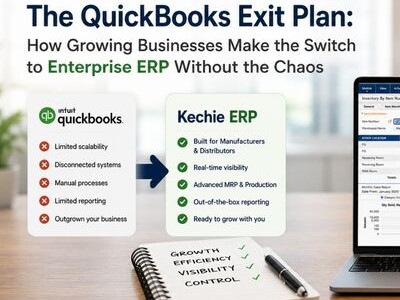
- Users. QuickBooks Online plans are capped at 1, 3, 5 or 25 users depending on the plan (ERP Research). Once more people across purchasing, the warehouse and sales need access, growth means a plan change rather than adding a seat.
- Inventory depth. QuickBooks tracks quantities and values. It isn't built to manage warehouse bins, picking and packing, lot or serial traceability, or reorder planning across several locations.
- Manufacturing. Bills of materials, work orders, outside processing and job costing sit outside what QuickBooks Online does.
- Sales channels. Every Shopify, Amazon or EDI order needs another app or manual entry to reach QuickBooks.
- Reporting. Operational reports such as inventory turns, fill rate and margin by item usually mean exporting to Excel and rebuilding them by hand.
For the full checklist, see 12 signs you've outgrown QuickBooks.
The top QuickBooks alternatives compared
| Alternative | Type | Best for | Keep QuickBooks? |
|---|---|---|---|
| Kechie ERP | Cloud ERP | Operations-heavy companies that need inventory, warehouse, orders and production in one pre-configured system | Either: two-way QuickBooks Online integration, or Kechie Financial Management |
| Oracle NetSuite | Cloud ERP suite | Finance-led organizations with complex multi-entity needs | No |
| Acumatica | Cloud ERP | Companies that want an ERP delivered through a reseller partner | No |
| Microsoft Dynamics 365 Business Central | ERP | Organizations standardized on Microsoft 365 | No |
| Odoo | Modular business apps | Teams that want to assemble apps and have technical resources to configure them | No |
| Intuit Enterprise Suite | Intuit's multi-entity financial suite | QuickBooks users who mainly need multi-entity accounting | Stays within Intuit |
| Xero | Accounting software | Replacing bookkeeping only | No |
| Zoho Books | Accounting software | Companies already using other Zoho apps | No |
1. Kechie ERP
Kechie ERP is a cloud ERP from My Office Apps (MOA), named to the Forbes Advisor Top 10 ERP list for 2025. Its core package covers inventory management, warehouse management, procurement, order management, CRM, logistics, returns (RMA) and reporting. Organizations add the modules they need, including manufacturing, financial management, B2B eCommerce and 3PL. Kechie is pre-configured for your industry and configurable for your business, with hundreds of pre-configured reports, so implementations are measured in weeks.
What sets Kechie apart for QuickBooks users is the choice it gives you. You can keep QuickBooks Online for accounting and run operations in Kechie through a two-way integration. Or you can move accounting into Kechie Financial Management when you're ready. MOA's implementation team handles the QuickBooks data migration directly.
2. Oracle NetSuite
NetSuite is one of the most widely used cloud ERP suites, with strong financials and multi-subsidiary consolidation. It is a frequent choice for finance-led companies preparing for complex structures. Buyers should plan for a longer implementation, often delivered with a partner, and for a module-based subscription that grows as needs expand. See how it compares in the ERP growing businesses choose over NetSuite.
3. Acumatica
Acumatica is a cloud ERP sold and implemented through a network of reseller partners. Its pricing is based on the resources a company uses rather than per user, which appeals to organizations with many occasional users. Because it is partner-delivered, the quality of the implementation depends heavily on the partner you choose.
4. Microsoft Dynamics 365 Business Central
Business Central is Microsoft's ERP for growing companies, licensed per user and implemented through Microsoft partners. It fits naturally for organizations already working in Microsoft 365. Industry-specific functionality often comes from partner add-ons.
5. Odoo
Odoo offers a large catalog of modular apps, from accounting to inventory to manufacturing. Companies can start small and add apps over time. The trade-off is setup: getting the apps to work the way your operation works usually takes technical skill or an implementation partner.
6. Intuit Enterprise Suite
Intuit Enterprise Suite is Intuit's offering for larger and multi-entity businesses, built to keep companies inside the Intuit ecosystem. It addresses multi-entity accounting and reporting. Companies whose main gap is operations, such as warehouse, manufacturing or multi-channel orders, should check carefully how far it goes in those areas.
7. Xero
Xero is a popular cloud accounting application and the most common like-for-like replacement for QuickBooks Online. All of its plans include unlimited users. It is an accounting tool, so it doesn't address deeper inventory, warehouse or production needs.
8. Zoho Books
Zoho Books is accounting software that works with the wider Zoho family of apps, including Zoho Inventory. It is a sensible choice for companies already committed to Zoho. Like Xero, it replaces accounting rather than operations.
Can you keep QuickBooks and add an ERP?
Yes, and for many companies it's the lowest-risk path. Your accountant keeps working in a familiar system, and the operational work moves to software built for it. With Kechie, the two systems stay in sync through a two-way QuickBooks Online integration:
- Purchasing, receiving, inventory, sales orders, shipping and production run in Kechie, where data entered once is available in all relevant modules in real time.
- When an order ships, Kechie creates the invoice and packing slip automatically.
- The financial results flow to QuickBooks Online, so the books stay current without re-keying.
- When the business is ready, Kechie Financial Management (payables, receivables, general ledger, cash management and financial reporting) can take over accounting in the same system.
This approach lets you fix the operational problem now and decide about accounting on your own timeline.
How to choose the right QuickBooks alternative
Before you book demos, answer these five questions with the people who will use the system every day:
- What breaks first today? Inventory accuracy, order entry, production tracking or financial reporting. Choose a system that is strongest where you hurt most.
- Who needs to use it? Count everyone across purchasing, warehouse, sales, production and finance, not only the accounting team. The system has to work for every role, not just power users.
- How will it be implemented? Ask who does the work, how many hours are included, and how long a typical go-live takes for a company like yours.
- What is pre-configured? Ask to see the reports and workflows that exist on day one, not ones a consultant will build later.
- What will it cost over three years? Include subscription, implementation, integrations, support and expected annual increases. Predictable user-based pricing is easier to budget than consumption-based models.
A structured scorecard helps keep demos objective. Try our ERP comparison scorecard.
How long does it take to switch from QuickBooks?
Moving accounting from QuickBooks to another accounting app can take days. Moving to an ERP takes longer because you are setting up items, warehouses, vendors, customers and workflows, not just a chart of accounts. Enterprise ERP projects commonly run for many months. Kechie implementations are measured in weeks, because the system is pre-configured and MOA's dedicated implementation team runs the project, including the QuickBooks data migration. For a step-by-step plan, read how to switch from QuickBooks to ERP without the chaos.
Frequently asked questions
What is the best alternative to QuickBooks?
For accounting only, Xero and Zoho Books are the most common alternatives. For companies that need inventory, warehouse, order and production management, an ERP such as Kechie ERP, NetSuite, Acumatica, Business Central or Odoo is a better fit. Kechie is pre-configured, live in weeks, and can run alongside QuickBooks Online or replace it.
What is the best QuickBooks alternative for inventory management?
An ERP with built-in inventory and warehouse management is the strongest option. Kechie ERP includes inventory management and warehouse management in its core package, with lot and serial tracking, multi-location stock in real time, and AI-driven reorder recommendations.
Does Kechie integrate with QuickBooks?
Yes. Kechie ERP has a two-way integration with QuickBooks Online, so companies can keep QuickBooks for accounting while running operations in Kechie.
Do I have to replace QuickBooks to use an ERP?
No. Many companies keep QuickBooks Online for accounting and add an ERP for operations. With Kechie, you can move accounting into Kechie Financial Management later if and when you choose.
How many users does QuickBooks Online support?
QuickBooks Online plans are capped at 1, 3, 5 or 25 users depending on the plan. Companies that need more people across departments in the system usually move to an ERP.
How long does it take to move from QuickBooks to Kechie?
Kechie implementations are measured in weeks. MOA's implementation team configures the system and handles the QuickBooks data migration directly.
See Kechie next to your QuickBooks
Bring your toughest inventory or order workflow, and we'll show you how Kechie handles it, with or without QuickBooks in the picture.
Schedule a free demo