 Updated 2026 · 7 min read · By the MOA Marketing Team
Accounting software for manufacturing has one job general bookkeeping tools were never built for: following the cost of a product from raw material, through the shop floor, to the finished goods shelf. QuickBooks Online and Xero handle the general ledger, payables, and receivables well, but neither includes bills of materials or production tracking in its standard plans. Higher-tier editions such as QuickBooks Desktop Enterprise and Intuit Enterprise Suite add bills of materials and assembly builds. Even then, production planning, work in progress, and the true cost of what you make usually need more than an accounting system provides.
For most manufacturers, the fix isn't a better accounting package. It's an ERP system where production, inventory, and accounting work from the same data. This guide covers what manufacturing accounting software needs to do, the three setups manufacturers typically use, and how to tell which one fits your operation.
Key takeaways
- Manufacturing accounting has to value raw materials, work in progress, and finished goods separately, which general bookkeeping tools don't do on their own.
- QuickBooks Online and Xero have no native bills of materials. Higher-tier QuickBooks editions add basic assemblies, with limits.
- Accurate product cost needs the bill of materials, labor, overhead, and landed cost in one place.
- Most growing manufacturers end up choosing between an accounting system plus a manufacturing app, or one ERP system with both.
What is manufacturing accounting software?
Manufacturing accounting software tracks the money tied to production, not just the money moving in and out of the business. Standard accounting records sales, expenses, and the general ledger. Manufacturing accounting also captures what goes into each product (materials, labor, machine time, and overhead) and values inventory at every stage.
In practice, very few tools do this on their own. The production side lives in the bill of materials, work orders, and inventory, so manufacturing accounting is really a question of how well your accounting connects to those records. That's why most buyers who search for accounting software for manufacturing end up evaluating ERP.
Where general accounting software falls short for manufacturers
General accounting tools assume you buy something and sell it. Manufacturers buy something, change it, and then sell it. That middle step creates six problems accounting-only tools struggle with.
- Three kinds of inventory. Raw materials, work in progress (WIP), and finished goods each carry a different value on the balance sheet. Many accounting tools track items bought and sold, not goods partway through production, so WIP often ends up estimated in a spreadsheet.
- Product cost. The real cost of a finished item is the sum of its bill of materials plus labor and overhead. Without a BOM tied to purchasing, that number is a guess, and so is your margin.
- Labor and overhead. Rent, equipment, utilities, and supervision have to be spread across the products that use them. Doing that by hand at month-end is slow and easy to get wrong.
- Landed cost. Freight, duties, and fees change what a component actually cost. If they don't flow into inventory value, every product built from that component is undercosted.
- Variances. When a job uses more material or time than planned, you need to see it while it can still be fixed, not three weeks after close.
- Timing. When production data is entered after the fact, the books are always behind the floor. Month-end turns into reconciliation instead of review.
None of these are accounting mistakes. They're data problems. The accounting is only as good as the production and inventory information feeding it.
Costing methods manufacturing accounting should support
How you cost products decides what your margins look like. Strong manufacturing accounting software supports the method that fits how you produce.
| Method | How it works | Best for |
|---|---|---|
| Job costing | Captures actual material, labor, and overhead for each order or batch | Custom, made-to-order, and project work |
| Process costing | Averages costs across a continuous run of identical units | High-volume, repetitive production |
| Standard costing | Sets a planned cost per item, then reports variances when actual cost differs | Stable products where you manage to a target cost |
| Activity-based costing | Assigns overhead by the activities that drive it, such as setups or inspections | Varied product lines with uneven overhead |
Inventory also needs a valuation method. FIFO, weighted average, and standard cost are the most common in the US. LIFO is allowed under US GAAP but not under IFRS.
Two numbers tie it together. Cost of goods manufactured (COGM) is what it cost to finish goods in a period. Cost of goods sold (COGS) is the cost of what you actually sold.
When software tracks WIP and finished goods as production happens, both numbers come from the system instead of a spreadsheet at month-end.
Features to look for
Use this list when you evaluate any system. A strong manufacturing accounting setup covers all of it, whether in one system or several that are tightly connected.
| Feature | What it does | Why it matters |
|---|---|---|
| Bill of materials (BOM) | Lists every component and quantity in a finished product | The foundation of accurate product cost |
| Work orders | Track each production run from release to completion | Moves value from raw materials to WIP to finished goods |
| Job costing | Captures actual material, labor, and overhead per job | Shows true margin by job or product |
| MRP | Plans purchases and production from demand, stock, and lead times | Prevents shortages and excess inventory |
| Inventory valuation | Values stock at each stage, by your chosen costing method | Keeps the balance sheet accurate |
| Landed cost | Adds freight, duties, and fees to component cost | Stops products from being undercosted |
| Lot and serial tracking | Ties each unit or batch to its components and costs | Supports recalls, audits, and compliance |
| Outside processing | Tracks goods sent to vendors for steps like finishing or printing | Captures subcontract costs in the product |
| Real-time posting | Sends transactions to the ledger as they happen | Shortens month-end close |
| Reporting | Margin, variance, and cost reports by product, job, or customer | Turns data into decisions |
| Audit trail | Records who changed what and when | Protects data integrity |
Three ways manufacturers handle accounting
Most manufacturers land on one of three setups. Each can be the right answer at a given stage of growth.
| Setup | How it works | Works well when | Watch out for |
|---|---|---|---|
| Accounting software alone | Production is tracked in spreadsheets or basic assembly features, then summarized in the books | A few products, simple assembly, one or two people handling everything | WIP and product cost are estimates; close depends on manual entry |
| Accounting software plus a manufacturing or inventory add-on | A separate production tool syncs with the accounting system | You want to keep your accounting system and add shop-floor control | Two systems to maintain, sync gaps, and costs split across vendors |
| One ERP system with manufacturing and financials | Production, inventory, purchasing, sales, and accounting share one database | Multiple departments, growing product lines, or tighter cost control needed | Requires a structured implementation and team buy-in |
There's also a middle path. Some ERP systems run production, inventory, and order management while staying connected to the accounting software your team already knows. That lets operations improve first and accounting move later, on your schedule.
Your options at a glance
Here's how common options line up for manufacturing accounting. Check current editions with each vendor, since features change.
| Option | Examples | Manufacturing coverage | Best for |
|---|---|---|---|
| Cloud accounting only | QuickBooks Online, Xero | General ledger, payables, receivables, and basic inventory. No native bills of materials or manufacturing orders in standard plans | Simple assembly with few products |
| Higher-tier QuickBooks | QuickBooks Desktop Enterprise, Intuit Enterprise Suite | Bills of materials and assembly builds. Desktop Enterprise adds landed cost; Intuit Enterprise Suite BOMs are single-level | Light assembly that wants to stay in QuickBooks |
| Accounting plus a manufacturing app | Katana or Fishbowl alongside QuickBooks; Katana also works with Xero | Bills of materials, production, and inventory in the app, synced to the books | Keeping current accounting while adding shop-floor control |
| ERP with manufacturing and financials | Kechie ERP and other manufacturing ERPs | Production, inventory, purchasing, sales, and accounting on one database | Multi-department operations and growing product lines |
Signs you've outgrown accounting-only software
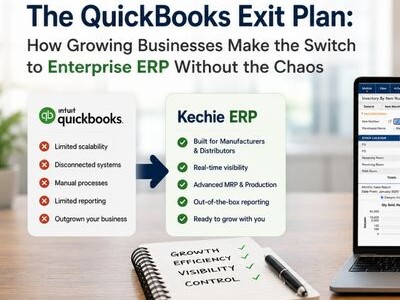
If three or more of these sound familiar, it's time to look at ERP. Our guide on when to replace QuickBooks with ERP walks through the decision.
- Your product costs live in a spreadsheet that one person maintains.
- You can't say what a specific job or product actually earned until weeks after it ships.
- Month-end close takes days of reconciling production, inventory, and the books.
- Inventory counts and the balance sheet rarely agree.
- Purchasing finds out about shortages when production stops.
- Freight and duties aren't reflected in product cost.
- A customer or auditor asks you to trace a lot, and it takes hours.
- Every department keeps its own version of the numbers.
These are signs of growth, not failure. The tools that got you here simply weren't designed for the operation you run now.
How Kechie ERP handles manufacturing accounting
Kechie ERP, from My Office Apps (MOA), is enterprise ERP without the enterprise complexity. It's one unified system: inventory and warehouse management at the core, with Manufacturing and Financial Management modules you add as you need them. Kechie has full accounting of its own, and it also syncs two-way with QuickBooks Online, so you choose where your books live. Data entered once in one module is available in all relevant modules in real time, so production, inventory, and accounting work from the same numbers.
- Manufacturing. Full MRP, bills of materials, work orders, and job costing. Multi-level bills of materials, backflushing, and standard, average, or FIFO costing are supported. Outside processing is tracked in the system, so subcontract steps like finishing or printing land in product cost.
- Financial Management. Payables, receivables, the general ledger, cash management, and financial reporting connect directly to operations. When a user clicks Ship on a sales order, Kechie creates the invoice and packing slip and posts the invoice to accounts receivable.
- Traceability. Lot tracking and serial tracking, plus a detailed audit trail on every transaction.
- Practical AI. AI-driven recommendations for min/max levels and MRP actions, which your team reviews before anything changes.
- Reporting. Hundreds of pre-configured reports, ready on day one rather than built during implementation.
- Two ways to run accounting. Use Kechie's built-in Financial Management for one system from shop floor to general ledger, or use Kechie's two-way QuickBooks Online integration to run operations in Kechie and keep your books in QuickBooks Online. You can move accounting into Kechie whenever you're ready.
Kechie is pre-configured for your industry and configurable for your business, with no IT required. Dedicated implementation, project management, and US-based support teams take you live in weeks. Kechie was named to Forbes Advisor's 10 Best Manufacturing ERPs of 2025.
Frequently asked questions
What is the best accounting software for a manufacturing company?
It depends on how complex your production is. For simple assembly with a few products, general accounting software can work. Once you track WIP, product cost, and multiple departments, an ERP system with manufacturing and financials connected is usually the better fit.
Can QuickBooks handle manufacturing accounting?
It depends on the edition. Standard QuickBooks Online plans don't include bills of materials or manufacturing orders. QuickBooks Desktop Enterprise and Intuit Enterprise Suite support bills of materials and assembly builds, though Intuit Enterprise Suite's are single-level only. For MRP, production scheduling, and full job costing, manufacturers typically add a manufacturing app or move to ERP.
What is WIP in manufacturing accounting?
Work in progress (WIP) is the value of products that have started production but aren't finished. It includes the materials, labor, and overhead applied so far, and it belongs on the balance sheet as inventory.
What is the difference between job costing and process costing?
Job costing tracks costs for each specific order or batch, which suits custom or made-to-order work. Process costing averages costs across continuous production of identical units, which suits high-volume, repetitive manufacturing.
Do I have to replace my accounting software to get ERP?
Not always. Some ERP systems can run operations while staying connected to your existing accounting software. Kechie, for example, offers full accounting of its own, and it also syncs two-way with QuickBooks Online, so you can keep your current books and move them into Kechie later if you choose.