

How Kechie ERP Software Transforms Operations Across Key Business Sectors
How Kechie ERP Software Transforms Operations Across Key Business Sectors

Kechie ERP supports diverse business sectors, enhancing efficiency and growth.
Kechie ERP is an all-in-one software solution that can be customized to meet the unique needs of distributors, manufacturers, and service-based businesses. Whether you're managing supply chains, overseeing production processes, or handling customer service operations, Kechie ERP simplifies day-to-day tasks to boost efficiency. But before we dive into how these businesses leverage Kechie ERP, let’s take a closer look at how companies in these sectors can manage their operations more effectively with this powerful tool.
Distributors: Streamlining Operations with Kechie ERP
Distributors need a reliable system to manage inventory, logistics, and customer relationships—tasks that are often manual, time-consuming, and prone to error. Kechie ERP’s automation eliminates the need for repetitive tasks, making the entire distribution process more efficient. For instance, if you’re rushing to create a sales order but don't have time to generate invoices and packing slips, Kechie ERP takes care of it automatically. As soon as the sales order is entered and shipped, both the invoice and packing slip are generated. Additionally, Kechie ERP features a B2B portal that allows wholesalers to view available merchandise in your warehouse and make purchases—streamlining order management and communication.
With Kechie ERP, distribution companies can efficiently track orders, optimize their supply chains, and maintain excellent customer service, all from CRM to procurement, logistics, order management, returns, and financials. It truly covers it all.
Key Features for Distributors:
● Automated Order Processing: Automatically generates invoices and packing slips, reducing manual effort and errors.
● B2B Portal: Seamlessly share inventory availability with retailers and wholesalers for easier order management.
● Demand Forecasting & Replenishment: Use data-driven insights to optimize inventory levels and avoid stockouts or overstocking.
● Multi-Channel Order Management: Manage orders from various sales channels, including e-commerce platforms, marketplaces, and retail locations.
● Returns & Reverse Logistics: Simplify returns processing and maintain customer satisfaction.
● Supplier & Vendor Management: Automate purchase orders, track vendor performance with scorecards, and enable real-time collaboration with suppliers.
● Warehouse Management System (WMS): Optimize storage, picking, and shipping processes for better fulfillment efficiency.
● EDI Integration: Ensure seamless electronic data interchange with suppliers and customers.
● Automated Pricing & Discounts: Easily manage tiered pricing, bulk discounts, and promotional pricing rules.
● Fleet & Delivery Management: Improve last-mile delivery efficiency with real-time tracking.
● Financial Reporting & Cash Management: Gain real-time financial insights, improve cash flow management, and streamline accounting for better profitability.
Manufacturers: Simplifying Complex Workflows
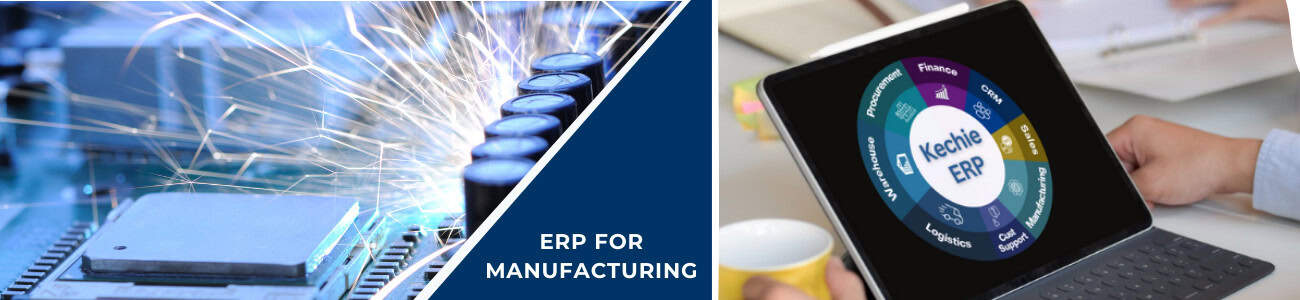
Manufacturers face intricate workflows, supply chain management challenges, and the constant need for rigorous quality control. Kechie ERP integrates these functions into a single system, automating essential tasks, tracking production progress, and maintaining quality standards throughout the production cycle. Kechie supports flexibility in production jobs without sacrificing accuracy, while also offering full audit traceability for all materials and processes, from start to finish.
So, how does Kechie ERP streamline manufacturing workflows? By consolidating key processes such as scheduling, task management, and quality control, the software ensures manufacturers can track every step of the production process. With full audit visibility, manufacturers can improve production schedules, enhance inventory management, and stay compliant with industry standards—all while reducing manual tasks and improving operational efficiency.
Key Features for Manufacturers:
● Material Requirements Planning (MRP): Optimize raw material procurement and align inventory with production schedules.
● Bill of Materials (BOM) Management: Track and manage multi-level BOMs to efficiently oversee product assembly.
● Production Scheduling & Capacity Planning: Allocate resources effectively to minimize downtime and ensure seamless production.
● Shop Floor Control: Real-time tracking of work orders, labor, machine usage, and production efficiency.
● Quality Control & Compliance: Implement inspections, enforce regulatory standards, and keep audit-ready compliance records.
● Traceability & Lot/Serial Tracking: Maintain full transparency from raw materials to finished goods with complete traceability.
● External Manufacturing Management: Track outsourced production and ensure external suppliers meet quality standards.
● Automated Workflows: Streamline approval processes, production workflows, and compliance reporting.
● Cost Tracking & Variance Analysis: Monitor cost fluctuations and profitability throughout the production cycle.
● Financial Reporting: Optimize financial oversight and track key performance indicators (KPIs) for smarter decision-making.
Service-Based Companies: Enhancing Flexibility and Efficiency
Service-based businesses—whether in consulting, education, or maintenance—require flexible tools to schedule appointments, manage projects, and maintain strong client relationships. Kechie ERP enables service companies to enhance these capabilities by providing robust tools for task management, time tracking, equipment maintenance, and customer relationship management.
For example, service technicians out in the field can create a work order right from their phone. Once the task is completed, stock levels automatically adjust in real time, and customers are instantly billed (if their financial details are on file). Kechie ERP also ensures PCI-compliant, tokenized transactions through its accounting module. For companies providing long-term services, Kechie ERP supports deferred revenue recognition, ensuring that revenue is accurately recognized over the course of a service contract. This guarantees compliance and accurate financial reporting.
Key Features for Service Companies:
● Work Order Management: Create and manage work orders in real-time, track job status, and automate billing.
● Field Service Management: Enable technicians to update job statuses, access service history, and process payments via mobile devices.
● Time & Expense Tracking: Log billable hours and expenses with ease for client projects.
● Deferred Revenue Recognition: Automate the recognition of revenue for long-term contracts, ensuring financial accuracy and compliance.
● Contract Management: Track service agreements, automate renewals, and ensure compliance with client SLAs.
● Customer Relationship Management (CRM): Foster better customer relationships with automated follow-ups, personalized interactions, and centralized customer data.
● Appointment Scheduling & Dispatching: Optimize technician schedules and reduce unnecessary travel time.
● Recurring Billing & Subscription Management: Automate invoicing for ongoing contracts and subscription-based offerings.
● Project Costing & Budgeting: Keep a close eye on project profitability with real-time cost tracking.
● Financial Insights: Track KPIs, improve financial transparency, and drive business growth.
Kechie ERP provides the tools and automation necessary to streamline operations and boost efficiency, regardless of business type. Whether you're a distributor, manufacturer, or service provider, Kechie ERP is designed to meet your unique needs and support the growth of your business.
For more information on how Kechie ERP can transform operations within specific industries, be sure to check out our upcoming article detailing how our software helps companies across various industries thrive in their market.
Contact us today to learn more about how Kechie ERP can transform your inventory management practices!
Stay tuned for our series of insightful blogs—your roadmap to exploring the full potential of ERP.

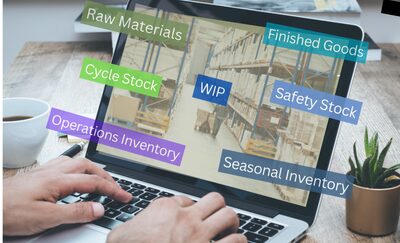
What is Inventory? A Comprehensive Guide to Types and Uses
What is Inventory? A Comprehensive Guide to Types and Uses

In this blog, we’ll explore what inventory is, the different types of inventory, how each type plays a vital role in various business operations, and the impact of inventory levels on financial and operational performance.
What is Inventory?
At its core, inventory encompasses all the tangible items that a company manages in its supply chain. These items can include raw materials, work-in-progress goods, finished products, and even consumables used in production. Properly managing inventory is essential for businesses to:
- Meet customer demand without delays.
- Reduce excess stock and associated carrying costs.
- Improve cash flow and operational efficiency.
- Respond quickly to market fluctuations or disruptions.
Inventory is not merely a static concept; it is dynamic and directly impacts multiple business processes, from procurement and production to sales and customer service.
Types of Inventory
Understanding the different types of inventory is crucial for optimizing business processes. Let’s break down the main categories:
1.Raw Materials
Raw materials are the basic components used in manufacturing or production processes. These are often purchased from suppliers and transformed into finished goods.
Examples: Steel for car manufacturing, flour for baking, or fabric for clothing production.
Uses:
-
- Essential for starting the production process.
- Stock levels must align with production schedules to avoid disruptions.
- Provides flexibility to respond to changes in production demand.
2.Work-in-Progress (WIP)
Work-in-progress inventory refers to items that are partially completed. These goods are in the process of being transformed from raw materials into finished products.
Examples: A car chassis on an assembly line or dough being prepared in a bakery.
Uses:
-
- Represents the intermediary stage of production.
- Managing WIP helps track production efficiency and identify bottlenecks.
- Reduces idle time in manufacturing by ensuring a continuous flow of goods.
3. Finished Goods
Finished goods are the final products that are ready for sale to customers. These items have completed the manufacturing process and meet quality standards.
Examples: Smartphones, packaged food, or furniture.
Uses:
-
- Directly impact revenue as these goods are sold to customers.
- Efficient turnover of finished goods is vital to maintain cash flow.
- Acts as a measure of demand forecasting accuracy.
4. Maintenance, Repair, and Operations (MRO) Inventory
MRO inventory includes items that are not directly part of the final product but are essential for keeping the business operations running smoothly.
Examples: Spare machine parts, cleaning supplies, or lubricants.
Uses:
-
- Ensures that equipment and facilities remain functional.
- Reduces downtime caused by equipment failure.
- Critical for maintaining operational continuity.
5. Safety Stock
Safety stock refers to extra inventory kept on hand to mitigate risks such as supply chain disruptions or unexpected spikes in demand.
Examples: Additional raw materials or finished goods stored as a buffer.
Uses:
-
- Acts as a safeguard against uncertainties.
- Helps maintain customer satisfaction by avoiding stockouts.
- Provides a cushion during supply chain disruptions or peak seasons.
6. Cycle Stock
Cycle stock is the portion of inventory regularly used to fulfill orders. It’s the stock that is cycled through in normal business operations.
Examples: Everyday items in retail stores or production materials for consistent demand.
Uses:
-
- Optimized based on order frequency and lead times.
- Reduces holding costs by minimizing overstocking.
- Aligns inventory turnover with operational efficiency goals.
7. Seasonal Inventory
Seasonal inventory includes goods stocked to meet seasonal demand, such as holiday products or summer clothing.
Examples: Christmas decorations or swimsuits.
Uses:
-
- Ensures businesses are prepared for peak demand periods.
- Requires accurate forecasting to prevent excess inventory.
- Helps capitalize on short-term market trends.
8. Consignment Inventory
Consignment inventory refers to stock that a supplier owns but stores at the buyer’s location until it is sold.
Examples: Branded apparel at retail stores.
Uses:
-
- Reduces upfront costs for buyers.
- Encourages suppliers to ensure their products sell quickly.
- Promotes collaboration between buyers and suppliers.
The Effect of Inventory on Your Business
Managing inventory levels effectively is a balancing act. The effects of inventory on your business can significantly influence both financial performance and operational success.
Effects of Inventory: Overstock and understock
Managing inventory levels effectively is crucial, as both overstock and stockout scenarios can significantly affect a business's financial and operational health. Below are the key impacts of not maintaining a balance in inventory:
Impacts of Overstock:
- Improved Customer Satisfaction: Overstock ensures products are readily available to meet customer demand.
- Reduced Risk of Stockouts: Having extra inventory minimizes disruptions in operations due to unavailable materials.
- Ability to Capitalize on Bulk Discounts: Purchasing large quantities can lead to cost savings from suppliers.
- Flexibility for Market Changes: A buffer stock allows businesses to respond quickly to unexpected demand surges or delays in supply.
- Challenges: However, overstock leads to increased carrying costs, risk of obsolescence (especially for seasonal or perishable items), tied-up capital that could be used elsewhere, and storage space constraints that can escalate operational costs.
Impacts of Stockout:
- Lower Holding Costs: Stockout reduces expenses related to storage and maintenance.
- Improved Cash Flow: With fewer resources tied up in inventory, businesses can allocate capital to other investments or needs.
- Minimized Risk of Obsolescence: Lean inventory reduces the likelihood of items becoming outdated or unsellable.
- Efficient Use of Space: Reducing inventory frees up valuable storage space for other operations.
- Challenges: On the downside, stockouts can lead to lost sales, damage customer trust, disrupt production, incur higher costs for urgent procurement, and erode brand loyalty as customers may turn to competitors.
Balancing inventory is not only about maintaining financial health but also about ensuring customer satisfaction and operational efficiency. Effective strategies and tools, such as an integrated ERP system with robust inventory management and CRM capabilities, can help businesses achieve optimal inventory levels, minimize risks, and maximize profitability.
- Stockouts and Lost Sales: Inability to meet customer demand can harm brand reputation and revenue.
- Production Delays: Insufficient raw materials or components can disrupt manufacturing processes and significantly impact production schedules.
- Higher Costs for Urgent Procurement: Expedited shipping or emergency orders to fulfill urgent needs can significantly increase procurement costs.
- Reduced Customer Loyalty: Frequent stockouts can erode customer trust and drive them to seek alternatives from competitors.
Conclusion
Inventory is the backbone of any supply chain, and understanding its types is essential for effective management. From raw materials to finished goods, each type serves a specific purpose and impacts different aspects of a business’s operations. Striking the right balance between too much and too little inventory is critical to achieving operational efficiency and maintaining financial health.
By leveraging modern tools like Kechie ERP, businesses can gain real-time insights, streamline inventory processes, and ensure they remain competitive in a fast-paced market.
Contact us today to learn more about how Kechie ERP can transform your inventory management practices!
Stay tuned for our series of insightful blogs—your roadmap to exploring the full potential of ERP.
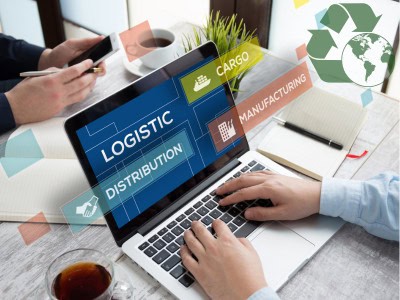
What is Reverse Logistics? A Comprehensive Guide
What is Reverse Logistics? A Comprehensive Guide

Reverse logistics has become increasingly important as businesses strive for sustainability and improved customer satisfaction. Let's explore what it is and why it matters.
Understanding Reverse Logistics
Reverse logistics involves the movement and management of goods after their initial sale. It typically includes:
- Returns Management: Processing customer returns for refund, replacement, or repair.
- Recycling and Disposal: Ensuring end-of-life products are disposed of responsibly or recycled.
- Refurbishing and Reselling: Repairing and repackaging items for resale.
- Warranty Recovery: Managing defective products under warranty.
- Asset Recovery: Recovering value from unsold inventory or unused equipment.
These processes not only help businesses recapture value but also contribute to sustainability efforts by reducing waste.
Why is Reverse Logistics Important?
- Enhanced Customer Satisfaction: Seamless return and replacement processes improve customer loyalty and trust.
- Cost Savings: Streamlining the returns process lowers operational expenses and recovers value from returned items.
- Regulatory Compliance: Proper disposal and recycling can help businesses meet environmental regulations.
- Sustainability: Promoting eco-friendly practices aligns with corporate social responsibility goals and appeals to environmentally conscious consumers.
Challenges in Reverse Logistics
Despite its benefits, reverse logistics poses challenges, such as:
- Complex Processes: Managing multiple steps, from product inspection to restocking or recycling.
- High Costs: Transportation, repair, and disposal can be expensive.
- Inventory Tracking: Keeping track of returned or refurbished products can strain existing systems.
Investing in robust ERP software like Kechie ERP can help businesses streamline reverse logistics operations. Kechie Inventory Management System integrates with your supply chain to track returned goods, automate workflows, and optimize asset recovery.
How to Optimize Reverse Logistics
- Leverage Technology: Use ERP system like Kechie RMA to track and manage returns efficiently.
- Create Clear Policies: Transparent return and recycling policies simplify processes for customers and employees.
- Focus on Sustainability: Partner with recycling firms or refurbish products to reduce environmental impact.
- Analyze Data: Monitor return patterns to identify product quality issues or other trends.
The Future of Reverse Logistics
With the rise of e-commerce, reverse logistics—the process of handling product returns—is becoming more important than ever. Managing returns efficiently is no longer just about cutting costs; it’s about creating a better customer experience and building a stronger, more sustainable business.
Conclusion
Reverse logistics isn’t just about handling returns—it’s a strategic process that can drive significant business value. From enhancing sustainability to improving customer experiences, mastering reverse logistics is essential for modern businesses. With the advancements in automation, artificial intelligence, and data analytics, tools like Kechie ERP simplify the process, making it more accurate, efficient, and resource-friendly.
Connect with us today and let our expert team guide you through the process of discovering the transformative potential of our solutions.
Stay tuned for our series of insightful blogs—your roadmap to exploring the full potential of ERP.
Inventory Management with ERP
Inventory Management with ERP

What is the Meaning of Inventory Management with ERP?
Inventory management refers to the process of tracking and controlling a company’s stock, including raw materials, work-in-progress goods, and finished products. ERP systems integrate inventory management into a unified platform, connecting it with procurement, sales, and finance modules.
For example, when stock levels drop below a set threshold, the ERP system can automatically trigger purchase orders, ensuring seamless operations without stockouts or overstocking.
What Are the Advantages and Disadvantages of Inventory Management with ERP?
Advantages
- Centralized Data: Real-time visibility into stock levels across multiple locations.
- Automation: Reduces manual tasks like inventory counting and reorder management.
- Demand Forecasting: Advanced analytics predict stock requirements, preventing overstocking or shortages.
- Cost Savings: Minimized wastage and improved resource allocation.
Disadvantages
- High Initial Costs: ERP implementation requires significant investment.
- Complex Setup: Customizing the system to fit specific business needs can be challenging.
- Learning Curve: Employees need adequate training to use ERP tools effectively.
What Are the Benefits of Inventory Management with ERP?
- Accurate Stock Levels: ERP systems provide precise inventory tracking, ensuring accurate stock counts.
- Improved Efficiency: Automation streamlines inventory processes, reducing errors and saving time.
- Better Decision-Making: Access to real-time data enables strategic decisions about procurement and stocking.
- Enhanced Customer Satisfaction: Timely order fulfillment improves customer trust and loyalty.
Conclusion
ERP systems have transformed inventory management, providing businesses with tools to optimize stock levels, streamline operations, and enhance customer satisfaction. Despite the challenges of implementation, the benefits of ERP far outweigh the drawbacks, making it an invaluable asset for modern businesses. With the right ERP solution, companies can achieve greater efficiency and competitiveness in today’s demanding market.

Sales Order Processing with ERP
Sales Order Processing with ERP

Sales order processing is a critical component of a business’s operations, involving the management of customer orders from initiation to fulfillment. Traditional order processing methods often involve manual tasks, leading to inefficiencies and errors. ERP systems have changed the game, making it easier and more efficient to manage sales orders automatically.
What is the Meaning of Sales Order Processing with ERP?
Sales order processing refers to the steps involved in receiving, tracking, and fulfilling customer orders. When integrated with an ERP system, this process becomes automated and streamlined, connecting sales with inventory, shipping, and accounting modules.
For example, an ERP system can automatically check inventory levels when an order is placed, ensuring the product is available and initiating the shipping process immediately.
What Are the Advantages and Disadvantages of Sales Order Processing with ERP?
Advantages
- Streamlined Workflows: Eliminates manual data entry, reducing errors.
- Faster Fulfillment: Real-time data ensures quicker order processing.
- Enhanced Visibility: Provides a clear view of order status for all stakeholders.
- Integration: Links sales orders to inventory, finance, and CRM modules.
Disadvantages
- Complex Implementation: Customizing ERP for unique order processes can be challenging.
- Cost: While there is a high initial investment in software and training, the long-term ROI makes it a worthwhile expense.
- System Reliance: Dependence on ERP can cause issues if the system encounters downtime. However, investing in cloud ERP solutions significantly reduce this risk by offering reliable uptime, data redundancy, and seamless access from anywhere.
What Are the Benefits of Sales Order Processing with ERP?
- Improved Customer Experience: Faster order processing leads to higher customer satisfaction.
- Better Decision-Making: Data insights help in optimizing order fulfillment strategies.
- Reduced Errors: Automation minimizes mistakes in order entry and tracking.
- Scalability: Supports growing businesses by handling increased order volumes seamlessly.
Conclusion
ERP systems have redefined sales order processing, making it faster, more accurate, and integrated across business functions. By investing in the right ERP solution, businesses can streamline order workflows, enhance customer satisfaction, and scale operations efficiently.
Explore related tools and articles

Financial Reporting with ERP
Financial Reporting with ERP
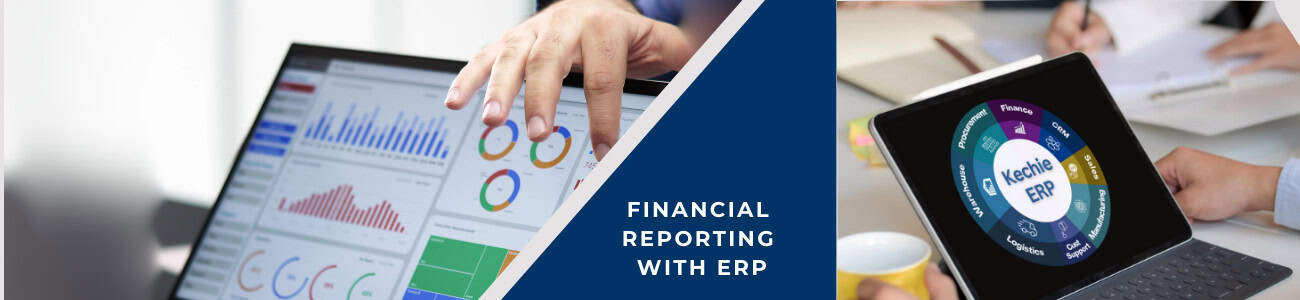
Accurate and timely financial reporting is essential for any business to monitor performance, meet compliance requirements, and make informed decisions. However, traditional financial reporting methods can be time-consuming and error-prone. ERP systems simplify this by centralizing financial data and automating reporting processes.
What is the Meaning of Financial Reporting with ERP?
Financial reporting with ERP involves using integrated software to generate comprehensive reports on financial performance. ERP systems consolidate data from various departments, offering a unified view of the organization’s finances. Additionally, ERP solutions provide Key Performance Indicators (KPIs) to track and measure critical financial metrics, ensuring businesses can monitor performance and make informed decisions efficiently.
What Are the Advantages and Disadvantages of Financial Reporting with ERP?
Advantages
1. Real-Time Insights: Immediate access to up-to-date financial data.
2. Automation: Reduces manual errors in financial reporting.
3. Compliance Support: Built-in tools for adhering to regulatory standards.
4. Customizable Reports: Tailored reporting to suit specific business needs.
Disadvantages
1. High Costs: Advanced ERP systems can be expensive.
2. Complexity: Employees require training to use financial reporting tools effectively.
3. Data Migration Challenges: Transferring legacy financial data to ERP can be resource-intensive.
What Are the Benefits of Financial Reporting with ERP?
1. Enhanced Accuracy: Automated calculations reduce errors.
2. Time Savings: Faster report generation allows more focus on strategy.
3. Better Transparency: Provides a clear picture of financial health to stakeholders.
4. Improved Decision-Making: Data-driven insights for strategic planning.
Conclusion
ERP systems make financial reporting more efficient, accurate, and insightful. Businesses leveraging ERP for financial management can enjoy streamlined operations, improved compliance, and enhanced decision-making capabilities.
Explore related tools and articles
Supply Chain Integration with ERP
Supply Chain Integration with ERP

A well-integrated supply chain is vital for businesses aiming to remain competitive. It ensures seamless coordination between procurement, manufacturing, inventory, and distribution. ERP systems play a key role in achieving supply chain integration by providing a unified platform that connects all these processes.
What is the Meaning of Supply Chain Integration with ERP?
Supply chain integration involves aligning and linking all components of the supply chain to work cohesively. With an ERP system, businesses can synchronize supply chain activities, improving communication and collaboration among suppliers, manufacturers, and distributors.
What Are the Advantages and Disadvantages of Supply Chain Integration with ERP?
Advantages
1. Enhanced Visibility: Real-time tracking of inventory, orders, and shipments.
2. Improved Coordination: Streamlines communication between stakeholders.
3. Cost Efficiency: Reduces waste and optimizes resource utilization.
4. Demand Forecasting: Predictive analytics help in planning for future demand.
Disadvantages
1. High Setup Costs: Implementation can be expensive for smaller businesses.
2. Dependency on Accuracy: Data inaccuracies can disrupt the entire supply chain.
3. Complexity: Requires meticulous planning and expert management during setup.
What Are the Benefits of Supply Chain Integration with ERP?
1. Streamlined Operations: Integrated systems reduce delays and inefficiencies.
2. Better Customer Service: Faster order fulfillment leads to higher satisfaction.
3. Scalability: Supports growing supply chain complexities as the business expands.
4. Risk Management: Identifies potential bottlenecks and risks in advance.
Conclusion
ERP systems enable businesses to integrate and streamline their supply chain processes effectively. By ensuring real-time visibility and better coordination, ERP solutions help businesses reduce costs, enhance efficiency, and stay competitive in an ever-changing market.
Explore related tools and articles

Customer Relationship Management with ERP
Customer Relationship Management (CRM) with ERP

Customer Relationship Management (CRM) focuses on building and maintaining strong relationships with customers. By integrating CRM with ERP systems, businesses can achieve a unified view of customer interactions, enabling more personalized and efficient service.
The Role of ERP in CRM
While a standalone CRM system focuses solely on customer interactions, an ERP system integrates multiple business processes, including finance, inventory, sales, and operations. By combining CRM with ERP, businesses gain a unified platform that bridges customer-facing functions with backend operations, creating a seamless flow of information across departments.
Benefits of CRM with ERP Integration
1. Enhanced Data Visibility
Integrating CRM with ERP ensures that customer data is no longer siloed. Sales, customer service, and support teams can access real-time data, such as order history, payment status, and inventory availability, enabling them to provide informed and timely assistance to customers.
2. Streamlined Processes
With CRM-ERP integration, businesses can automate processes like order management, invoicing, and customer service. This reduces manual errors, saves time, and improves operational efficiency.
3. Improved Customer Experience
Having access to a customer’s complete history allows businesses to personalize interactions, anticipate needs, and offer tailored solutions. This leads to higher customer satisfaction and loyalty.
4. Informed Decision-Making
Integrated systems provide comprehensive analytics and reporting capabilities. Businesses can track key metrics, identify trends, and make data-driven decisions to improve customer engagement and overall performance.
5. Scalability and Flexibility
As businesses grow, their needs evolve. CRM-ERP systems are scalable, making it easier to adapt to increased customer demands and operational complexities.
Key Features of CRM in ERP Systems
- Customer Database Management: Centralized storage of customer contact details, purchase history, and preferences.
- Sales Automation: Streamline sales processes, from lead generation to closing deals.
- Customer Support: Efficiently manage support tickets and track resolution timelines.
- Marketing Campaigns: Plan, execute, and track the success of marketing campaigns.
- Analytics and Reporting: Gain insights into customer behavior, sales trends, and performance metrics.
Real-World Applications of CRM with ERP
1. e-Commerce: Personalize shopping experiences by tracking customer preferences and purchase history.
2. Manufacturing: Improve customer satisfaction by providing accurate delivery timelines and resolving issues quickly.
3. Nonprofits: Track donor contributions, manage fundraising campaigns, and build lasting relationships with volunteers and stakeholders.
4. Distribution: Optimize order management, track delivery schedules, and ensure accurate inventory levels to meet customer demands effectively.
Conclusion
By integrating CRM and ERP, businesses can create a seamless and efficient customer experience, build stronger relationships, and drive sustainable growth.
Key Takeaways:
- CRM and ERP integration provides a 360-degree view of customers.
- Streamlines order fulfillment and improves customer service.
- Enables data-driven decision-making for enhanced customer satisfaction.
- Increases sales and revenue through personalized interactions.
- Improves operational efficiency and reduces costs.
- Builds stronger customer relationships and drives business growth.
Explore related tools and articles

ERP for Manufacturing
ERP for Manufacturing
Manufacturing businesses face unique challenges, including resource management, production planning, and quality control. ERP systems are specifically tailored to address these needs, helping manufacturers optimize operations and stay competitive.
What is the Meaning of ERP for Manufacturing?
ERP for manufacturing integrates production planning, inventory management, quality assurance, and other manufacturing functions into a single system. It provides end-to-end visibility, enabling businesses to manage resources efficiently.
What Are the Advantages and Disadvantages of ERP for Manufacturing?
Advantages
- Real-Time Monitoring: Tracks production progress and resource usage.
- Improved Quality Control: Ensures adherence to standards through integrated checks.
- Reduced Downtime: Predictive maintenance features minimize disruptions.
- Enhanced Scalability: Adapts to changing production demands.
Disadvantages
- Complex Customization: Manufacturing-specific needs may require extensive tailoring.
- Initial Costs: High setup and training expenses.
- Implementation Time: Requires careful planning and execution.
What Are the Benefits of ERP for Manufacturing?
1. Resource Optimization: Efficient allocation of raw materials and labor.
2. Improved Decision-Making: Access to real-time data aids strategic planning.
3. Increased Productivity: Automation reduces manual intervention, speeding up processes.
4. Better Supplier Collaboration: Streamlined communication with suppliers .
Conclusion
ERP systems are indispensable for manufacturing businesses, offering tools to optimize production, enhance quality, and drive efficiency. By adopting the right ERP solution, manufacturers can navigate industry challenges and achieve sustained growth.
Explore related tools and articles

Business Process Optimization with ERP
Business Process Optimization with ERP
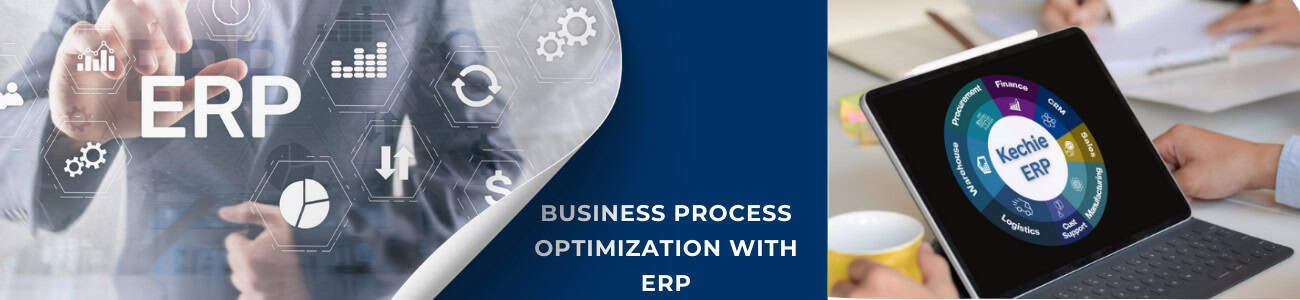
What is an ERP System?
ERP, or Enterprise Resource Planning, refers to software solutions designed to manage and integrate various business functions like finance, human resources, inventory, and customer relationships.
ERP Definition and History
At its core, ERP consolidates disparate systems into a unified platform, enabling seamless data flow across departments. The concept originated in the 1960s with material requirements planning (MRP) systems for manufacturing. Over time, ERP solutions evolved to include additional business functions, becoming a cornerstone for organizational efficiency.
Features of ERP systems include:
- Centralized data management
- Modular design tailored to specific needs
- Real-time reporting and analytics
- Automation of routine tasks
The Role of ERP in Business Process Optimization
ERP systems are designed to streamline and standardize processes across an organization.
Process Integration
An ERP solution eliminates silos by integrating data from all departments, ensuring consistency and accuracy. For example, inventory data flows seamlessly into sales and procurement, reducing redundancy and errors.
Automation and Efficiency
ERP software automates routine tasks, such as invoice processing and payroll management, freeing up resources for strategic initiatives.
Real-Time Insights
With built-in analytics, ERP systems provide actionable insights, enabling businesses to make data-driven decisions and respond swiftly to market changes, and enhance customer satisfaction.
Advantages and Disadvantages of ERP Systems
Advantages
- Increased Efficiency: Automation minimizes manual tasks and reduces errors.
- Enhanced Collaboration: A centralized system fosters better communication across departments.
- Scalability: ERP solutions grow with the business, adapting to increased demands.
- Regulatory Compliance: ERP systems often include features to meet legal and industry standards.
Disadvantages
- High Initial Costs: Implementation and customization can be expensive.
- Complexity: ERP systems require significant time and expertise to set up and maintain.
- Training Requirements: Employees need comprehensive training to use ERP software effectively.
Benefits of Implementing ERP Solutions
Investing in ERP systems yields substantial long-term benefits.
- Streamlined Operations: ERP consolidates processes, reducing duplication and inefficiencies.
- Improved Decision-Making: Real-time data enhances strategic planning.
- Cost Savings: Automation and optimization reduce operational costs.
- Enhanced Customer Satisfaction: Faster response times and accurate order fulfillment build trust and loyalty.
Challenges in ERP Implementation
Implementing an ERP system is not without challenges:
- Resistance to Change: Employees may be hesitant to adapt to new systems.
- Customization Issues: Tailoring ERP solutions to fit unique business needs can be complex.
- Data Migration: Transferring data from legacy systems to ERP software requires meticulous planning.
Overcoming Challenges
Organizations can effectively address these challenges through a multi-faceted approach. This includes meticulous planning that considers the specific needs and goals of the organization. Furthermore, comprehensive training programs are essential to equip employees with the necessary skills and knowledge to navigate the evolving environment. Finally, engaging experienced implementation partners can provide valuable guidance and support throughout the process, ensuring a smooth and successful transition. By implementing these strategies, organizations can minimize implementation challenges, ensuring a successful system rollout, and delivering improved efficiency, productivity, and a greater return on investment.
Conclusion
ERP systems play a pivotal role in business process optimization by integrating and automating workflows. Despite challenges in implementation, the benefits of ERP—such as improved efficiency, cost savings, and data-driven decision-making—make it an indispensable tool for businesses. As technology advances, ERP solutions will continue to evolve, offering even greater potential for process optimization.