Home › Blog ›Distribution Management Software: What It Is and How to Choose
Distribution Management Software: What It Is and How to Choose
 Updated 2026 · 7 min read · By the MOA Marketing Team
Distribution management software runs everything between buying a product and delivering it to a customer: purchasing, inventory across warehouses, order processing, picking and shipping, returns, and the data that ties them together. For distributors, and for manufacturers who distribute what they make, it keeps every department working from one accurate picture of stock and orders.
The best option for most growing operations isn’t a stack of separate tools. It’s one ERP system where inventory, warehouse, orders, and accounting share the same real-time data. This guide covers what distribution software does, the features to look for, and how to choose.
Key takeaways
- Distribution management software covers purchasing, inventory, warehouses, orders, shipping, returns, and reporting.
- It comes in four types: inventory apps, CRM-first sales tools, distribution-specific systems, and ERP. Each fits a different stage.
- Real-time inventory across every location, barcode-driven picking, and lot tracking matter most to growing distributors.
- Compare five-year cost, not entry price, since usage fees and add-ons change the total.
- Plan implementation around clean data and a quiet season, not just a launch date.
What distribution management software does
Distribution software covers the full order-to-delivery cycle. In a well-connected system, each step updates the next automatically.
- Purchasing and replenishment. Reorder points and min/max levels trigger purchase orders before stock runs out.
- Receiving and put-away. Goods are received against the purchase order and stored in tracked bin locations.
- Inventory control. Quantities, costs, lots, and serial numbers stay current across every warehouse.
- Order management. Sales orders from reps, customers, ecommerce, and EDI flow into one queue.
- Pick, pack, and ship. Barcode scanning guides picking, and shipping integrations print labels and track packages.
- Invoicing. Shipments become invoices without retyping.
- Returns. RMAs bring goods back into stock or out for repair, with credits tracked.
- Reporting. Sales, margin, inventory turns, and fill rates are visible as they happen.
Signs your current tools are holding distribution back
Most distributors don’t go looking for new software until the workarounds start costing real money. If several of these sound familiar, it’s time to look.
- Inventory counts in the system don’t match what’s on the shelf.
- You find out about stockouts from customers, not from your system.
- Orders from different channels get entered by hand into the same system.
- Nobody can say what’s available to promise across all warehouses without making calls.
- Pickers rely on memory or paper to find items.
- Shipping, invoicing, and accounting each keep their own version of an order.
- A lot recall or a customer audit takes days to answer.
- Month-end reports take a week to assemble from spreadsheets.
For a deeper look, see common pain points for distributors.
Features to look for
The features below matter most to distributors and to manufacturers who distribute. Use the table as a checklist during demos.
| Feature | What it does | Why it matters |
|---|---|---|
| Real-time inventory | Updates stock the moment it’s received, moved, picked, or shipped | Prevents overselling and surprise stockouts |
| Multi-warehouse control | Tracks stock, transfers, and availability by location | Fills orders from the right place |
| Warehouse management | Bin locations, guided picking, and cycle counts | Cuts picking errors and search time |
| Barcode scanning | Scans at receiving, picking, packing, and counting | Removes manual entry errors |
| Replenishment | Reorder points, min/max levels, and safety stock | Keeps stock available without overbuying |
| Lot and serial tracking | Traces each batch or unit from supplier to customer | Supports recalls, warranties, and compliance |
| Order management | One queue for orders from every channel | Stops double entry and lost orders |
| Shipping integration | Rates, labels, and tracking from shipping services | Speeds fulfillment |
| EDI | Exchanges orders, invoices, and notices with trading partners | Required by many retailers and large customers |
| Returns (RMA) | Authorizes, receives, and credits returns | Keeps returned stock and credits accurate |
| Customer and vendor portals | Lets customers order and vendors respond online | Cuts calls and email back-and-forth |
| Reporting | Turns, fill rate, margin, and aging by item, customer, or location | Shows where money is tied up |
Types of distribution management software
Distribution software comes in four broad types. The right one depends less on company size than on how many departments, locations, and channels need to share data.
| Type | What it covers | Works well when | Watch out for |
|---|---|---|---|
| Inventory app plus accounting | Stock levels and basic orders, synced to accounting software | Few products, one location, simple order flow | Outgrown quickly once warehouses and channels multiply |
| CRM-first sales tools | Customer accounts, reps, and quoting, with light order features | The main problem is managing sales reps and accounts | Limited warehouse, purchasing, and inventory control |
| Distribution-specific systems | Order, warehouse, and delivery tools built for one niche | A narrow niche with specialized workflows | Accounting and purchasing often live elsewhere |
| ERP system | Inventory, warehouse, orders, purchasing, shipping, and accounting on one database | Multiple departments, locations, or sales channels | Needs a structured implementation and team buy-in |
Lighter tools can work early on. As order volume and locations grow, every handoff between systems becomes a place where data goes stale. That’s the point where one system usually pays for itself. Our post on why distributors need an ERP system goes deeper.
How to choose the right system
Bring these questions to every demo, and ask the vendor to show the answer live.
- Can you run our busiest day? Walk an order from receipt through pick, pack, ship, and invoice, using our products.
- How do multiple warehouses work? Show a transfer, and show what’s available to promise across locations.
- What happens when stock runs low? Show how reorder points and purchase suggestions are set and reviewed.
- How do we trace a lot? Pick a lot and show every customer who received it.
- Which of our systems connect today? Ecommerce, shipping, EDI, payments, and accounting.
- How long until we’re live, and who does the work? Get a named team and a realistic timeline.
- What does five years cost? Include subscription, implementation, integrations, support, and renewal increases.
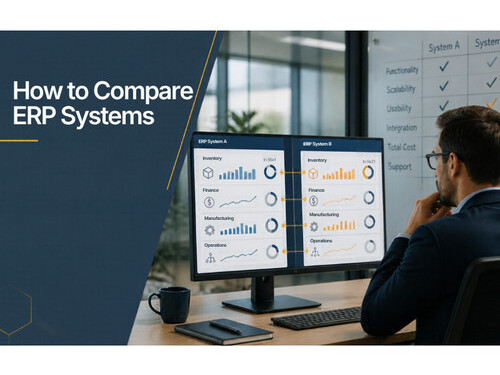
To score vendors side by side, use our ERP comparison scorecard.
What distribution management software costs
Pricing models vary widely, so line quotes up on the same basis before comparing.
- Per-user subscription. A monthly fee for each person who logs in. Predictable, and it grows with your team.
- Editions or tiers. Features unlock at higher price levels. Check which tier includes your must-haves.
- Usage-based fees. Charges tied to orders, transactions, or storage. These can rise faster than your headcount.
- Module add-ons. Warehouse, EDI, portals, or financials priced separately.
On top of the subscription, budget for implementation, data migration, training, and integrations. Our ERP comparison scorecard includes a five-year cost worksheet, and the true cost of ERP implementation covers the one-time costs.
What to expect during implementation
A well-run implementation follows a clear sequence:
- Scope. Agree on processes, locations, integrations, and reports for go-live.
- Clean the data. Fix item records, units of measure, customer and vendor lists, and open orders before they move.
- Configure. Set up warehouses, bins, pricing, and approval rules.
- Connect. Turn on ecommerce, shipping, EDI, and accounting integrations.
- Test with real orders. Run a full week of typical orders through the system before cutover.
- Train by role. Pickers, buyers, sales, and accounting each learn their own screens.
- Count and go live. Do a full physical count right before cutover, and avoid your busiest season.
For common pitfalls, see 7 mistakes to avoid when implementing an ERP.
How Kechie ERP handles distribution
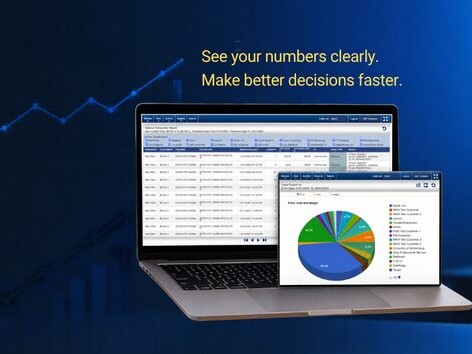
Kechie ERP, from My Office Apps (MOA), is enterprise ERP without the enterprise complexity. Its core package covers what distributors run on every day: inventory management, warehouse management, procurement, order management, CRM, logistics, returns, and reporting. Data entered once in one module is available in all relevant modules in real time.
- Inventory you can trust. Multi-warehouse control, bin locations, barcode scanning, and lot and serial tracking.
- Less retyping. When a user clicks Ship on a sales order, Kechie creates the invoice and packing slip and posts the invoice to accounts receivable.
- Smarter replenishment. AI-driven recommendations for min/max levels, which your team reviews before anything changes.
- Connected channels. Prebuilt integrations with Shopify, Amazon, ShipStation, Avalara, QuickBooks Online, and more, plus an API.
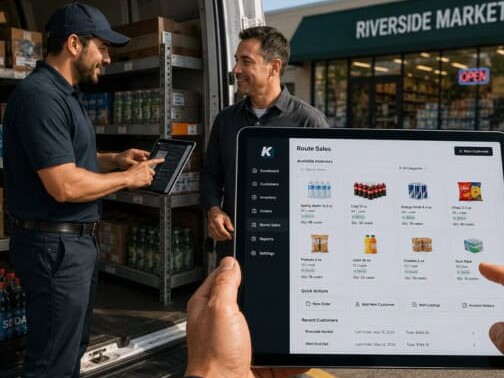
- Add what you need. Financial Management, a B2B customer portal, the SupplierHub vendor portal, route sales, and 3PL are available as add-ons on the same real-time data.
- Ready from day one. Pre-configured for your industry and configurable for your business, with hundreds of pre-configured reports and no IT required.
Dedicated implementation, project management, and US-based support teams take you live in weeks. Kechie was named to Forbes Advisor’s 10 Best ERP Systems of 2025. See more on our distribution industry page.
Ready to see it with your own products?
Book a distribution demo built around your items and orders, or start with a Free ERP Requirements Assessment to map what your operation needs.
Book a Distribution Demo Free ERP Requirements AssessmentFrequently asked questions
What is distribution management software?
It’s software that manages the flow of goods from purchasing through delivery: inventory, warehouses, orders, shipping, returns, and reporting. In an ERP system, it also connects to accounting.
What is the best distribution management platform for manufacturers and distributors?
The best fit is a system that covers inventory, warehouse, orders, purchasing, and accounting on one set of real-time data. For manufacturers who also distribute, it should include production planning too. Score each option against your own requirements before you decide.
What’s the difference between distribution software and ERP?
Distribution software focuses on inventory, orders, and fulfillment. ERP includes those functions plus accounting, purchasing, and often manufacturing, all in one system.
Do distributors need a warehouse management system?
If you run more than one location, store items in bins, or pick many orders a day, yes. A WMS adds guided picking, bin tracking, and cycle counts that basic inventory tools lack.
How long does it take to implement distribution software?
It depends on the system and the scope. A pre-configured system with a structured implementation can go live in weeks rather than months.